- Universal Accessibility: The 2026 standards mandate that libraries shift from “compliance” to “usability,” focusing on sensory, physical, and cognitive comfort for older adults.
- Digital Empowerment: New guidelines prioritize “assisted digital navigation,” ensuring that public services accessed via libraries are intuitive and supported by trained staff.
- Proactive Advocacy: Residents can check their local library’s compliance status against these 2026 benchmarks to request specific facility improvements.
Public libraries are undergoing a fundamental transformation. As the global population shifts, library systems in several jurisdictions are adopting new “2026 Age-Inclusive Standards.” These are not merely building codes; they are comprehensive frameworks designed to ensure that libraries remain hubs of lifelong learning, social connection, and essential digital services for adults aged 60 to 80.
The Shift: From Compliance to Universal Usability
Historically, library accessibility focused on basic compliance—installing a ramp or a wide door. The 2026 standards move toward “Universal Usability.” This concept recognizes that as we age, our needs regarding lighting, noise, physical reach, and digital interfaces evolve. The goal is to remove the “hidden barriers” that cause fatigue or frustration.
What does this look like in practice? It means that a library is no longer just a place to borrow books; it is a space where the environment adapts to the user. For instance, instead of fixed-height tables, libraries are transitioning to height-adjustable workstations. Instead of small, grey-on-white signage, standards now require high-contrast, large-print directional cues placed at consistent eye levels.

Key Pillars of the 2026 Age-Inclusive Standards
The 2026 framework is built upon four primary pillars that directly affect the daily experience of older patrons. Understanding these pillars helps you determine if your local library is meeting the new expectations.
1. Sensory and Cognitive Ergonomics
Many older adults experience changes in vision or sensitivity to high-frequency noise. The new standards require:
- Acoustic Zoning: Libraries must provide “quiet zones” that utilize sound-absorbing materials to minimize background chatter, making it easier for those with hearing aids to focus.
- Adaptive Lighting: Replacing flickering or dim overhead lights with warm, glare-free LED lighting that mimics natural daylight, reducing eye strain.
- High-Contrast Navigation: Signage must meet specific luminance contrast ratios, ensuring that text stands out clearly against its background.
2. Physical Mobility and Stamina Management
Navigating a large library should not require excessive walking or standing. The 2026 standards emphasize:
- Micro-Rest Areas: Seating must be placed at regular intervals (every 15-20 meters) along main circulation paths, allowing patrons to rest without leaving the stacks.
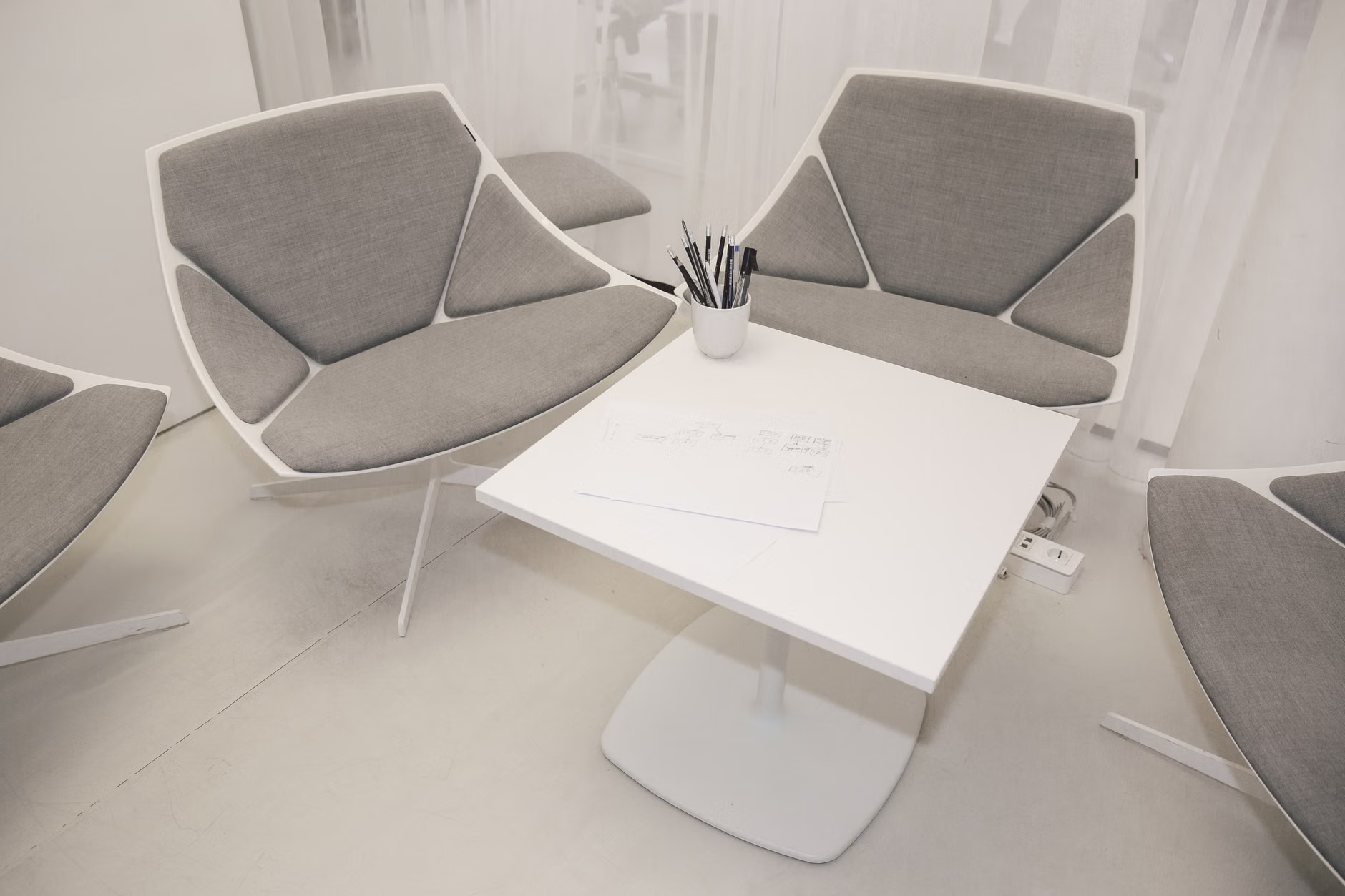
- Ergonomic Furniture: Chairs must have firm, supportive backrests and armrests to assist in sitting down and standing up, moving away from low, soft sofas that are difficult to exit.
- Reachability: “Core collections” (popular books, large-print editions) must be stored between 70cm and 150cm from the floor, eliminating the need for bending or reaching high shelves.

3. Digital Inclusion and Support
As public services—such as tax filings, pension updates, and healthcare portals—move online, libraries are becoming the primary point of access for many. The 2026 standards mandate:
- Assisted Digital Navigation: Libraries must provide staff training specifically for assisting older adults with digital devices, focusing on patience and step-by-step guidance rather than “doing it for them.”
- Hardware Accessibility: Access to tablets with screen-magnification software, trackballs instead of standard mice, and keyboards with high-visibility keycaps.
4. Safety and Emergency Preparedness
Safety is not just about fire exits; it is about clear communication. The standards require audible and visual emergency alerts that are distinct and easy to understand for those with sensory impairments.
Comparison: Old Library Design vs. 2026 Standards
The following table illustrates the shift in design philosophy. Understanding these differences allows you to advocate for specific changes in your local community.
| Design Feature | Traditional Library | 2026 Age-Inclusive Standard |
|---|---|---|
| Signage | Standard font, low contrast | Large-print, high-contrast, consistent height |
| Seating | Sporadic, low/soft chairs | Frequent, firm, supportive, armrest-equipped |
| Shelving | Floor to ceiling | Accessible reach zone (70cm – 150cm) |
| Digital Support | Self-service kiosks | Assisted digital navigation stations |
If your local library currently resembles the “Traditional” column, you are not alone. These standards are being implemented in phases. You can use this table as a checklist when visiting your local branch to identify which areas need the most improvement.
How to Advocate for Better Library Access
You do not need to be a library board member to influence these changes. Most libraries operate on public funding and are highly responsive to patron feedback. Here is a practical, step-by-step approach to requesting improvements:
- Conduct a Personal Audit: The next time you visit, note one specific challenge. Is it the height of the shelves? The lack of seating in the reference section? The glare from the lights?
- Identify the Decision-Maker: Locate the “Library Manager” or “Head of Branch.” Do not simply mention it to a student volunteer; speak to someone with the authority to budget for small changes.
- Use the “Standard” Language: When you speak to them, mention the “2026 Age-Inclusive Standards.” This signals that you are informed and that you are asking for a recognized industry benchmark rather than a personal favor.
- Propose a Trial: Suggest a “pilot” area. For example, “Could we try adding two firm-backed chairs to the history section to see if it increases usage among older patrons?”
Understanding the Hidden Variables
One often overlooked aspect of library design is the “transition space”—the area between the entrance and the quiet zones. In many buildings, the entrance is bright, while the reading room is dark. This sudden change in light levels can be disorienting for older eyes, which require more time to adjust to changes in luminance. The 2026 standards recommend “transition zones” with intermediate lighting to allow the eyes to adapt gradually. If you feel dizzy or disoriented when entering a library, it is likely due to this rapid change in environment rather than any personal health issue. Simply pausing for 30 seconds in the lobby can help your eyes adjust.
The Role of Libraries in Lifelong Learning
Beyond the physical space, the 2026 standards emphasize “programming equity.” This means that libraries are expected to offer workshops that are not just “computer classes” but are tailored to modern life. Examples include sessions on navigating secure online banking, using tele-health portals, or managing digital documents for pension applications. When choosing a library program, look for those that describe a “slow-paced, hands-on” approach. Avoid programs that promise to make you a “tech expert” in one hour; true learning requires time, repetition, and the ability to ask questions without feeling rushed.
When using library computers for sensitive tasks like checking your pension or health benefits, always prioritize security. While libraries provide the hardware, they cannot guarantee the privacy of your personal data. Always log out of your accounts before leaving the station. If you are unsure how to use a service, ask the staff specifically for a “private assisted session.” Many libraries now have private rooms where a staff member can sit with you to guide you through a website without being overheard by other patrons.
Conclusion: Taking Action
The 2026 standards represent a positive move toward recognizing the diverse needs of the global population. As these standards become the norm, we should expect libraries to become more comfortable, more navigable, and more helpful in our daily lives. Your role as an informed patron is to monitor these changes and ensure that your local library is making the necessary adjustments. By advocating for these features, you help create a space that benefits not only your generation but the entire community.
For more information on universal design principles, you may refer to resources provided by the Centre for Excellence in Universal Design or your national library association’s guidelines on accessibility.
Frequently Asked Questions (FAQ)
1. Are these 2026 standards legally binding for all libraries?
The status of these standards depends on your country and municipality. In many regions, they are currently “best practice guidelines” rather than mandatory laws. However, as public institutions, libraries are often subject to broader national accessibility acts. You can check your local government’s website to see if your jurisdiction has adopted these specific standards into their building codes.
2. What should I do if my local library refuses to make requested accessibility improvements?
If a direct request to the branch manager is unsuccessful, consider writing to your local library board or your city council representative. Frame your request around “community equity” and “the right to access public services.” Often, budget constraints are the primary barrier; asking if they have applied for specific “accessibility grants” can sometimes prompt them to look for alternative funding sources.
3. Do these standards apply to small, rural library branches?
Yes, the principles of the 2026 standards are designed to be scalable. While a small branch may not have the space for a massive reading lounge, the requirements for high-contrast signage, reachable shelving, and staff-assisted digital support apply regardless of the building’s size. You can encourage your local branch to implement “low-cost, high-impact” changes, such as rearranging existing shelves to put popular items in the “reach zone.”
Disclaimer: This article provides information on current trends in library design and accessibility. It does not constitute legal or professional advice. Always check with your local library authority regarding specific policies and implementation timelines in your region.