2026 Digital Financial Security: A Practical Guide for Protecting Your Assets
As we move into 2026, financial institutions and regulatory bodies worldwide have introduced updated digital security guidelines designed to better protect account holders against increasingly sophisticated cyber threats. For those managing pensions, investments, and daily banking online, these updates require a proactive approach to account maintenance and verification.
- Mandatory Multi-Factor Authentication: By 2026, most major banks now require hardware-based or biometric authentication for high-value transactions.
- Shift to Zero-Trust Verification: Institutions will no longer rely on email or SMS codes alone; expect “in-app” verification as the new standard.
- Proactive Account Monitoring: Automated AI-driven fraud detection now requires users to “pre-authorize” significant changes or international transfers.
Understanding the 2026 Security Landscape
The core change in 2026 financial security is the move away from “knowledge-based” security (passwords and security questions) toward “possession-based” and “biometric” security. Criminals have become highly proficient at harvesting passwords through social engineering. Therefore, banks are now focusing on verifying that you are physically in possession of your registered device or providing unique biological markers.
Why does this matter for you? Because the traditional method of simply changing a password every 90 days is no longer considered sufficient. In 2026, your “digital identity” is protected by multiple layers that verify who you are, where you are, and what device you are using.
The Shift in Verification Protocols
In the past, receiving a text message (SMS) code was the gold standard. However, 2026 regulations in many jurisdictions—including the EU’s updated PSD3 framework and similar standards in North America—have flagged SMS as a security risk due to “SIM swapping” attacks. Consequently, banks are transitioning to:
- In-App Push Notifications: You will receive a request directly in your trusted banking app, which you must confirm with a face scan or fingerprint.
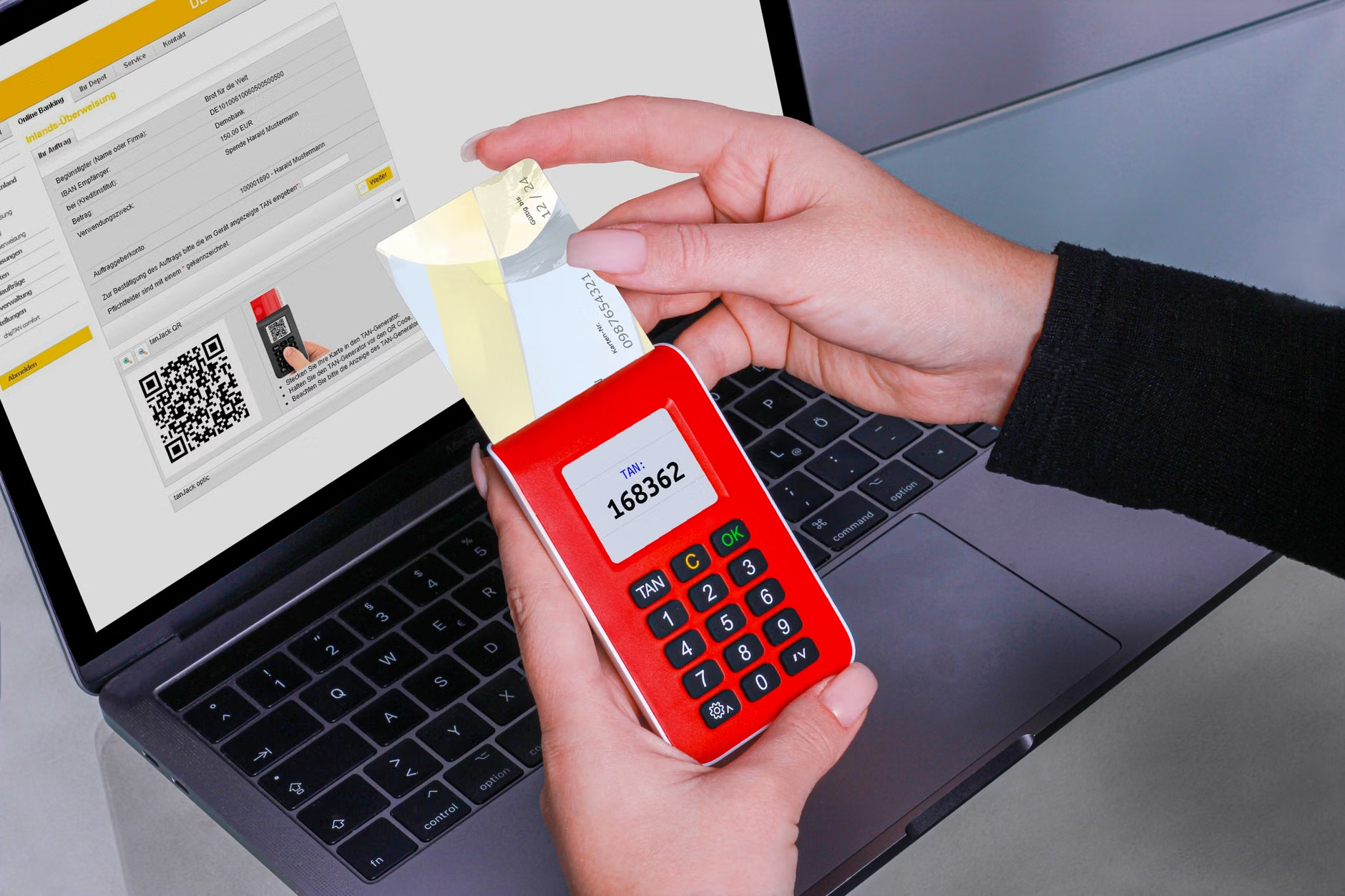
- Hardware Security Keys: Physical devices (often USB or NFC-enabled) that must be tapped against your phone or inserted into your computer to authorize a payment.

Step-by-Step: Strengthening Your Digital Financial Defense
To align with these 2026 standards, you should audit your current digital financial setup. Follow these steps to ensure you are not left vulnerable to outdated security practices.
| Security Level | Action Required | Why It Matters |
|---|---|---|
| Essential | Enable Biometrics | Faster and more secure than passwords. |
| Advanced | Use a Password Manager | Prevents credential reuse across sites. |
| Highest | Hardware Security Key | Cannot be phished or intercepted remotely. |
Implementing Biometrics Safely
Biometrics (fingerprint, facial recognition) are now the primary way to access financial services. A common misconception is that this data is stored by the bank. In reality, your biometric data is encrypted and stored locally on your specific device (like your phone or laptop). The bank only receives a “yes/no” confirmation from your device that you are the verified user.
Action: Check your banking app settings under “Security” or “Login Preferences.” If you are still using a PIN or password, enable FaceID or Fingerprint authentication immediately. Ensure your device’s operating system is also updated to the latest version to maintain these security patches.
In 2026, banks are utilizing sophisticated AI to detect “anomalous” behavior. While this helps catch thieves, it can also lead to your legitimate transactions being blocked. If you are planning a large purchase or an international travel expense, you must navigate these new “pre-authorization” rules.
What to do before large financial moves:
- Check the “Travel Notice” feature: Most banking apps now have a dedicated section to inform the bank of your location and dates. Do this at least 48 hours before traveling.
- Verify spending limits: If you intend to make a large purchase, check your daily transfer limit in the app. Increasing this limit often requires a 24-hour “cooling-off” period for security reasons.
- Keep an alternative payment method: Never rely on a single digital card. Carry a secondary card from a different institution. If your primary bank’s AI flags your account due to an “unusual” purchase, you will still have access to funds.
The Role of Family and Caregivers in 2026
Digital financial security is a shared responsibility. If you have a trusted family member or caregiver who helps manage your affairs, it is crucial to set up “Authorized Access” rather than sharing your personal login credentials.
Common Mistake: Sharing your password with a family member. This is a critical security failure. If a breach occurs, the bank may deny fraud protection because you violated the “Terms of Service” by sharing your credentials.
The Better Approach: Most modern banks offer “Delegated Access” or “Third-Party Authorization.” This allows your caregiver to have their own unique login credentials tied to your account, with specific permissions (e.g., they can pay bills but cannot move funds to external accounts). Contact your bank’s customer service to ask if they support “Delegated Access for Third-Party Management.”

Recognizing Modern Phishing Tactics
By 2026, phishing has evolved. Instead of poorly written emails, criminals now use “Deepfake” technology and sophisticated phone spoofing. You might receive a call that sounds exactly like your bank’s fraud department, or an email that perfectly replicates your bank’s branding.
How to verify a suspicious request:
- The “Call-Back” Rule: If someone calls you claiming to be from your bank, hang up. Do not trust the phone number on your caller ID. Instead, find the official customer service number on the back of your physical debit card or the bank’s official website and call them yourself.
- No Urgent Demands: Legitimate financial institutions will never demand that you move money to a “safe account” or ask for your password over the phone. If a request creates a sense of extreme urgency, it is almost certainly a scam.
- Use Official Channels: Always use the secure message center inside your banking app to communicate with your bank. Messages sent through this portal are verified and secure.
Global Variations and Jurisdictional Differences
It is important to note that financial regulations vary significantly by country. In the European Union, the Payment Services Directive (PSD3) emphasizes “Strong Customer Authentication” (SCA) for almost all online transactions. In the United States, the Consumer Financial Protection Bureau (CFPB) focuses heavily on the speed of fraud dispute resolution. In Australia, the “Consumer Data Right” framework governs how your financial data is shared with third parties.
What this means for you: If you are banking internationally or holding accounts in multiple countries, your security requirements may differ. For example, a bank in one country might require a physical hardware token, while another may rely entirely on a mobile app. Always check the security documentation specifically provided by the branch or institution where your assets are held.
Technical Confidence and Troubleshooting
If you find that these new security requirements are causing you difficulty, you are not alone. Technology can sometimes create barriers to access. If you find yourself locked out of an account due to a security update, follow these steps:
- Visit a Local Branch: In-person verification is the safest way to reset your credentials. Bring a government-issued photo ID.
- Request Accessible Options: If biometrics (like facial recognition) are difficult for you to use due to lighting or vision, ask the bank for alternative authentication methods, such as a hardware key or a voice-based verification code.
- Schedule a “Security Review” Appointment: Many banks now offer appointments with a dedicated digital advisor who can walk you through the app’s security features in a low-pressure environment.
Conclusion: Prioritizing Your Digital Safety
Financial security in 2026 is less about memorizing passwords and more about managing your digital identity and access points. By shifting to biometric authentication, using hardware keys where available, and avoiding the practice of sharing credentials, you significantly reduce your risk of becoming a victim of fraud. Take the time this week to review your bank’s latest security app updates, ensure your contact information is current, and set up your delegated access if you rely on assistance for your financial affairs.
For more information on your specific region’s financial consumer protection, you can visit official resources such as the Consumer Financial Protection Bureau (USA) or the European Commission’s Payment Services guidance.
Frequently Asked Questions
1. Why is my bank no longer sending me SMS codes for security?
SMS codes are increasingly considered insecure because they can be intercepted by hackers through a process called SIM swapping. Banks are moving to in-app notifications and hardware keys, which are encrypted and significantly harder to compromise.
2. Can I still access my money if I don’t have a smartphone?
Yes, but you may need to use alternative methods like a physical hardware security key or a dedicated card reader provided by your bank. Contact your bank to ask about “non-smartphone authentication options” to ensure you maintain full access to your accounts.
3. How can I safely let a family member help me with my banking?
Do not share your personal login credentials. Instead, ask your bank about “Delegated Access” or “Third-Party Authorization.” This allows your family member to have their own unique login credentials to manage your account within the limits you set, which is much safer and compliant with bank security policies.