- Universal Accessibility: By 2026, major global financial regulators are mandating “Inclusive Design” standards, requiring apps to offer high-contrast modes, voice-command integration, and simplified navigation.
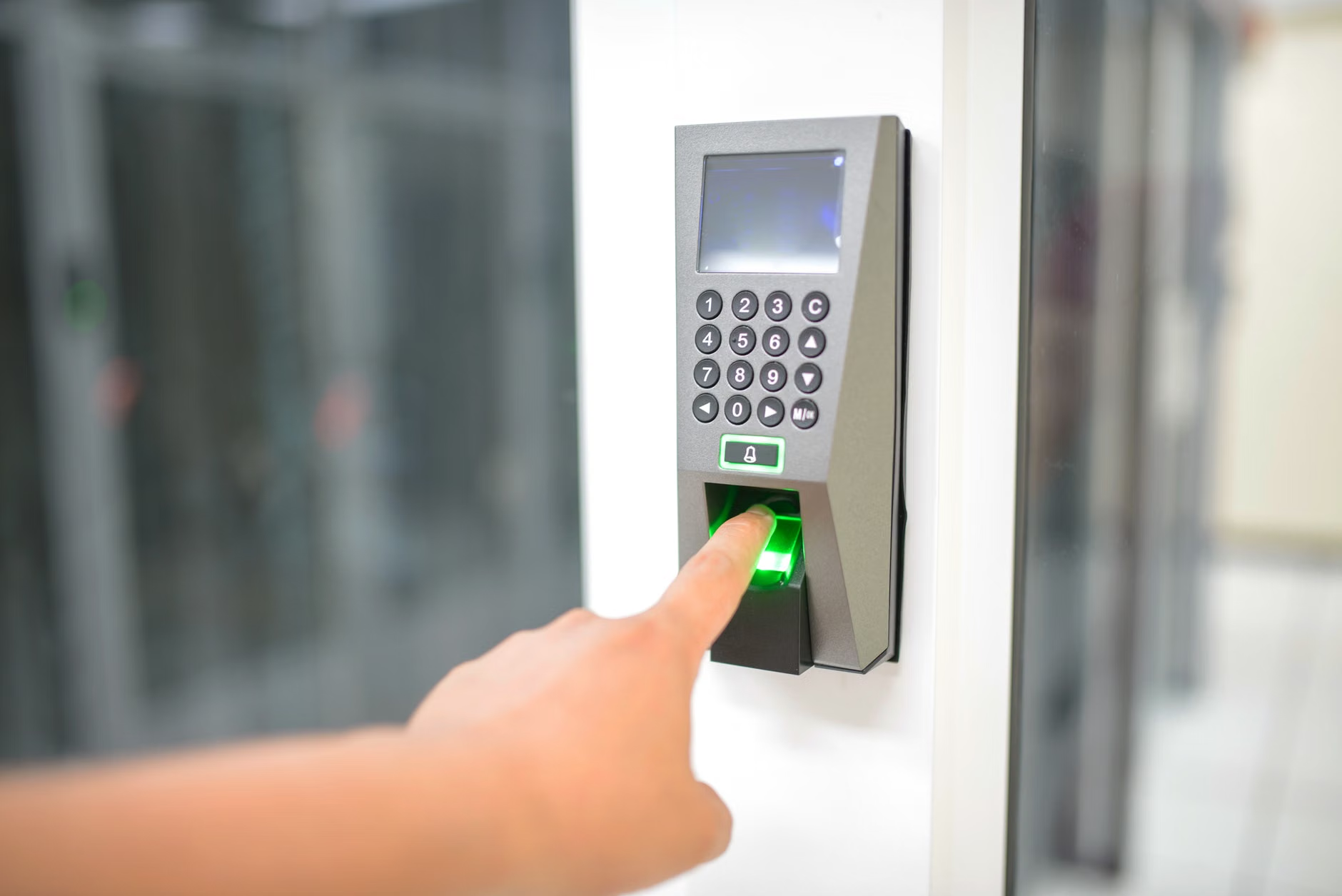
- Enhanced Security vs. Ease of Use: New standards emphasize “Biometric-First” authentication, replacing complex passwords with fingerprint or facial recognition to reduce cognitive load while increasing security.
- Proactive Account Management: You should prepare by auditing your current banking apps for “accessibility settings” now, ensuring your contact details are updated to receive 2026-compliant security alerts.
As we approach 2026, the financial sector is undergoing a significant transformation driven by new international digital accessibility standards. These changes are not merely cosmetic; they represent a fundamental shift in how banks are required to interact with customers aged 60 and older. For many, the digital banking experience has historically been marred by small fonts, confusing menus, and overly complex authentication processes. The upcoming 2026 standards aim to rectify these barriers, ensuring that digital financial services are as accessible as traditional in-person banking.
Understanding the 2026 Mandate for Inclusive Banking
The 2026 digital standards are a response to the growing reliance on digital financial services among older demographics. Regulatory bodies in regions such as the European Union (via the European Accessibility Act) and various North American and Asian jurisdictions are converging on a set of requirements that prioritize “Universal Design.”
What it is: These standards mandate that all digital banking platforms—including mobile apps and desktop websites—must meet specific Web Content Accessibility Guidelines (WCAG) 2.2 or higher. This includes requirements for adjustable text sizes, color contrast ratios that assist those with visual impairments, and navigational paths that do not rely on rapid-fire interactions.
Why it matters: Financial autonomy is a cornerstone of a high quality of life. When apps are difficult to use, it often leads to unnecessary reliance on third parties, which can increase the risk of financial exploitation or simply result in missed opportunities for managing one’s own assets. By 2026, the goal is to ensure that digital banking is a tool for empowerment rather than a source of frustration.
The Shift Toward Simplified Interfaces
One of the most anticipated changes is the “Simplified Mode” requirement. Many current banking applications are cluttered with advertisements for credit cards, investment products, and promotional banners. The 2026 standards suggest that banks must provide a “Core Functionality” view—a clean, simplified dashboard that highlights only the essential tasks: checking balances, transferring funds, and viewing recent transactions.
Real-life scenario: Imagine opening your banking app and seeing a toggle switch at the top. When activated, the interface strips away all marketing graphics, promotional pop-ups, and complex sub-menus, leaving you with large, high-contrast buttons for your most frequent tasks. This is the standard of usability that regulators are pushing for.
Security Features: Moving Beyond Passwords
Security remains a primary concern for older adults, particularly regarding phishing and identity theft. The 2026 standards address this by moving away from traditional, text-based passwords, which are difficult to remember and easy to compromise.
The Rise of Biometrics
Biometric authentication—using your fingerprint, facial scan, or voice recognition—is becoming the industry standard. These methods are not only more secure but also eliminate the need to memorize complex alphanumeric combinations.
| Authentication Method | Pros | Cons |
|---|---|---|
| Biometric (Face/Fingerprint) | Fast, secure, no memory required. | Requires modern hardware/phone. |
| Hardware Security Keys | Extremely secure, physical token. | Easy to lose; requires carrying extra item. |
| Traditional Passwords | Universal compatibility. | High risk of theft and forgetfulness. |
Decision Criteria: For most users, biometrics are the most suitable option due to their balance of convenience and security. If you have mobility issues that make holding a phone steady for facial recognition difficult, look for devices that offer fingerprint scanning, which is often more forgiving.
Preparing for the Transition: A Checklist for 2026
You do not need to wait for 2026 to start improving your digital banking experience. Many banks are already rolling out “Accessibility Settings” in anticipation of these regulations. Here is how you can take action today:
- Audit Your Current App: Go to the “Settings” menu in your banking app and look for terms like “Accessibility,” “Display,” or “Personalization.” You may find options to increase font size or enable “High Contrast Mode” immediately.
- Update Your Hardware: If your smartphone is more than five years old, it may not support the latest security protocols or accessibility updates. Consider if a device upgrade is necessary to maintain full, secure access to your accounts.
- Consolidate and Simplify: If you use multiple banks, the complexity of managing different interfaces is a significant hurdle. Consider consolidating your accounts into one or two institutions that offer the best digital accessibility support.
- Verify Contact Methods: Ensure your bank has your current phone number and email. New security standards often involve “Step-up Authentication,” where a code is sent to your mobile device to verify a transaction. If your contact info is outdated, you will be locked out.
The Human Element: Support and Caregiving
For those who may need assistance with their finances, the 2026 standards also touch upon “Authorized User” access. Historically, sharing passwords with a family member or caregiver has been a dangerous necessity. New regulations are encouraging banks to create formal, secure “Delegated Access” roles.
What it looks like: Instead of giving your caregiver your login credentials, your bank may soon allow you to add a trusted person as a “Limited Access User.” This person would have their own unique login to view statements or assist with transfers, while you retain total control and receive notifications for every action they take. This maintains your autonomy while providing a safety net.
Common Misconceptions About Digital Banking
There is a persistent myth that digital banking is inherently less safe than visiting a branch. In reality, digital transactions are now subject to far more rigorous, real-time monitoring than manual, paper-based transactions. Every digital transfer is logged, encrypted, and monitored for anomalies. If you notice a suspicious transaction, it is often easier to dispute and track it digitally than it is to trace a missing paper check or cash withdrawal.
Technical Nuances: Understanding “Dark Patterns”
As you navigate these changes, be aware of “Dark Patterns.” These are design choices that trick users into doing things they did not intend to do, such as signing up for a high-fee insurance product when you only wanted to check your balance. The 2026 standards specifically target these practices. If you find a button that is deceptively placed or confusingly labeled, this is a violation of the spirit of the new regulations. You have the right to provide feedback to your bank’s customer service regarding these interface hurdles.
Addressing Potential Risks and Limitations
While the 2026 standards are promising, they are not a panacea. Digital systems rely on internet connectivity, which can be unstable in certain regions or during power outages. Furthermore, the reliance on digital interfaces can create a “digital divide” for those without reliable access to high-speed internet.
Practical Advice: Always maintain a “Physical Contingency Plan.” This means keeping a record of your account numbers (in a secure, physical location), the customer service phone number for your bank, and a small amount of cash in a safe place. Never rely 100% on a digital device for your financial survival.
The Future of Voice Banking
A major development for 2026 is the integration of “Voice-Activated Finance.” For individuals with tremors, arthritis, or visual impairments, typing on a small screen can be a significant barrier. Voice banking allows you to perform tasks such as “Check my balance” or “Pay the electricity bill” using secure, encrypted voice commands. This technology is being rigorously tested for security to ensure that only your specific voice profile can authorize a transaction.
Conclusion: Taking Control of Your Financial Future
The shift toward 2026 digital standards is a positive step toward a more inclusive financial world. By understanding these upcoming changes—ranging from simplified interfaces to secure, delegated access—you can better prepare yourself to navigate the modern banking landscape with confidence. Remember, the goal of these technologies is to support your independence, not to replace your ability to make your own financial decisions. Stay informed, demand accessibility, and utilize the tools that make your life easier and your money safer.
Frequently Asked Questions (FAQ)
1. Will I be forced to use an app for my banking after 2026?
No. While banks are focusing heavily on digital accessibility, they are still required to provide alternative methods for those who cannot or choose not to use digital platforms. However, you may find that some high-interest products or specific services are increasingly prioritized for digital users, so it remains beneficial to learn the basics of digital banking.
2. Are biometric security measures safe for someone with health conditions affecting their skin or voice?
Biometric systems are designed to be flexible. If a fingerprint scanner does not work due to skin conditions, most devices offer facial recognition or a fallback to a PIN or password. These systems are not “one-size-fits-all,” and banks are required to provide alternative authentication methods for users who cannot use standard biometrics.
3. How can I ensure my family member can help me without giving them my password?
Contact your bank and ask about “Third-Party Access” or “Delegated User” policies. Many banks have specific forms or online processes that allow you to grant limited access to a trusted person. This is the only secure way to share financial management duties and is much safer than sharing a master password.
Disclaimer: This article provides information on upcoming financial trends and accessibility standards. It does not constitute financial or legal advice. Please consult with your specific banking institution regarding their individual implementation of these standards and your account security options.