- Digital Transition: By 2026, many national pension agencies are shifting from paper-based “proof of life” to biometric and app-based digital verification.
- Proactive Preparation: You do not need to wait for a notification; setting up your digital identity credentials now prevents potential payment delays.
- Alternative Pathways: Most jurisdictions maintain “safety nets,” such as in-person appointments or assisted digital kiosks, for those who prefer or require non-digital methods.
As we head into 2026, pension systems worldwide are undergoing a significant technological shift. Governments in regions including the European Union, parts of North America, and East Asia are aggressively moving toward “Digital-First” verification processes. This transition is designed to reduce fraud, lower administrative costs, and provide faster updates to your benefit status.
However, for retirees, this change represents a shift in how you prove your eligibility. Gone are the days when a simple mailed postcard was sufficient. Understanding these changes now—before the implementation deadlines—is the best way to ensure your income remains secure and uninterrupted.
The Shift to Digital Pension Verification: What is Changing in 2026?
Traditionally, pension agencies required retirees to submit a “Certificate of Life” or a similar paper-based document annually to prove they were still eligible for benefits. This was often done through postal mail or by visiting a local office. By 2026, the standard is shifting toward real-time, digital authentication.
Why Agencies are Moving Digital
The primary driver is the modernization of public infrastructure. Digital verification allows for:
- Automated Data Matching: Systems can now cross-reference death registry databases with pension rolls, eliminating the need for beneficiaries to “prove” they are alive annually.
- Biometric Security: Using facial recognition or fingerprint scanning via secure government apps makes identity theft significantly harder.
- Reduced Administrative Burden: Manual processing of paper forms leads to delays. Digital submissions are processed instantly, reducing the risk of payment suspension due to lost mail.
How Digital Verification Works in Real Life
In a typical 2026 scenario, you will no longer need to physically travel to a government office to prove your identity. Instead, the process will look like this:
- Identity Registration: You register once with a “Government Digital ID” app or a secure web portal using a passport or national identity card.
- Periodic “Check-in”: Instead of a paper form, you receive a notification on your phone or email. You open the app, perform a “liveness check” (often a quick facial scan similar to unlocking a modern smartphone), and your status is updated instantly.
- Confirmation: You receive a digital receipt or a confirmation email, providing proof that your verification was successful.
Common Mistake: Many retirees wait for a “final notice” before attempting to set up their digital accounts. If you encounter a technical issue during the registration process, you may face a delay in your benefits while you wait for customer support. It is highly recommended to register your account at least three months before your next expected verification date.
Comparing Verification Methods: Which is Right for You?
While digital is becoming the standard, it is not the only way to manage your pension. Understanding the trade-offs between methods helps you choose the one that fits your comfort level with technology.
| Method | Pros | Cons | Best For |
|---|---|---|---|
| Mobile App | Instant, secure, no travel required. | Requires a smartphone; learning curve. | Users comfortable with banking apps. |
| Web Portal | Accessible via PC; easier to read screens. | Requires multi-factor authentication (MFA). | Users who prefer larger screens. |
| In-Person/Kiosk | Human assistance available. | Requires travel; potential wait times. | Those with limited tech access. |
The Mobile App is the most efficient, but it requires a stable internet connection and a device that meets the security requirements (such as being updated to the latest operating system). If you do not have a modern smartphone, do not feel pressured to upgrade solely for this purpose. Most agencies provide a “Web Portal” option that can be accessed via any computer.

Practical Steps to Prepare for 2026
You do not need to be a technology expert to handle these changes. Follow these steps to prepare effectively:
1. Audit Your Credentials
Most digital government services require a “High-Level” identity verification. This means you will need a valid government-issued ID (Passport, National ID card, or Driver’s License). Ensure these are not expired. If your ID is near expiration, renew it now.
2. Secure Your Digital Access
If you use a computer or phone for banking, you likely already use Multi-Factor Authentication (MFA). This is when you receive a code via SMS or an app to confirm your login. Ensure your phone number on file with the pension agency is current. Never share these codes with anyone who calls you claiming to be from the pension office; government agencies will never ask for your MFA code over the phone.
3. Identify Your “Safety Net”
Check your national pension agency’s website to see if they offer a “proxy” or “authorized representative” system. If you prefer not to use digital tools, you can often designate a trusted family member to handle the digital verification on your behalf. This requires formal registration of the representative, so start this process early.
Understanding the Risks and Privacy Concerns
It is natural to be concerned about data security when moving sensitive information online. However, government-run portals are generally held to higher security standards than private commercial websites. They typically use encrypted channels and do not store your biometric data in a way that can be accessed by third parties.
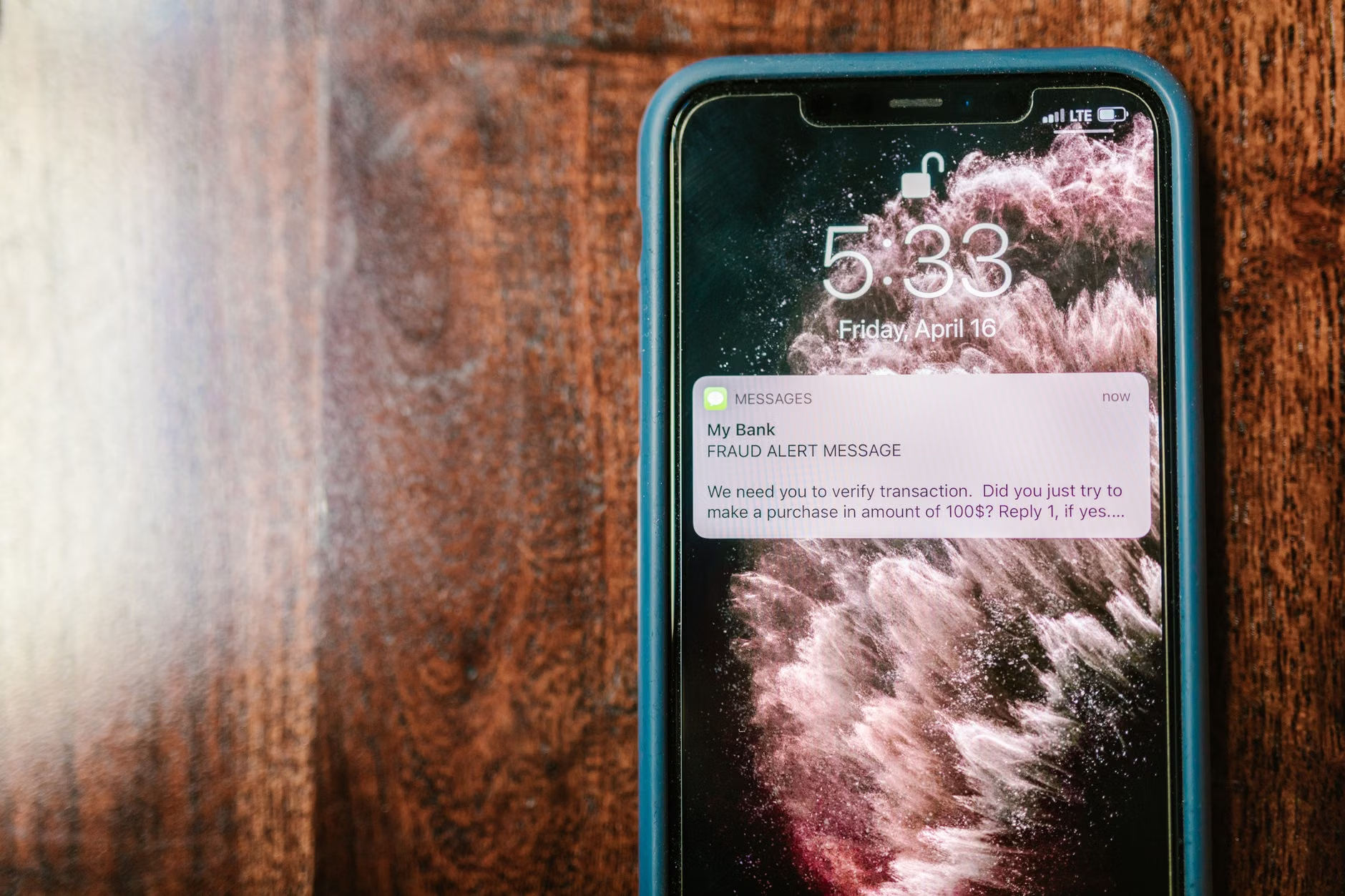
Insight: The most significant risk is not the digital system itself, but “phishing” attempts. Criminals may send emails or texts that look identical to government notices, asking you to click a link to “verify your pension.” Always navigate to the official government website by typing the address directly into your browser, rather than clicking links in emails or texts.

Country-Specific Considerations
While the trend is global, the implementation varies by jurisdiction:
- United States (Social Security Administration): The SSA has been rolling out “my Social Security” accounts. By 2026, expect increased reliance on “Login.gov” for all benefit interactions.
- United Kingdom (DWP): The UK is moving toward a “One Login for Government” system to streamline access to the state pension and other benefits.
- European Union: Many member states are adopting the “EU Digital Identity Wallet,” which will allow citizens to prove their identity across borders, simplifying pension verification for expatriates.
If you receive a pension from a country other than the one you reside in, contact that country’s consulate or pension agency. International verification often requires specific forms that may differ from domestic requirements.
Conclusion: Take the First Step Today
The transition to digital pension verification is a process, not a sudden event. By familiarizing yourself with your national agency’s requirements now, you avoid the anxiety of last-minute compliance. Remember that these systems are built to ensure that your payments continue securely, not to create barriers to access. If you find the technology overwhelming, look for the “Assisted Digital” options available in your region—many agencies have dedicated support lines specifically for those who need help navigating these new digital pathways.
Frequently Asked Questions
- Q: Will my pension be stopped if I don’t use the digital app?
A: Generally, no. Agencies are required to provide accessible alternatives. If you cannot use the digital app, contact your local pension office to request a paper-based or in-person verification method. - Q: How do I know if the website I am using is official?
A: Ensure the website address ends in a government-specific domain (such as .gov, .gov.uk, or .gc.ca). Avoid any site that asks for payment to verify your identity; legitimate pension verification is always free. - Q: Can a family member help me with the digital verification?
A: Yes, in most jurisdictions, you can register a formal “Power of Attorney” or an “Authorized Representative” who can access your account and complete verifications on your behalf. Check your national agency’s guidelines on how to officially register a representative.
Official Sources for Reference: