- Universal Design: The 2026 standards mandate wider aisles, non-glare lighting, and acoustic control to ensure libraries are physically and sensory-accessible.
- Digital Equity: Local libraries are shifting toward “high-touch” digital assistance, providing one-on-one training for online government and health services.
- Active Spaces: Modern libraries are becoming community hubs with dedicated quiet zones and social learning spaces that prioritize stamina-friendly navigation.
Introduction: The Evolution of Public Libraries in 2026
Public libraries are undergoing a significant transformation. By 2026, international guidelines for public infrastructure are shifting from a “book-first” model to a “person-first” model. For older adults, this transition is not just about aesthetics; it is about how these spaces function as essential pillars of lifelong learning, digital connectivity, and social well-being.
In many regions, including parts of the European Union, Canada, and parts of the United States, new building codes and service standards are being implemented to reflect the needs of an aging global population. These standards address the physical, sensory, and digital barriers that have historically made libraries difficult to navigate. Understanding these changes allows you to better advocate for your needs and utilize the resources your local library provides.
1. Physical Accessibility: Beyond Basic Ramps
The 2026 standards go far beyond the traditional requirement of a wheelchair ramp. Architects and urban planners are now adopting “Universal Design” principles that benefit everyone, regardless of mobility level.
New standards require aisles to be at least 1.5 meters (approximately 5 feet) wide to allow two people—or a person with a walker and another person—to pass comfortably. Flooring materials are being standardized to prevent slips, utilizing high-friction, non-reflective surfaces that reduce the glare that can cause vertigo or visual fatigue in older eyes.
Ergonomics in the Reading Room
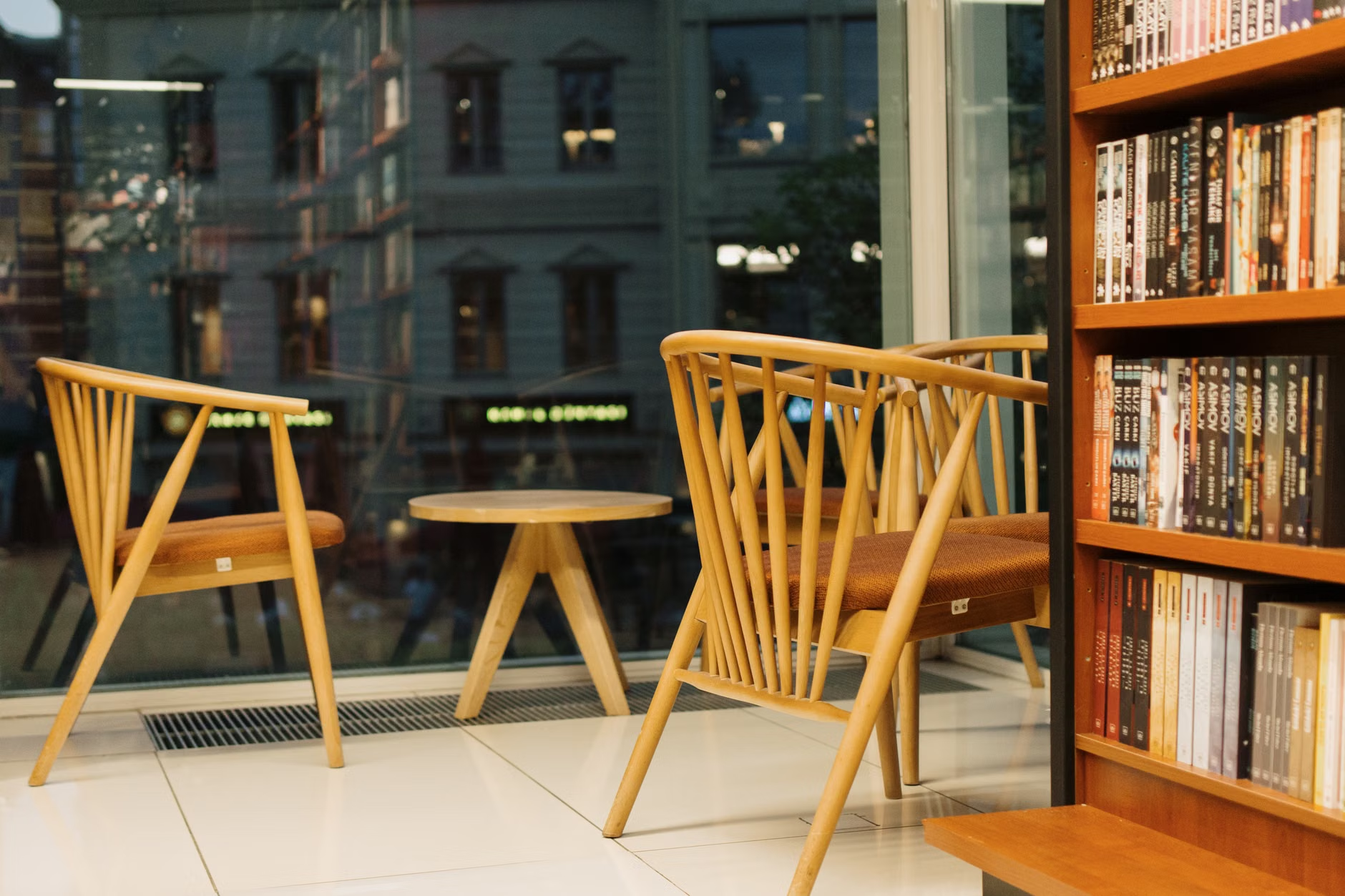
Furniture is no longer “one size fits all.” By 2026, public library mandates require a minimum percentage of seating to be “high-seat” chairs with sturdy armrests. These are essential for individuals who find it difficult to stand up from deep, low-profile sofas. The goal is to ensure that a visitor can spend hours in the library without experiencing physical strain.
2. Sensory-Friendly Environments: Lighting and Acoustics
One of the most significant, yet overlooked, aspects of the 2026 design standards is the management of the “sensory environment.” As we age, our eyes often become more sensitive to glare, and our ears may struggle to filter out background noise in large, open-plan spaces.
Adaptive Lighting Systems
Modern libraries are moving away from harsh, flickering fluorescent lighting. The new standards prioritize “layered lighting”—a combination of natural daylight (filtered to prevent glare) and warm, adjustable LED task lighting. This allows you to increase the light intensity at your specific desk without affecting the rest of the room.
Acoustic Zoning
Large, echoey halls are being replaced by acoustic zones. You will notice the use of sound-absorbing panels, carpeted areas, and “quiet pods.” These pods are small, semi-enclosed spaces designed for reading or private video calls, ensuring that conversations in the lobby do not disrupt your concentration in the reading area.
3. Digital Inclusion and Public Services
Libraries in 2026 are the primary access points for “Digital Public Services.” Whether you are accessing your pension portal, scheduling a health appointment, or renewing a driver’s license, the library is increasingly the location where this support is provided.
The Shift to Assisted Digital Services
Many libraries are now required to staff “Digital Navigators.” Unlike traditional IT support, these staff members are trained to help older adults navigate specific government websites. They are not just fixing computers; they are assisting you in verifying your benefit status or uploading documents for healthcare providers.
High-Contrast and Large-Format Technology
The 2026 hardware standards demand that all public-access computers include accessibility software as a default. This means you should expect to find high-contrast keyboards, screen readers, and magnification software installed on every machine. If a library does not offer these, they are likely falling behind the current regional standards.
The concept of “stamina-friendly” design is a hallmark of the 2026 updates. Libraries are being redesigned to ensure that major services are located within a short, predictable walking distance from the entrance.
Strategic Placement of Services
In the past, the most popular services—like the reference desk or the restrooms—were often tucked away in corners. The new standards dictate that high-traffic areas must be located near the main entrance or accessible via elevators that are clearly marked with high-contrast signage. Signage itself must now follow international legibility standards, using sans-serif fonts and high-contrast color combinations (such as black on yellow or white on blue).
The “Rest Stop” Requirement
If a library floor exceeds a certain square footage, it is now required to provide seating benches at regular intervals (usually every 15-20 meters) along main corridors. This allows visitors to pace their visit, ensuring that even those with lower stamina can navigate the facility without becoming overwhelmed.
5. Decision Criteria: Choosing the Right Library for Your Needs
Not all libraries will update their facilities at the same speed. When evaluating whether your local branch meets your needs, use the following checklist:
| Feature | What to Look For | Why it Matters |
|---|---|---|
| Entrance | Automatic doors with wide clearance. | Prevents manual strain and provides easy access for walkers. |
| Lighting | Soft, indirect lighting; no harsh glare on surfaces. | Reduces eye strain and improves reading comfort. |
| Assistance | Scheduled one-on-one “Digital Navigator” hours. | Provides reliable help with online forms and health portals. |
| Seating | Chairs with armrests and firm back support. | Essential for maintaining comfort during long reading sessions. |
If you find that your local branch lacks these features, consider requesting a “Facility Accessibility Review” from your local council or library board. Most public institutions are legally obligated to provide reasonable accommodations, and your feedback as a regular user is the most effective way to trigger these improvements.
6. Practical Steps for the Library User
To make the most of the 2026 library environment, follow these practical steps:
- Check the Digital Calendar: Most libraries now post their “Digital Navigator” or “Tech Support” hours online. Call ahead to book a 30-minute slot if you need help with a specific government website.
- Inquire About Home Delivery: If your mobility is limited, many modern library systems have expanded their “Books by Mail” or “Home Delivery” programs, which are often free for seniors or those with disabilities.
- Request Large Print or Audio: If your local library doesn’t have a specific title in large print, ask about their inter-library loan program. The 2026 standards encourage resource sharing, meaning your library can often bring in materials from other branches at no cost to you.
Conclusion: The Library as a Vital Resource
The library of 2026 is designed to be more than a repository for books; it is a vital community center that supports your independence. By focusing on physical accessibility, digital support, and sensory comfort, these spaces are becoming increasingly essential for adults who want to stay connected and informed. Take the time to visit your local branch, test their new accessibility features, and engage with the staff. You may find that your library is the best resource you have for navigating the digital and physical challenges of modern life.
Frequently Asked Questions (FAQ)
1. Are these 2026 standards legally binding for all libraries?
Standards vary by jurisdiction. In many countries, new construction must meet these standards, while existing buildings are often given a grace period to upgrade. Check your local municipal planning department’s website for the specific building codes in your area.
2. What if my local library is too noisy for me to read?
If your library has not yet implemented “acoustic zoning,” ask the staff if there are specific “quiet hours” or if there is a designated silent reading area. You can also request that they provide noise-canceling headphones for in-library use, which is becoming a standard service in many regions.
3. How do I request help with an online government form at the library?
Do not wait until you are at the library to ask. Call the front desk and ask specifically for “Digital Literacy Support” or “Tech Help.” Ask if the staff member is authorized to assist with private documents, as some libraries have strict privacy policies regarding sensitive government portals.
For further information on universal design in public spaces, please visit the Centre for Excellence in Universal Design or your national equivalent.