Key Takeaways
- Universal Design Integration: 2026 kiosks now feature adjustable screen heights, high-contrast interfaces, and voice-assisted navigation to ensure independence for users with varying levels of mobility and vision.
- Safety-First Medication Management: Advanced kiosks provide real-time interaction checks between new prescriptions and existing medications, reducing the risk of adverse drug events.
- Hybrid Care Coordination: Modern kiosks act as a bridge between automated dispensing and human pharmacist oversight, allowing for immediate video consultations if a user has questions about their dosage or side effects.
By 2026, the digital pharmacy kiosk has shifted from a simple automated dispensing machine to a comprehensive health-support hub. For older adults, these advancements translate into safer, more efficient, and more accessible ways to manage daily medications. As we navigate the integration of these technologies into public spaces, hospitals, and community centers, understanding how to utilize them effectively can significantly enhance your health autonomy.
The Evolution of Pharmacy Kiosks: What Has Changed by 2026?
In previous years, pharmacy kiosks were often criticized for being difficult to navigate, featuring small text, or requiring high levels of technical confidence. The 2026 global standard for age-inclusive digital kiosks prioritizes “Universal Design.” This means the hardware and software are built from the ground up to accommodate a wide range of physical and cognitive abilities.
What sets the 2026 generation apart is the focus on frictionless interaction. Instead of complex menus, the interface now utilizes intuitive, icon-based navigation. Furthermore, the physical design has evolved to include wheelchair-accessible heights and recessed areas for stable standing, ensuring that whether you use a cane, a walker, or a wheelchair, the kiosk is physically approachable.

Why This Matters for Your Daily Wellbeing
Medication adherence is a cornerstone of managing chronic conditions such as hypertension, diabetes, or arthritis. The primary benefit of these new kiosks is the reduction of medication errors. Before 2026, many older adults relied on paper labels that were difficult to read or struggled to remember specific dosage timings. The new kiosks provide:
- Visual and Auditory Reminders: Kiosks now offer printouts with large-font instructions and, in many regions, QR codes that link to audio-narrated medication guides.
- Interaction Alerts: Advanced software cross-references your current medication list (stored via a secure, encrypted health card) with any new prescription to warn of potential conflicts.
- Pharmacy-to-Patient Continuity: If you are unsure about a dosage, the kiosk now features a “Call Pharmacist” button that initiates a secure, high-definition video call, ensuring you never have to guess about your health.
Using a digital kiosk for the first time might feel daunting, but the process has been standardized to be as straightforward as using an automated teller machine (ATM). Follow this step-by-step approach to ensure a successful experience:
| Step | Action | Tip for Success |
|---|---|---|
| 1. Identification | Scan your health ID card or input your prescription code. | Keep your card in a dedicated, easy-to-reach pocket. |
| 2. Verification | Check the screen for your name and prescription details. | Take a moment to verify the dosage listed matches your doctor’s order. |
| 3. Consultation | Select “Speak to Pharmacist” if you have any questions. | Don’t rush; the kiosk is designed to wait for your input. |
| 4. Dispensing | Collect your medication from the secure, waist-height tray. | Ensure the tray is fully open before reaching in. |
If you encounter a screen that is too bright or the font is too small, look for the “Accessibility Settings” icon, usually located in the top-right corner. This allows you to toggle high-contrast modes, increase font size, or activate text-to-speech features.
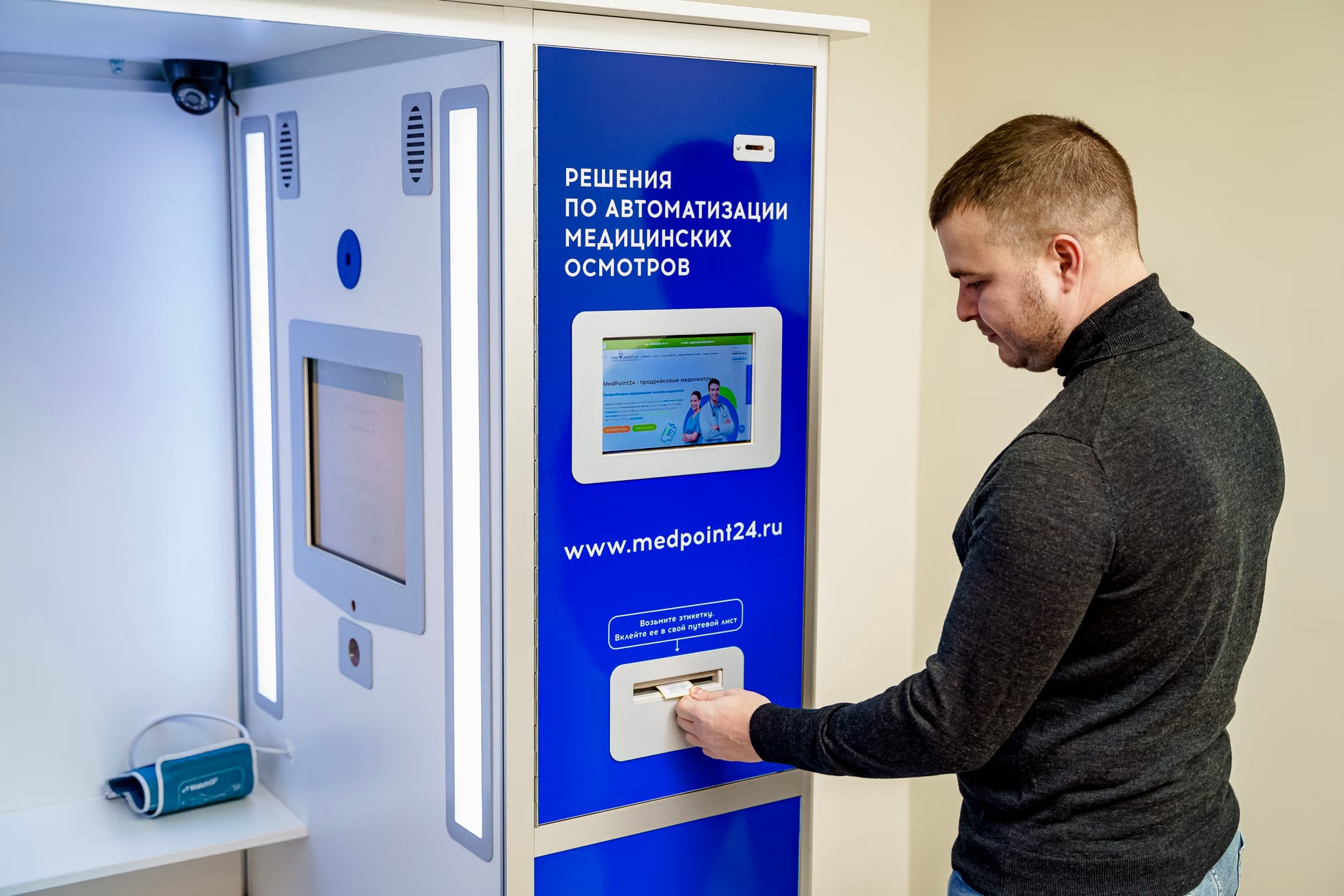
Comparing Options: Kiosks vs. Traditional Pharmacy Counters
It is important to recognize that digital kiosks are intended to complement, not replace, traditional pharmacy services. Choosing between the two depends on your specific needs at that moment.
When to use a Kiosk:
- Efficiency: When you are picking up a routine refill that you have taken for years.
- Privacy: When you prefer to handle your medication without a face-to-face interaction.
- Time Constraints: When traditional pharmacy lines are long, and you need to minimize standing time.
When to choose a Human Pharmacist:
- New Medications: If you are starting a new drug, a face-to-face consultation is vital to understand potential side effects and how they interact with your lifestyle.
- Complex Dosage Changes: If your doctor has recently altered your routine, a human expert can help you create a schedule that fits your daily habits.
- Feeling Unwell: If you are experiencing symptoms you suspect are related to your medication, speak directly to a pharmacist or healthcare provider.
A common mistake is assuming that using technology means “going it alone.” By 2026, the most effective kiosks are those that offer a “Hybrid Option.” If the machine detects you are struggling with a complex order, it will automatically prompt you to connect with a human pharmacist via video. Always look for this feature before beginning your transaction.
Addressing Hidden Inconveniences and Technical Challenges
Despite the advancements, there are realities that must be managed. One overlooked variable is the “Digital Literacy Gap.” While interfaces are becoming more intuitive, they still require a baseline understanding of touch-screen technology. If you are not comfortable with touch screens, bring a family member or caregiver for the first few sessions until you become familiar with the workflow.
Another factor is physical stamina. While kiosks are designed to be accessible, they still require standing or sitting in a specific position for the duration of the transaction. If you experience fatigue, choose a kiosk located in a facility with adequate seating nearby. Always prioritize your physical comfort. If you feel unsteady, do not attempt to use a kiosk that is in a high-traffic or crowded area where you might be bumped.

Safety Checklist for Using Public Digital Kiosks
- Sanitization: Most 2026 kiosks are equipped with antimicrobial touch screens, but carrying a small pack of alcohol-free disinfectant wipes is a good practice.
- Privacy Protection: Ensure no one is standing directly behind you while you are entering your private health information.
- Receipt Management: Always print or email the receipt. It contains important information about the batch number and expiration date, which may be needed if you ever have a concern about the medication’s quality.
- Emergency Contacts: Keep a card in your wallet with the contact information of your primary care physician, in case the kiosk flags an issue that requires immediate follow-up.
Global Perspectives: Policy and Implementation
It is important to note that the implementation of these kiosks varies by jurisdiction. In the European Union, regulations under the Digital Services Act ensure that all public-facing health kiosks meet strict accessibility standards. In contrast, in the United States, the deployment is largely driven by private pharmacy chains, meaning the quality and accessibility of the interface may vary significantly from one store to another.
In Asia-Pacific regions, such as Japan and Singapore, the focus is heavily on integration with national digital health records. In these regions, you may find that the kiosk automatically updates your electronic health record, providing a seamless loop of care. Regardless of where you live, check with your local pharmacy or national health service website to understand if they provide training or demonstrations for these new systems.
Conclusion: Moving Forward with Confidence
The rise of age-inclusive digital pharmacy kiosks in 2026 represents a significant step toward empowering older adults to manage their health with dignity and independence. By focusing on accessibility, safety, and the ability to bridge technology with human expertise, these tools can simplify your daily routine. Take the time to familiarize yourself with your local kiosk, and never hesitate to ask for assistance during your first few visits. Your health and your comfort are the ultimate priorities in this digital evolution.
Frequently Asked Questions (FAQ)
1. Is it safe to use a public kiosk for my private health information?
Yes, 2026-standard kiosks are built with end-to-end encryption. They are designed to clear your session data immediately once you have completed your transaction or walked away from the screen. Always ensure the screen returns to the “Welcome” page before leaving.
2. What should I do if the kiosk malfunctions or fails to dispense my medication?
Do not force the machine. Every kiosk is equipped with an emergency “Help” button that alerts the pharmacy staff immediately. If the machine is unresponsive, locate the nearest staff member. Your prescription remains valid in the system and can be processed manually if the machine fails.
3. Can I use the kiosk if I have tremors or reduced dexterity?
Many modern kiosks are equipped with “Assistive Input” modes, which include larger target areas for touch, voice-command capabilities, or physical tactile buttons. If you find standard touch screens difficult, look for the accessibility icon on the home screen to see if these alternative input methods are available.
For further information on digital health standards in your region, please consult your national health authority website or your local pharmacy provider.