- Voice-translation is a tool, not a replacement for basic preparation: Combine real-time apps with offline menu photos and dietary cards for the highest success rate.
- Prioritize offline capability: Always download language packs before leaving your hotel to ensure your translator works without a stable internet connection.
- Keep it simple: Use short, direct sentences when speaking into translation apps to minimize errors and avoid cultural misunderstandings.
Traveling to a foreign country offers the joy of discovery, but the dining experience—often the highlight of a trip—can feel daunting when you do not speak the local language. For many seniors, the concern isn’t just about ordering the wrong dish; it is about navigating complex dietary requirements, understanding ingredients, and communicating clearly with service staff. Fortunately, digital voice-translation tools have transformed from clunky novelties into reliable travel companions. This guide provides a comprehensive strategy for using these tools effectively to ensure your international dining experiences are stress-free, safe, and enjoyable.
Understanding the Role of Digital Translation in Modern Travel
Digital translation technology works by capturing your speech, processing it through machine learning algorithms, and outputting the translated audio or text in the target language. For older travelers, this technology bridges the gap between frustration and comfort. It is not about becoming fluent in a language overnight; it is about having a safety net that allows you to express your needs clearly.
Why does this matter? When traveling, your stamina can be impacted by language barriers. The mental effort of guessing what is on a menu or trying to explain a food allergy can lead to unnecessary fatigue. By offloading this task to a digital tool, you preserve your energy for the things that truly matter—exploring new sights and enjoying the company of your travel companions.
Essential Features to Look For in Translation Tools
Not all translation apps are created equal. When selecting a tool for your next trip, focus on these four critical performance metrics:
- Offline functionality: Many restaurants in historic buildings have poor Wi-Fi or cellular reception. Ensure your app allows you to download entire language packs for offline use.
- Voice-to-voice conversion: You want a tool that speaks back to the server or waiter in the local language, rather than just showing text on a screen.
- Camera-based image translation: This allows you to point your camera at a physical menu to see an instant overlay of the translation.
- History and “Favorites” features: If you have specific dietary needs (e.g., low sodium, gluten-free), you should be able to save these phrases for quick access.
Comparing Top Translation Options
| Tool | Best For | Key Advantage |
|---|---|---|
| Google Translate | General use & menus | Unmatched language support and robust camera translation. |
| Microsoft Translator | Multi-person conversations | Excellent for group settings where multiple people speak different languages. |
| DeepL | Complex sentences | Higher accuracy for nuanced, formal, or polite communication. |
For most senior travelers, Google Translate remains the gold standard due to its “Lens” feature, which translates menus in real-time through your smartphone camera. This is particularly helpful when you are in a dimly lit restaurant where reading small print is already difficult.
Step-by-Step: Managing the Dining Experience
Using technology is only one part of the equation. Success lies in how you integrate these tools into your dining routine. Follow these steps to ensure a smooth meal.
1. Pre-Dining Preparation
Before you even leave your hotel, verify that your language packs are updated. If you have specific medical dietary needs, do not rely solely on an app. Create a “dietary card”—a small, laminated piece of paper with your requirements written in the local language. You can use your translation app to create this text before you leave. Show this card to the server alongside your digital request to ensure there is no confusion.
2. The Arrival and Seating
When entering a restaurant, take a moment to assess the environment. If there is a host, use your translator to ask for a table in a quiet area if you have hearing sensitivities or prefer a more relaxed pace. “May we have a quiet table, please?” is a standard phrase you should save in your “Favorites” list.
Avoid the “guess and hope” method. Use the camera feature of your translation app to scan the menu. However, be aware that machine translation of food names can sometimes be literal and confusing (e.g., “Grandmother’s secret pot” may not tell you if it contains beef or chicken). If the translation is unclear, use the voice feature to ask the waiter: “Does this dish contain [ingredient]?”
4. Communicating Special Requests
When you have a special request—such as asking for a sauce on the side or requesting a lower-salt option—be brief. Long, complex sentences confuse translation algorithms. Use simple, direct statements: “Please, no salt.” or “I need this cooked thoroughly.”
Common Pitfalls and How to Avoid Them
Even with the best technology, mistakes can happen. Here is how to navigate the most frequent challenges:
- The “Too Fast” Trap: When speaking into your phone, speak slowly and clearly. If you mumble or speak with too much background noise, the app will produce an incorrect translation.
- The Battery Drain: Translation apps are resource-intensive. Carry a portable power bank to ensure your phone doesn’t die in the middle of a meal, leaving you without your digital voice.
- Cultural Context: Remember that in some cultures, certain requests (like asking for a change to a chef’s signature dish) might be seen as impolite. Use your translator to express your request with a polite prefix, such as “Excuse me, I have a health requirement, could you please…”
Ensuring Physical Comfort and Accessibility
Dining is not just about the food; it is about the environment. When choosing a restaurant, consider your mobility. If you use a cane or walker, use Google Maps to check if the restaurant has stairs at the entrance. Often, you can find photos of the interior. If you are unsure, use your translator to call ahead: “Is your restaurant wheelchair accessible?” or “Do you have ground-level seating?”
Stamina is another factor. If you find that long dinners are exhausting, plan your meal for earlier in the evening when restaurants are less crowded and service is generally faster. This allows you to dine at a pace that suits you, rather than feeling rushed by a busy waitstaff.
Health and Safety: When to Seek Professional Assistance
If you have severe food allergies, digital tools are an excellent backup, but they should never be your only line of defense. Always travel with a medical alert card that describes your condition in the local language, including a clear warning about the risk of anaphylaxis or other severe reactions. If you are in a country where you do not speak the language and you experience a severe reaction, do not attempt to use an app to explain medical symptoms. Seek immediate assistance from hotel staff or local emergency services, and have your medical information printed in the local language ready to hand over.
Practical Insights for the Modern Senior Traveler
A frequently overlooked variable is the “tone” of the translation. Some apps allow you to adjust the level of formality. When dining, always select the “formal” or “polite” setting if the app provides it. This ensures that your translation sounds respectful, which is particularly important in cultures that place a high value on social etiquette.
Additionally, consider the “reverse translation” test. After the app translates your sentence into the local language, play the audio back to yourself. If the translation sounds like gibberish to your ears, it will likely sound like gibberish to the waiter. If this happens, simplify your sentence further. If you wanted to say, “I am looking for a dish that is prepared without any dairy products because I have a severe intolerance,” change it to, “No dairy, please. I am allergic.”
Building Your Personal Digital Toolkit
To make the most of your travel, spend a few days at home practicing with your chosen app. Try translating common restaurant scenarios. Ask a friend or family member to help you test how the app handles different accents or background noise. The more comfortable you are with the interface, the less “tech-anxiety” you will feel when you are actually sitting at a table in a foreign city.
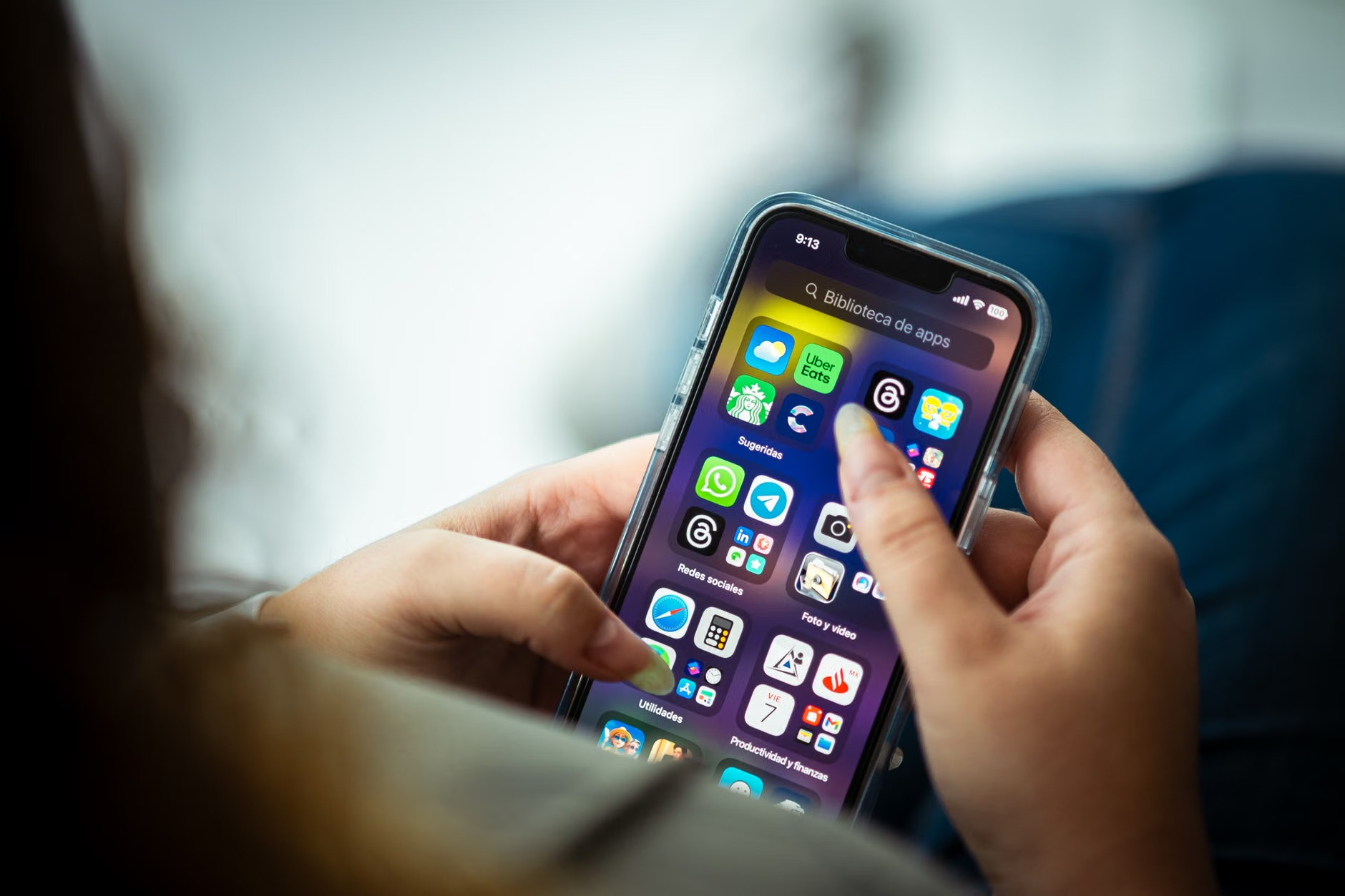
Consider creating a “Travel Dining Folder” on your phone. This folder should contain:
- Screenshots of your dietary restriction cards.
- A list of saved phrases in the target language (e.g., “Check, please,” “Where is the restroom?”).
- Offline maps of the area around your hotel to help you find restaurants within walking distance.

The Importance of Human Connection
While technology is a powerful tool, do not let it become a barrier to human interaction. Use the translator to initiate the conversation, but follow up with a smile and a nod. Waiters and local staff are often more willing to help when they see that you are making a sincere effort to communicate respectfully. Digital tools should be the bridge, not the wall, between you and the local culture.
Remember that the goal of travel is to experience the world. If a meal doesn’t go perfectly, or if a translation is slightly off, don’t let it ruin your day. Treat it as part of the adventure. The stories of our travel mishaps often become the most cherished memories when we look back on our trips.
Conclusion: Your Next Steps
Dining abroad is a skill that improves with practice. By leveraging digital voice-translation tools, preparing your dietary requirements in advance, and keeping your communication simple and polite, you can navigate any menu with confidence. Start by downloading your preferred translation app today, and spend time familiarizing yourself with its offline features. Your next international meal doesn’t have to be a source of stress—it can be the highlight of your journey.
For more information on accessible travel, you may consult the following resources:
- World Health Organization: Disability and Health
- Sage Traveling (For accessibility-focused travel planning)
- Google Translate Help Center
Frequently Asked Questions (FAQ)
While technology is excellent, it is wise to have a backup. Always carry a printed or handwritten card with your specific dietary needs. Technology can fail due to battery life or poor signal, but a physical card is always available.
2. Does voice translation work in noisy restaurants?
Noise can interfere with the microphone’s accuracy. If you are in a loud environment, try to cup your hand around the phone’s microphone as you speak, or move to a quieter area if possible. Keeping your sentences very short also helps the software isolate your voice from the background noise.
3. How do I know if the translation the app gives me is accurate?
Apps are getting better, but they are not perfect. Use the “back-translation” method: translate your English phrase into the foreign language, then copy that text and translate it back into English. If the meaning changes significantly, your original phrase was likely too complex for the app to handle accurately.
Disclaimer: This article is for informational purposes only and does not constitute medical or travel advice. Always consult with your healthcare provider regarding specific dietary needs and travel safety, and ensure you have appropriate insurance coverage for your international trips.