The Cognitive Joy of Digital Music Composition: A Guide for Beginners
- Digital music composition provides a low-impact, high-reward method to engage neuroplasticity and maintain cognitive sharpness through creative problem-solving.
- You do not need prior mastery of traditional instruments to begin; modern software allows you to build music using intuitive, visual interfaces.
- Starting with free or entry-level Digital Audio Workstations (DAWs) minimizes financial risk while allowing you to build technical confidence at your own pace.
The Intersection of Technology and Creative Expression
For many adults, the idea of “composing music” conjures images of complex staff paper, orchestral theory, and years of conservatory training. However, the advent of digital music production has democratized the process, turning the computer into a versatile instrument that requires no physical dexterity with a piano or guitar. Engaging in digital music composition is not merely a hobby; it is a profound cognitive workout that challenges the brain to organize sound, time, and structure in a non-linear, experimental environment.
As we navigate our later decades, the brain benefits immensely from “novel challenges.” Unlike repetitive tasks, learning a new software suite and understanding the logic of musical arrangement forces the brain to form new neural pathways. This article explores how you can transition from a listener to a creator, using digital tools to express yourself while sharpening your cognitive faculties.
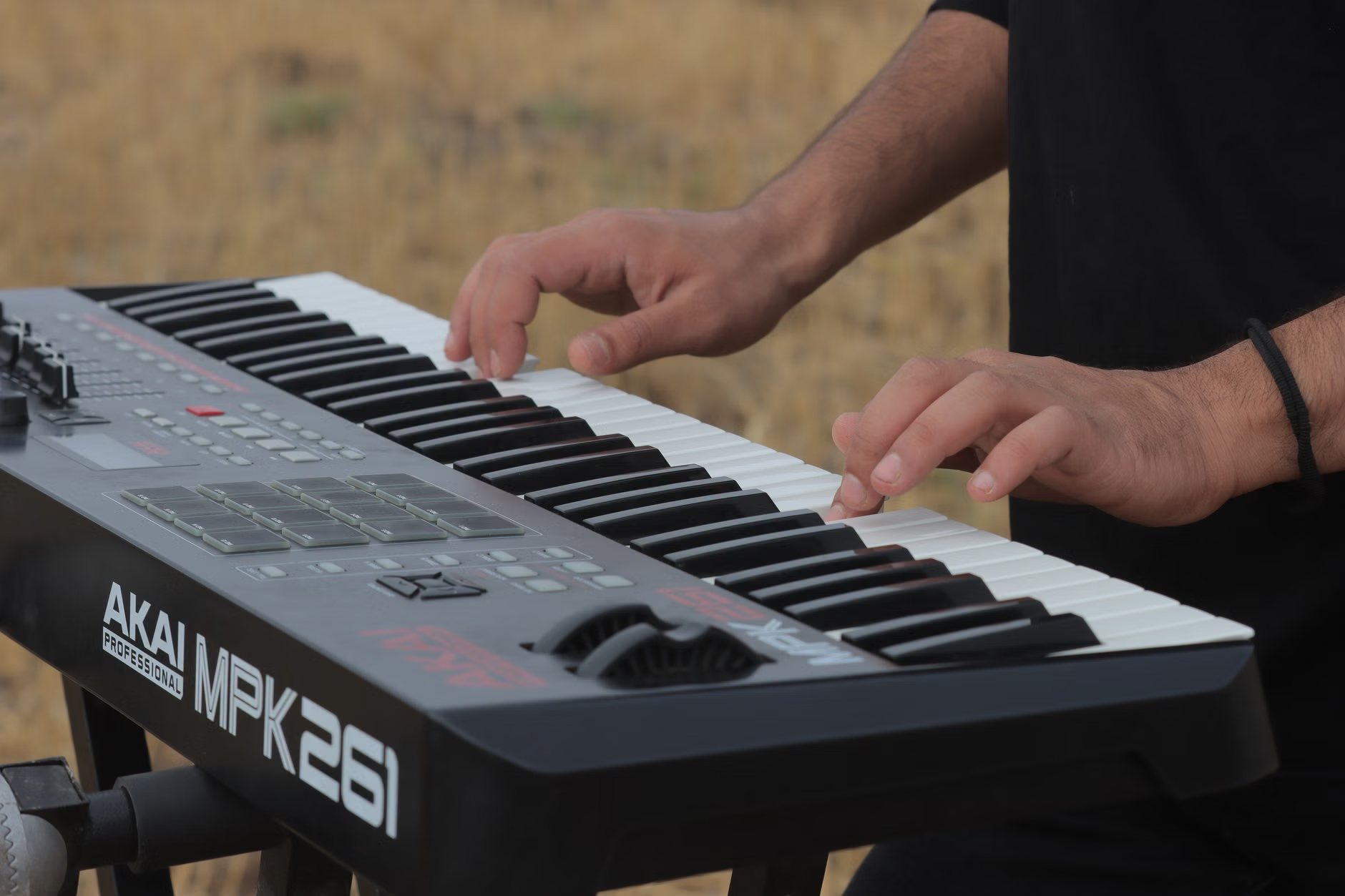
Understanding the Digital Audio Workstation (DAW)
At the heart of digital composition lies the Digital Audio Workstation, or DAW. Think of a DAW as a digital canvas. Instead of using brushes and paints, you are using “loops,” “synthesizers,” and “samples” to build a sonic landscape. For the beginner, the vast number of buttons and windows in professional software can feel intimidating. The secret is to ignore the advanced features initially and focus on the three core pillars: The Timeline, The Library, and The Mixer.
1. The Timeline (The “How Long” Component)
The timeline is the horizontal axis of your music. It shows you how your track progresses from start to finish. You place audio clips or MIDI data (instructions for sounds) along this timeline. It is effectively a visual representation of time, similar to a timeline in a video editing program.
2. The Library (The “What Sounds” Component)
Modern software comes with thousands of pre-recorded sounds—everything from grand pianos and drum kits to atmospheric synthesizers. You do not need to record a real drum set; you can “drag and drop” a drum beat from your library onto the timeline.
3. The Mixer (The “Balance” Component)
The mixer allows you to adjust the volume of each track so that the bass isn’t drowning out the melody. It is the final step in making your composition sound “professional” and clean.
Why This Matters for Cognitive Health
Music composition is a multisensory experience that requires sustained attention, auditory discrimination, and spatial reasoning. When you place a note on a grid, you are engaging in executive function—the ability to plan, focus, and multitask.
Research suggests that active music-making (as opposed to passive listening) can help maintain verbal memory and processing speed. By composing, you are constantly making micro-decisions: “Does this snare drum fit here?” “Should the melody be higher or lower?” “Does this transition feel abrupt?” These questions keep the brain in an active, analytical state.
| Feature | Traditional Composition | Digital Composition |
|---|---|---|
| Skill Requirement | High (Theory & Instrument) | Low to Moderate (Technical Curiosity) |
| Entry Cost | High (Lessons & Equipment) | Low (Free Software/Computer) |
| Flexibility | Low (Hard to undo ink) | Infinite (Undo button is your friend) |
| Physical Demand | High (Finger/Hand Dexterity) | Low (Mouse/Keyboard Input) |
The comparison table above illustrates why digital composition is particularly well-suited for the 60-80 age demographic. While traditional music requires significant physical practice, digital composition allows you to focus on the structure and emotion of the music, bypassing the physical barrier of learning scales or chords. If you have limited mobility in your hands, you can use a mouse to draw notes directly onto the screen, meaning you can compose beautiful pieces without playing a single physical key.

Getting Started: A Step-by-Step Approach
If you are ready to begin, avoid the temptation to purchase expensive professional software immediately. Start with free, entry-level tools to see if the workflow resonates with your creative style. Here is a practical roadmap to get you from zero to your first melody.
Step 1: Choose Your Software
Depending on your current computer, you might already have free, high-quality software installed. If you use a Mac, GarageBand is an excellent, user-friendly starting point. For Windows users, BandLab (a web-based DAW) is free, requires no installation, and allows you to collaborate with others if you choose.
Step 2: Start with “Loop-Based” Composition
Do not try to write a symphony on day one. Start by exploring the pre-made loops in your software. Find a drum beat you like, add a bass line that matches the mood, and then add a simple melody on top. This is the “Lego block” method of music production—building by assembling pre-existing parts.
Step 3: The “Five-Minute Rule”
Technical frustration is the enemy of creativity. Limit your sessions to 30 or 45 minutes. If you encounter a technical issue (like a sound not playing), give yourself five minutes to look for the answer online. If you haven’t found it, stop and come back tomorrow. This prevents burnout and keeps the activity enjoyable rather than stressful.
Step 4: Practice Active Listening
When you listen to your favorite songs, try to mentally “deconstruct” them. Listen for the drums, then the bass, then the melody. This trains your brain to understand how professional music is structured, which will directly improve your own compositions.
Common Pitfalls and How to Avoid Them
Many beginners fall into the “Gear Acquisition Syndrome” trap—the belief that if they just buy a more expensive keyboard or professional software, their music will sound better. In reality, the most compelling music is created through limitations. Learn your basic software inside and out before adding new plugins or equipment.
Another common mistake is seeking perfection. Your first few tracks will sound like “sketches.” That is perfectly fine. Treat them as drafts in a journal. The goal of this hobby is not to release a hit album, but to enjoy the process of creation. If you feel like your track is “too simple,” remember that many of the most iconic songs in history are built on simple, repetitive structures.
The Role of Family and Caregivers
If you are a family member or caregiver supporting an older adult in this pursuit, you can play a vital role in the initial setup. The most significant barrier for many beginners is the “installation and configuration” phase—setting up audio drivers, connecting headphones, and navigating file systems. Once the software is configured to open automatically, most seniors are perfectly capable of handling the creative side on their own.
Consider setting up a “template” file for them. A template is a pre-configured project with a drum track, a bass track, and a piano track already loaded. This allows the user to start creating immediately upon opening the software, skipping the tedious setup steps that can discourage a beginner.
Deep Dive: The Science of Neuroplasticity and Music
Neuroplasticity is the brain’s ability to reorganize itself by forming new neural connections throughout life. Learning a complex skill like digital music composition is one of the most effective ways to stimulate this process. Unlike word puzzles or memory games, which are often static, music composition is dynamic and generative.
When you compose, you are utilizing multiple areas of the brain simultaneously. The frontal lobe is engaged in planning and decision-making; the temporal lobes are processing auditory information; and the cerebellum is involved in timing and rhythm. This holistic engagement is why music therapy is often cited in contexts involving cognitive decline, though it is equally valuable for healthy aging as a preventative, enriching, and deeply satisfying practice.
Resources for Continued Learning
To deepen your knowledge, you do not need to enroll in a university course. High-quality, free tutorials are available on platforms like YouTube. Search for “GarageBand tutorial for beginners” or “BandLab beginner guide.” Look for channels that focus on the “UI” (User Interface) rather than those that focus on complex sound design, as these will be more relevant to your starting point.
Official support pages are also invaluable. For Apple users, the Apple GarageBand Support page provides clear, step-by-step instructions. For general web-based production, the BandLab Learning Center offers excellent articles on the basics of music theory as it applies to digital production.
Conclusion: Taking the First Step
Digital music composition is a gateway to a world of creative discovery. It requires no prior musical training, only a willingness to experiment and a curiosity about how sounds fit together. By setting aside the pressure to be perfect and focusing on the joy of the process, you gain a powerful tool for cognitive engagement and self-expression. Start small, keep your sessions manageable, and allow yourself the grace to learn at your own pace. Your first melody is only a click away.
Frequently Asked Questions
- Do I need to know how to read sheet music to compose digitally?
No. Digital music software uses a “Piano Roll” or “Grid” system, which allows you to place notes visually. You do not need to understand traditional music notation to create complex and beautiful arrangements. - Is my computer powerful enough to run music software?
Most modern laptops and tablets are more than capable of handling basic music production. If your computer is more than 8-10 years old, you might experience minor lag, but for simple arrangements, it should work perfectly well. - What is the best way to learn the software without getting overwhelmed?
Focus on one “instrument” or “track” at a time. Spend your first week just learning how to add a drum loop, and your second week learning how to add a melody over that loop. Small, incremental learning is the most effective approach.