- Voice-First Independence: By 2026, voice assistants have evolved from simple timers to proactive home managers capable of coordinating complex routines like medication reminders and security checks.
- Interoperability is Standard: The “Matter” protocol is now the industry baseline, meaning devices from different manufacturers finally work together seamlessly without complicated setup.
- Privacy-Centric Processing: New local-processing standards mean that most voice commands are handled on your device rather than in the cloud, significantly increasing data security.
Smart-Home Voice Assistants in 2026: A Practical Guide for Independent Living
In 2026, the landscape of smart-home technology has shifted from a “gadget-heavy” hobby to a practical, essential tool for maintaining independence at home. For many adults, the primary challenge of smart technology has historically been the complexity of setup and the frustration of incompatible devices. However, the current generation of voice assistants emphasizes intuitive interaction and reliability, allowing you to manage lighting, security, climate, and communication using simple, natural speech.
This guide explores how to leverage these 2026 advancements to simplify your daily life, ensure your home remains safe, and maintain your autonomy without needing a degree in computer science.

Understanding the 2026 Smart Home Ecosystem
The most significant change in 2026 is the maturity of the “Matter” standard. In previous years, you might have purchased a smart lightbulb that refused to talk to your smart speaker because they were made by different companies. Today, almost all major manufacturers adhere to the Matter protocol. This means that if a device has the “Matter” logo on the box, it will work with your existing voice assistant, regardless of the brand.
Why this matters for your daily routine: You no longer need to worry about “ecosystem lock-in.” You can choose the best security camera, the best thermostat, and the best smart plug based on their specific features and price, rather than their brand name.
The Shift to Local Voice Processing
In the past, every time you asked a voice assistant to turn off the lights, your voice was sent to a server in the cloud, processed, and sent back. This introduced latency (the delay between your request and the action) and raised valid concerns about privacy. In 2026, high-end smart speakers now perform “local processing.” This means your voice commands are processed directly on the device in your home. It is faster, more reliable even if your internet is down, and keeps your private conversations inside your four walls.
Enhancing Home Safety and Security
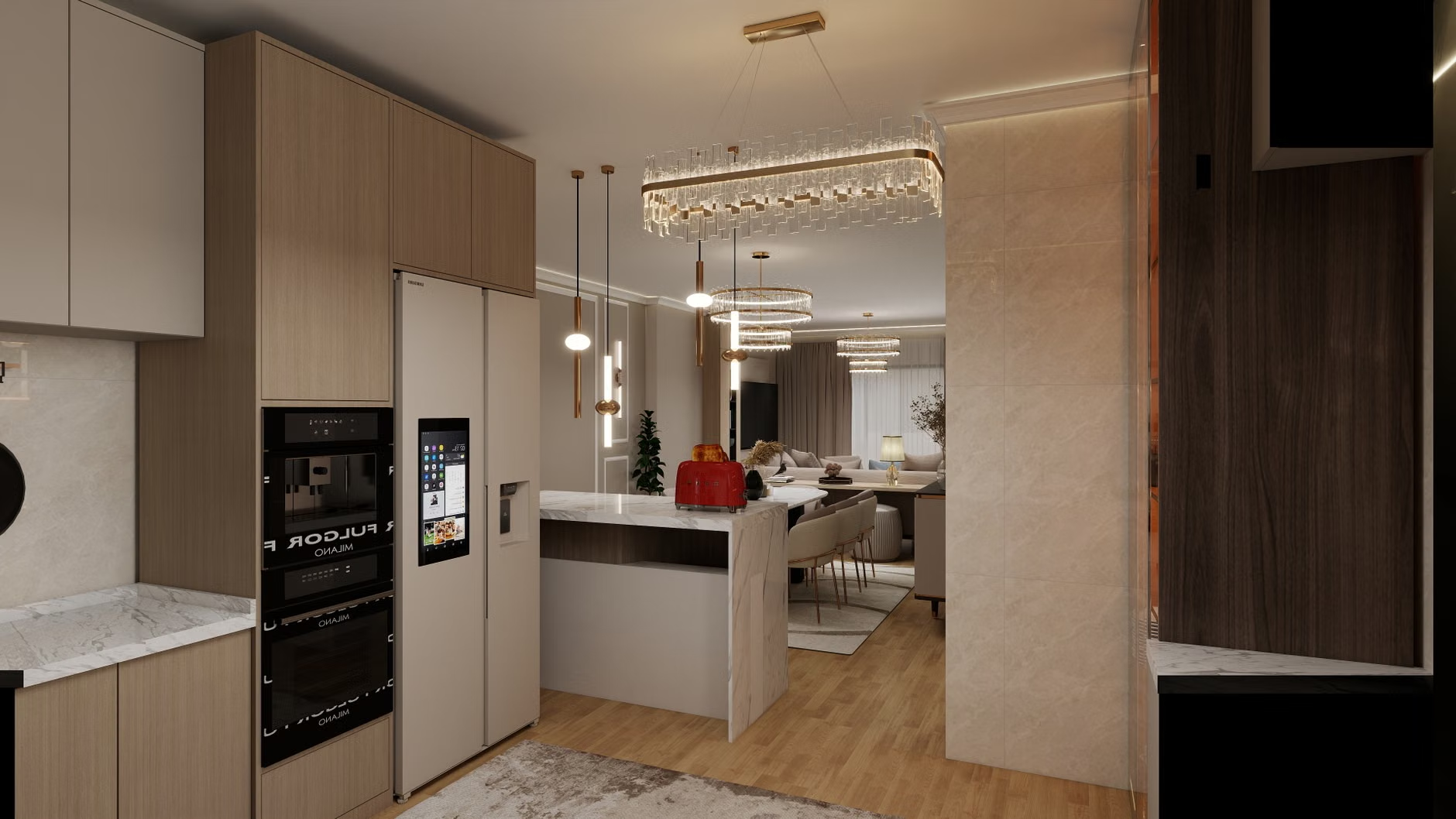
One of the most practical applications of voice assistants today is acting as a “digital concierge” for home safety. Rather than fumbling with keys or checking multiple windows, you can now manage your home’s security status with a single command.
Integrated Security Routines
Modern voice assistants now offer “Security Routines.” Instead of checking each lock individually, you can set a “Goodnight” command that performs the following actions automatically:
- Locks the front and back doors.
- Closes the motorized garage door.
- Turns off all non-essential lights.
- Arms the security alarm system.
- Adjusts the thermostat to your preferred sleeping temperature.
Practical Decision Rule: When selecting security hardware, look for “certified smart-home ready” products that explicitly state compatibility with your preferred voice platform. Avoid “non-smart” locks that require a proprietary bridge or hub unless you are comfortable with more complex technical maintenance.
Managing Daily Wellbeing and Medication
While voice assistants are not medical devices, they have become highly effective at supporting the “logistics” of health. By 2026, voice assistants have moved beyond simple alarms to become context-aware assistants.
Context-Aware Reminders
Instead of a generic beep that you might ignore, 2026-era assistants can provide specific, actionable prompts. For example, you can schedule a reminder: “Hey [Assistant], remind me to take my evening medication with a glass of water at 8:00 PM.” The assistant will not only trigger the alarm but can also verbally confirm the instruction. If you are busy, you can say, “Remind me again in 10 minutes,” and the system will intelligently manage the delay.
| Feature | 2024 Capability | 2026 Capability |
|---|---|---|
| Connectivity | Fragmented (Brand-specific) | Unified (Matter standard) |
| Processing | Cloud-dependent | Local (Faster, more private) |
| Interaction | Strict command-based | Context-aware/Conversational |
The table above illustrates the transition toward a more seamless experience. For those who prioritize ease of use, the 2026 advancements mean fewer “I’m sorry, I don’t understand” responses and more successful, helpful interactions.
Practical Steps to Set Up Your Smart Home
If you are considering adding smart-home technology to your residence, follow this phased approach to ensure stability and avoid unnecessary expenses.
Phase 1: The Foundation (Smart Speakers)
Choose one primary voice assistant platform (such as Amazon Alexa, Google Home, or Apple HomeKit). While they all work well, sticking to one keeps your control interface consistent. Place your primary speaker in a central location, such as the kitchen or living room, where you spend the most time.
Phase 2: Lighting and Climate
Smart lighting is the most “visible” win. Replacing a few key bulbs in hallways or bedside lamps allows you to avoid walking in the dark. Smart thermostats are equally useful; they allow you to adjust the temperature from bed if you feel too cold or warm in the middle of the night.
Phase 3: Security and Monitoring
Once you are comfortable with the basic controls, add video doorbells or indoor cameras. Ensure these devices have a “Privacy Shutter” or a software-based “Privacy Mode” that physically disconnects the camera when you are home and do not want to be recorded.
Common Mistake: Buying too many devices at once. Start with one category (e.g., lighting) and live with it for two weeks. If the system feels natural, proceed to the next category. This prevents the “overwhelmed” feeling that often accompanies new technology.
Anticipating Challenges and Hidden Trade-offs
Even with 2026 advancements, there are nuances that every user should understand. First, smart homes rely on a stable Wi-Fi connection. If your home has “dead zones” where the internet signal is weak, your voice assistant may become unresponsive. Before investing heavily in smart devices, consider a “Mesh Wi-Fi” system, which uses multiple small nodes to blanket your entire home in a strong signal.
Second, consider the “Power Outage” scenario. While many smart devices will resume their previous state once power returns, it is essential to keep a manual override for critical systems. For example, always ensure your smart-lock has a physical key backup and your smart-lights are on switches that can still be toggled manually.
Third, think about the “Maintenance Load.” Every smart device is essentially a small computer. They occasionally require software updates. Most updates happen automatically, but if a device starts acting strangely, the first step is usually to check if an update is pending or to simply “power cycle” the device by unplugging it for 30 seconds and plugging it back in.
In 2026, data privacy is a primary design feature, not an afterthought. However, you should still take proactive steps to secure your home:
- Use Two-Factor Authentication (2FA): Always enable 2FA on your smart-home accounts. This requires a code sent to your phone in addition to your password, making it nearly impossible for unauthorized users to access your system.
- Review Voice Recordings: Most platforms allow you to view or delete your voice history. Check your settings periodically to see what the assistant has recorded and clear the history if you prefer.
- Disable Unused Features: If you do not use features like “voice purchasing” (the ability to buy items via voice command), disable them in the settings to prevent accidental orders.
The Role of Family and Caregivers
For family members or caregivers assisting an older adult, smart-home technology can provide peace of mind. Many systems now allow for “Shared Access.” You can be granted permission to check if the front door is locked or if the lights were turned off, without needing to be physically present. This is not about surveillance; it is about providing support for daily living and ensuring that if a concern arises, it can be addressed remotely.
Actionable Tip: If you are helping a parent set up their home, create a simple “cheat sheet” of commands. Keep it in a large-print format in a central location. Example: “Say ‘Goodnight’ to lock the doors and turn off the lights.”
Conclusion
The advancements in 2026 have made smart-home voice assistants more capable, private, and reliable than ever before. By focusing on simple, high-impact changes—like automated lighting for safety or voice-controlled thermostats for comfort—you can create a home environment that actively supports your lifestyle. Remember, the goal of this technology is not to replace your routines but to make them easier to maintain. Start small, prioritize interoperability through the Matter standard, and enjoy the convenience that comes with a home that listens and responds to your needs.
Frequently Asked Questions
1. Do I need to be tech-savvy to use a voice assistant in 2026?
Not at all. Once the initial setup is complete—which is often handled by a family member or a professional installer—using the system is as simple as talking to a person. Most modern assistants are designed to understand natural speech, meaning you don’t need to memorize rigid, robotic commands.
2. What happens if my internet connection goes down?
Because of the move toward “local processing” in 2026, many basic commands (like turning lights on or off) will continue to work even if your internet is down, provided your home network remains active. However, features that require cloud access—such as checking the weather forecast or playing music from an online service—will be temporarily unavailable until the connection is restored.
3. Are these devices expensive to maintain?
Most smart home devices have no ongoing costs. You pay for the hardware once, and there are no monthly subscription fees unless you choose to add optional services, such as premium cloud storage for video doorbell recordings. Always check the product packaging for any “subscription required” labels before purchasing.
For further information on setting up your home network for smart devices, refer to the Cybersecurity & Infrastructure Security Agency (CISA) guide on securing smart home devices.