By 2026, global digital identity protocols are shifting toward a “Zero Trust” framework, which prioritizes constant verification over simple passwords. For adults aged 60 to 80, this transition means that accessing government services, banking portals, and healthcare records will rely less on memorized codes and more on biometric data and multi-layered verification processes.
- Move Beyond Passwords: 2026 protocols prioritize passkeys and biometrics (fingerprints or facial scans), significantly reducing the risk of identity theft.
- The “Zero Trust” Reality: Expect to verify your identity more frequently; this is not a sign of system failure, but a standard security measure designed to protect your assets.
- Unified Recovery: Establish a “Digital Executor” or a trusted family member who understands your recovery protocols to ensure you are never locked out of essential services.
Understanding the Shift: Why 2026 Security Protocols Matter
In previous years, digital security relied heavily on “something you know”—your password. However, as cyber threats evolved, this method became insufficient. By 2026, the global standard has moved toward “something you are” (biometrics) and “something you have” (a physical device or security key). This shift is designed to make it nearly impossible for unauthorized parties to access your accounts, even if they obtain your personal information.
For the senior population, this transition may feel like an added hurdle. It is important to realize that these steps are not designed to exclude you, but to combat the rise in automated phishing attacks that specifically target older adults. By understanding these protocols, you can regain control and navigate your digital life with confidence.
The Pillars of 2026 Identity Verification
To navigate these new systems, you must understand the three primary methods that institutions—from pension offices to private banks—are now mandating.
1. Biometric Authentication
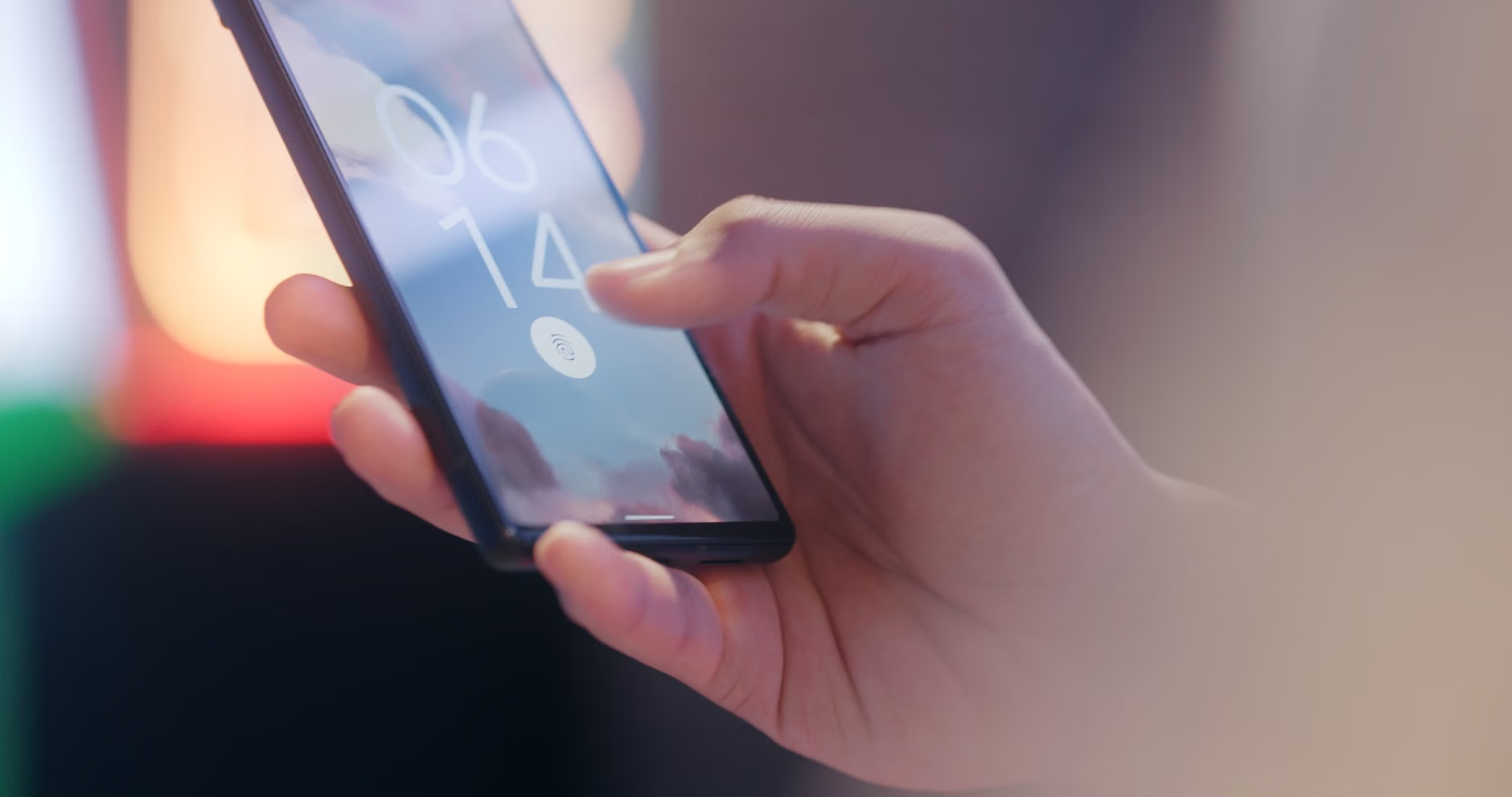
Biometrics use unique physical characteristics. In 2026, this usually involves a fingerprint scan on your phone or a facial recognition scan via your device’s camera. These are not stored as photos, but as mathematical representations, making them highly secure.
2. Multi-Factor Authentication (MFA)
MFA requires two or more pieces of evidence. For example, when you log into your pension portal, you might enter a password, and then receive a push notification on your phone asking you to “Approve” the login. This ensures that even if a hacker knows your password, they cannot enter your account without your physical device.
3. Passkeys
Passkeys are replacing passwords entirely. A passkey is a digital credential tied to your device. When you log in, your device handles the authentication in the background. You no longer need to write down or remember complex strings of characters.
Practical Steps for Securing Your Digital Footprint
Preparing for these protocols involves more than just software updates; it requires a change in how you manage your digital assets. Follow these steps to ensure you remain secure and accessible.
| Action | Why It Matters | Frequency |
|---|---|---|
| Enable Biometrics | Eliminates the need for passwords and prevents unauthorized access. | Once, per device. |
| Set Up Trusted Contacts | Allows for account recovery if you lose access to your device. | Review annually. |
| Audit App Permissions | Reduces the amount of personal data shared with third parties. | Every 6 months. |
Which approach is right for you? If you have limited mobility in your hands, facial recognition is the most convenient biometric. If you have concerns about camera-based privacy, a physical fingerprint reader or a hardware security key (a small USB device) is a superior choice.

Managing Digital Access for Family and Caregivers
One of the most overlooked variables in 2026 digital security is “Digital Succession.” If you are unable to access your accounts due to health or travel, your family or caregivers may find themselves locked out of essential services. It is vital to establish a clear, secure plan for this contingency.
Common Mistake: Sharing your master password with a family member via email or a sticky note. This is a significant security risk.
Recommended Action: Use a reputable Password Manager that features “Emergency Access.” This allows you to designate a trusted contact who can request access to your vault after a predefined waiting period. This ensures that if an emergency occurs, your designated person can manage your finances and medical records without you needing to share sensitive credentials beforehand.
International Variations in Digital Identity
Digital identity protocols are not uniform globally. Depending on where you reside, your experience will differ:
- European Union (eIDAS 2.0): The EU is implementing a “Digital Identity Wallet.” This is a government-backed app that allows you to store your ID, medical prescriptions, and pension documents in one secure place.
- North America: Security is largely driven by private institutions (banks/tech companies), though state-level digital IDs are becoming more common in the US and Canada.
- Asia-Pacific: Many nations have adopted centralized digital identity systems linked to national identification numbers.
Regardless of your jurisdiction, the principle remains the same: Never provide your authentication codes or biometric data to anyone who calls or emails you requesting it. Official institutions will never ask for your password or verification code over the phone.
Addressing Common Technical Hurdles
If you encounter difficulty with a new system, do not assume the fault lies with your capabilities. Often, these systems are designed with “friction,” which is intentional to prevent fraud. If a verification code does not arrive, wait at least five minutes before requesting a new one, as network congestion can cause delays.
Always keep your devices updated. In 2026, security patches are released frequently to counter new threats. If your phone or computer is more than five years old, it may no longer support the latest security protocols. Consider upgrading your hardware to ensure it remains compatible with the encryption standards required by banks and government portals.
Maintaining Long-term Digital Hygiene
Digital security is a habit, not a one-time setup. Once a month, take ten minutes to review your “Security Dashboard” on your primary devices. Look for unrecognized logins or devices you no longer own. If you see a device you do not recognize, “Sign Out” of all sessions and change your primary authentication method immediately.
For those who travel, ensure your devices are set to “Lock” immediately when not in use. Public Wi-Fi should be avoided for banking or medical record access; instead, use your mobile data or a trusted Virtual Private Network (VPN) to ensure your connection is encrypted.
Conclusion: Empowerment Through Knowledge
The digital landscape of 2026 is designed to be more secure, not more difficult. By embracing biometric authentication, utilizing password managers, and planning for digital succession, you can protect your financial and personal life from the evolving landscape of cyber threats. Treat these security protocols as a digital “deadbolt” on your front door—a small, necessary step that grants you the peace of mind to live your life freely and securely.
Frequently Asked Questions
1. Will I be locked out of my bank account if I don’t use biometrics?
While most banks are moving toward mandatory MFA, they usually offer alternatives such as hardware tokens or SMS verification. However, biometrics are the most secure and convenient option. Contact your bank’s customer service if you are unable to use biometrics to discuss alternative accessibility options.
2. How do I know if a verification request is a scam?
If you did not initiate the login attempt, never approve a verification request. Scammers often trigger these requests to “trick” you into approving access. If you receive a notification you didn’t expect, ignore it and log into your account directly via the official website or app to check your security status.
3. Is it safe to store my identity documents in a digital wallet?
Yes, provided you use the official, government-issued wallet app for your region. These apps use high-level encryption that is superior to keeping physical copies of documents in your wallet or unencrypted files on your computer. Always ensure your phone’s screen lock (PIN or Biometric) is enabled.
For further information on digital safety, visit the Cybersecurity & Infrastructure Security Agency (CISA) or your local government’s cybersecurity portal.