- Extended Walk Intervals: New global standards are prioritizing longer crossing times to accommodate slower walking speeds, reducing the pressure to finish crossing quickly.
- Smart Sensing Technology: AI-driven sensors are being deployed to detect pedestrians waiting at curbs, automatically adjusting the signal sequence without requiring a manual button press.
- Enhanced Visibility and Feedback: Upgrades include higher-contrast LED signals, audible tones, and tactile vibration features to assist those with visual or hearing impairments.
As we move into 2026, urban planning authorities in major cities worldwide are implementing significant upgrades to pedestrian signaling systems. For older adults, these changes are not merely technological novelties; they represent a fundamental shift in how public spaces prioritize pedestrian safety and accessibility. Understanding these updates—how they function, why they are being installed, and how to utilize them—is essential for maintaining independence and confidence when navigating urban environments.
The Evolution of Pedestrian Safety: Why Changes Are Happening Now
For decades, traffic signal timing was primarily calculated based on the needs of motor vehicles, with pedestrian crossing times often set at the absolute minimum required for a “brisk” walking pace. This approach historically disadvantaged older pedestrians, who may require more time to clear an intersection due to reduced mobility, chronic conditions, or the use of assistive devices like canes or walkers.
The 2026 initiatives are part of a broader “Vision Zero” movement—a global strategy to eliminate traffic-related fatalities and severe injuries. Urban planners have recognized that as the global population ages, infrastructure must adapt to be inclusive. The goal is to design intersections that allow for safe transit regardless of physical speed or sensory ability.
The Core Problem: The “Brisk Pace” Assumption
In many jurisdictions, traffic signals were historically timed based on a walking speed of 3.5 feet per second (approximately 1.1 meters per second). Research consistently shows that many individuals over the age of 65 walk at a slower pace, often closer to 2.5 to 3.0 feet per second. When the “Don’t Walk” or flashing hand signal begins before a person has reached the far curb, it can cause anxiety, force an unsafe increase in pace, or lead to mid-intersection stops.
The 2026 upgrades address this by:
- Adjusting the “Walk” Interval: Increasing the duration of the initial walk signal to allow more time for pedestrians to step off the curb.
- Extending the Clearance Interval: Lengthening the duration of the flashing “Don’t Walk” or countdown timer to ensure those already in the crosswalk can reach the opposite side safely.
- Implementing Pedestrian Scrambles: In high-density areas, some cities are adopting “all-pedestrian” phases where all vehicle traffic stops, allowing people to cross in any direction, including diagonally, without the threat of turning vehicles.
Understanding New Sensor-Based Crossing Signals
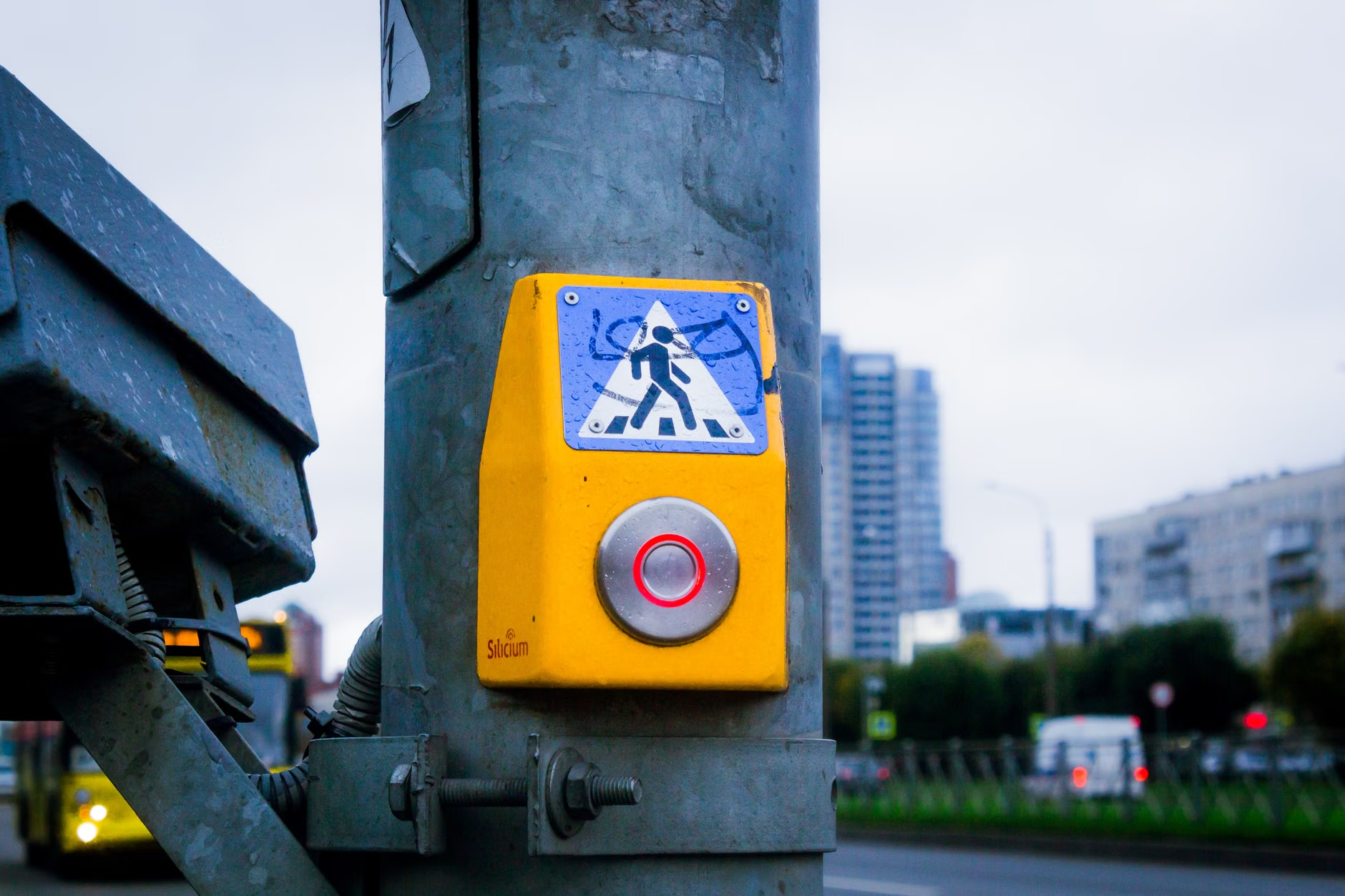
Perhaps the most significant change you will encounter in 2026 is the transition from manual push-buttons to automated detection systems. Traditionally, if you wanted to cross a street, you had to find and press a button, which would then register a request for a walk signal. If you missed the button or if it was poorly placed, you might be ignored by the traffic system.
How Smart Sensors Change the Experience
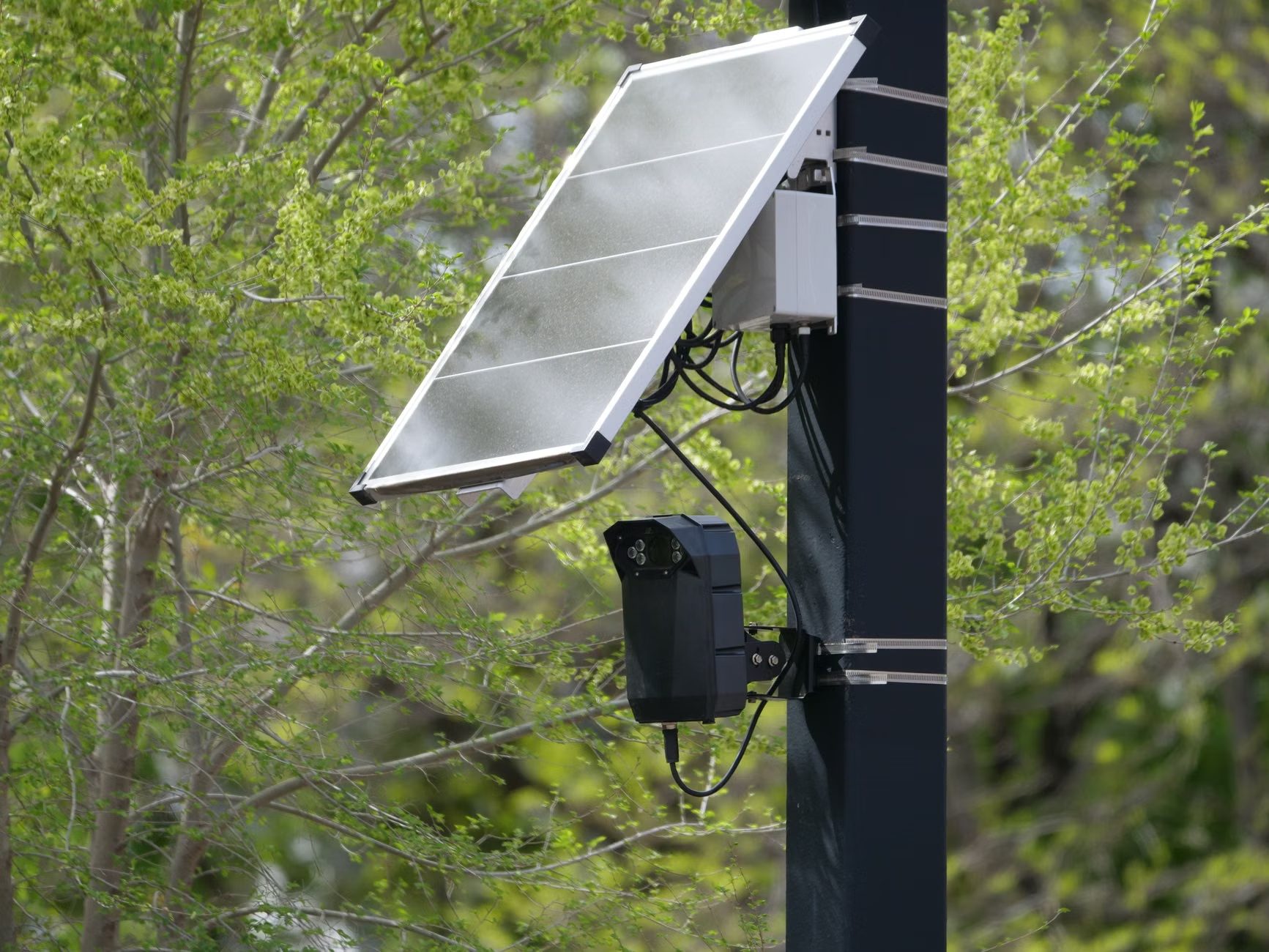
Many municipalities are now installing overhead thermal or radar sensors. These devices detect the presence of individuals in the “waiting zone” at the corner of a sidewalk. When the system identifies a pedestrian, it automatically adds a crossing phase to the next signal cycle.
What this means for you:
- Reduced Physical Effort: You no longer need to search for a button or stretch to reach one. Simply standing in the designated waiting area is sufficient to trigger the request.
- Increased Reliability: These sensors are less prone to mechanical failure than physical buttons, which can be vandalized or broken.
- Real-time Adjustment: In some advanced systems, the sensor continues to monitor the crosswalk. If it detects that a group of pedestrians is still in the middle of the road, it can extend the red light for cars, ensuring everyone clears the intersection.
Checklist: Using Modern Intersections Safely
While technology is improving, it is still vital to remain vigilant. Use this checklist when approaching a busy intersection in 2026:
| Feature | Action for the Pedestrian |
|---|---|
| Thermal Sensors | Stand clearly within the marked waiting area near the curb; avoid standing too far back near building walls. |
| Countdown Timers | Only enter the crosswalk when the walk signal (or walking person icon) is displayed. Do not start crossing during the countdown. |
| Audible Signals | Listen for the chirping or rhythmic tone that indicates it is safe to cross. These are often synchronized with the visual signal. |
| Tactile Feedback | Look for vibrating arrows on the signal pole; these provide physical confirmation that the walk phase is active. |
Accessibility Features: Beyond Just Timing
The 2026 upgrades focus heavily on sensory accessibility. For individuals with low vision or hearing loss, the environment of a city street can be overwhelming. The integration of “Accessible Pedestrian Signals” (APS) is becoming a standard requirement in many countries, including the United States, Canada, and various European nations under updated disability access acts.
Tactile and Audible Cues
Modern APS units provide information through multiple channels. When you approach the pole, you may feel a vibration that changes pulse frequency when the walk signal is active. Simultaneously, an audible tone—often a specific sound like a “cuckoo” or a rapid tick—will play to signal that it is safe to proceed. This is particularly helpful in noisy environments where visual cues might be obscured by glare or heavy traffic.
The Importance of High-Contrast Visuals
Many legacy signals used low-contrast icons that were difficult to see in bright sunlight. The 2026 standard mandates the use of high-intensity LED displays. These signals are designed to be visible from a greater distance and at wider angles, ensuring that even if you are standing slightly away from the center of the crosswalk, you can still clearly see the status of the light.

While these improvements are substantial, it is important to recognize that no system is perfect. In many urban environments, older infrastructure is being retrofitted rather than replaced. This means you may encounter a mix of “old” and “new” technology within the same city.
The “Mixed Infrastructure” Challenge
You might find a high-tech sensor at one intersection and a broken, manual push-button at the next. Do not assume that all intersections operate on the same logic. If you are in an unfamiliar area, follow these rules of thumb:
- Assume the status quo: If you don’t see a clear sensor or an automated light change, push the button. It is better to perform an unnecessary action than to wait for a signal that never comes.
- Check the signal pole: Look for signs that indicate “Automatic Pedestrian Detection.” If this sign is present, you do not need to press the button.
- Prioritize the Countdown: Regardless of the technology, the countdown timer is your primary source of truth. If the countdown has already begun, do not step off the curb, even if the walk signal was active a moment ago.
Weather and Environmental Factors
Extreme weather can sometimes interfere with sensor technology. During heavy snow or severe rain, thermal sensors may have reduced accuracy. In these conditions, local authorities may temporarily revert to fixed-timing cycles. If you notice that the signal is not responding to your presence during inclement weather, look for a secondary push-button as a backup.
Insights for Families and Caregivers
If you are a family member or caregiver, you play a vital role in helping your older relative navigate these changes. Often, the anxiety surrounding crossing the street can lead to “avoidance behavior,” where an individual stops visiting certain areas or walking altogether because they fear the intersection timing.
How You Can Help
- Practice in Low-Traffic Times: If a relative is nervous about a new intersection, visit it with them on a quiet Sunday morning. This allows them to get used to the timing and the sensory feedback without the pressure of heavy traffic.
- Review Local Resources: Most city departments of transportation have websites that outline their specific “Pedestrian Master Plan.” Look up the rules for your specific city or municipality to see what technology is being deployed.
- Identify “Safe Routes”: Help your relative map out routes that prioritize intersections with modern, long-interval signals. A slightly longer walk that uses safer, signaled crossings is always preferable to a shorter, riskier route.
The Future of Urban Mobility
The transition to 2026 pedestrian standards is a positive step toward creating “age-friendly” cities. By moving away from the assumption that every pedestrian is a fast-moving, unimpaired individual, urban planners are acknowledging the reality of a diverse population. However, the success of these systems relies on the continued maintenance of the hardware and the awareness of the public.
As these systems roll out, we should expect to see more data-driven adjustments. Cities are increasingly using the data collected by these sensors to identify which intersections are “high stress” for pedestrians. This information will likely lead to further improvements, such as the widening of pedestrian islands—the small medians in the middle of a street where you can wait if you don’t make it across in one cycle.
A final word of caution: Technology is an aid, not a replacement for situational awareness. Always maintain eye contact with drivers when possible, especially at intersections with right-turning lanes, as turning vehicles are the most common cause of pedestrian-related accidents. Even with the best signal in the world, the physical environment of a road remains inherently dangerous. Use the signals as a guide, but trust your own assessment of the traffic before stepping into the street.
Frequently Asked Questions
1. Do I still need to press the button if the intersection has a sensor?
In most cases, no. If the intersection is equipped with modern thermal or radar sensors, the system will detect your presence and automatically queue a walk signal. Look for a sign on the pole that says “Automatic Pedestrian Detection” or similar. If no such sign exists, it is best to press the button to be certain.
2. What should I do if the signal changes to the flashing “Don’t Walk” while I am still in the crosswalk?
Do not panic. The flashing “Don’t Walk” or the countdown timer is designed to give you enough time to reach the other side if you have already started crossing. Continue walking at a steady, comfortable pace. Do not speed up to the point of risking a fall, as the timing is specifically calculated to allow for a slower walking speed.
3. Are these changes happening everywhere in the world?
These standards are part of a global trend, but implementation speed varies by jurisdiction. Major metropolitan areas in North America, Europe, and parts of Asia are leading the adoption. Smaller towns or regions with limited budgets may take longer to upgrade their infrastructure. Always rely on the visual cues provided at each specific intersection rather than assuming every city has the same 2026-standard equipment.
Official guidance on pedestrian safety and signal standards can be found through your local Department of Transportation or municipal public works office. For international standards, refer to the World Health Organization’s report on road safety for context on global goals.