- Download language packs while connected to stable Wi-Fi at home to ensure your translation tools function without needing mobile data or roaming.
- Prioritize apps that support “Camera Translation” or “Live Lens,” allowing you to point your phone at menus or signs for instant, real-time understanding.
- Test your tools in a quiet, familiar environment before departure to ensure you are comfortable with the font size, voice playback, and navigation.
The Essential Role of Offline Language Tools in Modern Travel
For the modern senior traveler, the barrier of language is no longer an insurmountable obstacle. While many enjoy the thrill of exploring foreign cultures, the anxiety surrounding potential communication mishaps—such as navigating transit, ordering food, or seeking medical assistance—can often dampen the experience. Digital offline translation tools have emerged as the most reliable companions for independent travel, bridging the gap between curiosity and comfort.
The primary advantage of these tools is their independence from the internet. When you are abroad, roaming charges can be exorbitant, and public Wi-Fi is notoriously unreliable or insecure. By utilizing offline-capable translation software, you carry the security of a bilingual guide in your pocket, functioning entirely without a cellular signal or data plan. This guide provides a comprehensive framework for selecting, preparing, and utilizing these tools to enhance your autonomy while traveling abroad.
Choosing the Right Translation Tool for Your Needs
Not all translation applications are built with the same level of accessibility. When selecting a tool, you must balance technical capability with ease of use. The best tools for seniors are those that offer large, high-contrast text, clear voice playback, and intuitive, clutter-free interfaces.
Key Features to Look For
- Offline Language Packs: The ability to download specific languages entirely to your device’s internal storage.
- Visual Translation (Camera Mode): The feature that allows you to hover your camera over a physical object—like a restaurant menu or a train schedule—and see the translated text overlaid on the screen.
- Audio Playback: A function that speaks the translated phrase aloud, which is crucial for asking for directions or clarifying information with locals.
- Phrasebook Functionality: A library of pre-saved common expressions that you can access instantly without typing.
Comparing Major Platforms
| Application | Primary Strength | Best For |
|---|---|---|
| Google Translate | Comprehensive language support and superior camera features. | General travelers needing versatility and visual translation. |
| DeepL | Exceptional accuracy and natural-sounding translations. | Travelers who value grammatical precision for complex sentences. |
| Microsoft Translator | Multi-person conversation mode. | Travelers in group settings needing to converse with multiple people. |
For most travelers, Google Translate remains the gold standard due to its robust offline capabilities and the maturity of its camera translation feature. However, if you are planning an extended stay where you might engage in more nuanced conversations, DeepL offers a superior linguistic quality that feels less like a machine and more like a human assistant.
Step-by-Step Preparation: Before You Leave Home
The most common mistake travelers make is waiting until they arrive at their destination to set up their technology. If you attempt to download a language pack in a busy airport or a hotel lobby with weak Wi-Fi, you may find the process slow or prone to failure. Follow this checklist to ensure your digital toolkit is ready for the road.
1. Device Storage Management
Translation apps can consume significant storage space. Before downloading packs for French, Spanish, or Japanese, ensure your phone has at least 500MB to 1GB of free space. Delete unnecessary videos or old photos to create a buffer.
2. The Download Process
Open your chosen application, go to settings, and locate “Offline Languages.” Select the languages you will need. Important: If you are visiting a country with regional dialects, check if the app offers specific regional packs (e.g., Brazilian Portuguese vs. European Portuguese) as this can significantly improve your translation accuracy.
3. Practice the “Offline” Test
Once the packs are downloaded, turn your phone to Airplane Mode. This simulates the offline environment. Open the app and try to type a phrase and use the camera feature. If it works, you are ready. If not, check your settings to ensure the “Offline” mode is enabled or that the download completed successfully.
Practical Scenarios: Using Tools in Real-Time
Having the tool is only half the battle; knowing how to use it effectively in the field is what grants you true freedom. Let us look at three common scenarios where these tools prove invaluable.
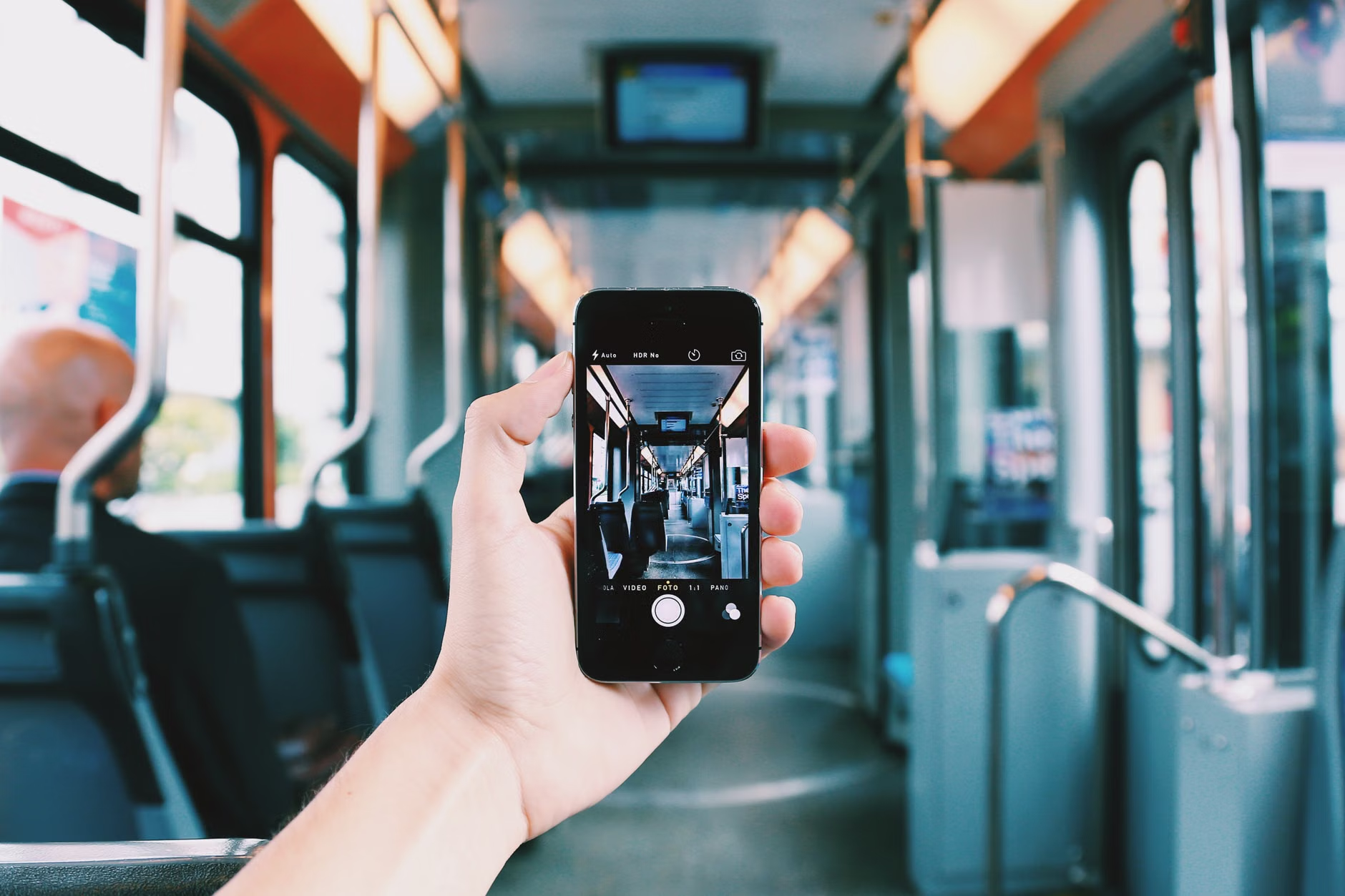
You arrive at a train station where the signage is entirely in a script you do not recognize. Instead of feeling overwhelmed, open your app’s “Camera” feature. Hold the phone steady over the sign. The app will replace the foreign text with English text on your screen in real-time. This provides immediate clarity without the need to find an information desk.
Scenario B: Dining Out
You are at a local restaurant. The menu is a wall of text. Use the “Camera” mode to scan the menu. If the text is too small, use the “Import Photo” feature: take a photo of the menu first, then upload it to the app. This allows you to zoom in and read the translated ingredients comfortably at your own pace.
Scenario C: Seeking Assistance
If you need to ask a local for a pharmacy, use the “Voice” or “Conversation” mode. Type your request in English, and the app will translate it into the local language. You can then press the “Speaker” icon to have the phone say the phrase aloud to the local resident. This removes the stress of trying to pronounce complex foreign words correctly.
Overlooked Variables and Hidden Inconveniences
While technology is powerful, it is not infallible. Understanding its limitations will prevent frustration.
- Battery Drain: Using the camera and voice features continuously will drain your smartphone battery faster than standard use. Always carry a portable power bank (a “power brick”) to ensure you aren’t left without your tools by late afternoon.
- Contextual Nuance: Machine translation struggles with idioms or heavy slang. If you are asking for something sensitive—such as a specific medical need or a dietary restriction—try to keep your sentences short and direct. Avoid flowery language.
- The “Human” Element: Never let the phone become a barrier to connection. When using the voice playback, smile and maintain eye contact with the person you are communicating with. The phone is just a bridge; the warmth of your interaction is what makes the experience meaningful.
Safety and Medical Considerations
If you have specific medical conditions, use your translation app to create a “Medical Card” in the local language. This should include your name, any critical allergies, and a list of your current medications. Keep this as a “Favorite” or a saved phrase in your app. In an emergency, you can simply show this text to a medical professional or a police officer. This simple preparation can be a vital lifeline.
Conclusion: Empowerment Through Preparation
Embracing digital translation tools is not about replacing the human experience of travel; it is about providing the safety net that allows you to explore with confidence. By preparing your devices before you leave and understanding how to navigate these tools, you move from being a passive tourist to an active, independent traveler. The world remains full of wonders, and with the right digital preparation, those wonders are yours to discover, regardless of the language spoken on the street.
Frequently Asked Questions
1. Do I need to pay for these translation apps?
Most major translation tools, including Google Translate and Microsoft Translator, are completely free to use. Some apps offer “Pro” versions with additional features, but for standard travel needs, the free, ad-supported versions are more than sufficient.
2. What if my phone battery dies while I am using the translator?
This is why carrying a portable power bank is a critical safety measure for any senior traveler. Additionally, it is always wise to carry a small physical card with your hotel’s address and a few basic phrases in the local language as a low-tech backup.
3. Will these apps work in every country?
Most major languages (Spanish, French, German, Chinese, Japanese, etc.) are well-supported with high-quality offline packs. However, for less commonly spoken languages or specific regional dialects, the offline support may be limited. Always check your app’s language availability list while you have a stable internet connection before you depart.
Official Resources: