- Cognitive Stimulation: Digital mosaic design improves spatial reasoning, pattern recognition, and fine motor skills through repetitive, structured creative tasks.
- Accessibility First: Modern tablet-based design tools remove the physical strain of traditional crafts while offering an “undo” function, reducing the barrier to entry.
- Practical Approach: Beginners should focus on grid-based applications that allow for modular growth, starting with simple geometric patterns before moving to complex imagery.
Digital mosaic design is a modern evolution of an ancient art form that offers a unique intersection of mathematical precision and creative expression. For older adults, this hobby provides more than just a finished image; it serves as a robust exercise for the brain. By engaging with the structural logic of grids and the aesthetic choices of color theory, you are participating in a process that encourages sustained focus and cognitive flexibility.
Unlike traditional mosaic work, which requires heavy tiles, sharp cutting tools, and specialized adhesives, digital mosaic design is entirely portable and physically accessible. It eliminates the mess of dust and grout, allowing you to create complex, beautiful works of art from the comfort of your favorite armchair.
Understanding the Cognitive Benefits of Mosaic Design
The human brain thrives on patterns. When you engage in mosaic design, you are essentially performing a series of complex spatial calculations. You must determine how individual units fit into a larger whole, manage color transitions, and maintain symmetry. This process activates several key areas of the brain associated with executive function.
Spatial Reasoning and Pattern Recognition
Mosaic design is fundamentally about spatial relationships. Whether you are working with a simple square grid or a more complex hexagonal pattern, your brain must constantly evaluate how each piece relates to its neighbors. This practice reinforces spatial reasoning, an ability that is essential for navigating environments and understanding physical structures. Over time, consistent practice helps maintain the neural pathways involved in visual processing and spatial orientation.
Fine Motor Skill Maintenance
While digital design is less demanding than physical sculpting, it still requires precision. Using a stylus on a tablet screen demands coordination between the hand and eye. This repetitive, low-impact movement is excellent for maintaining dexterity in the fingers and wrists. By controlling the placement of “tiles” on a screen, you are refining your fine motor control in a low-pressure, high-reward environment.
The “Flow” State and Stress Reduction
Psychologists often describe the “flow” state as a condition of complete immersion in an activity. Because mosaic design is inherently modular, it allows you to enter this state easily. As you focus on placing a single tile or choosing the perfect shade of blue, the demands of the outside world fade into the background. This intentional focus acts as a form of active meditation, which has been shown to lower cortisol levels and improve overall emotional wellbeing.
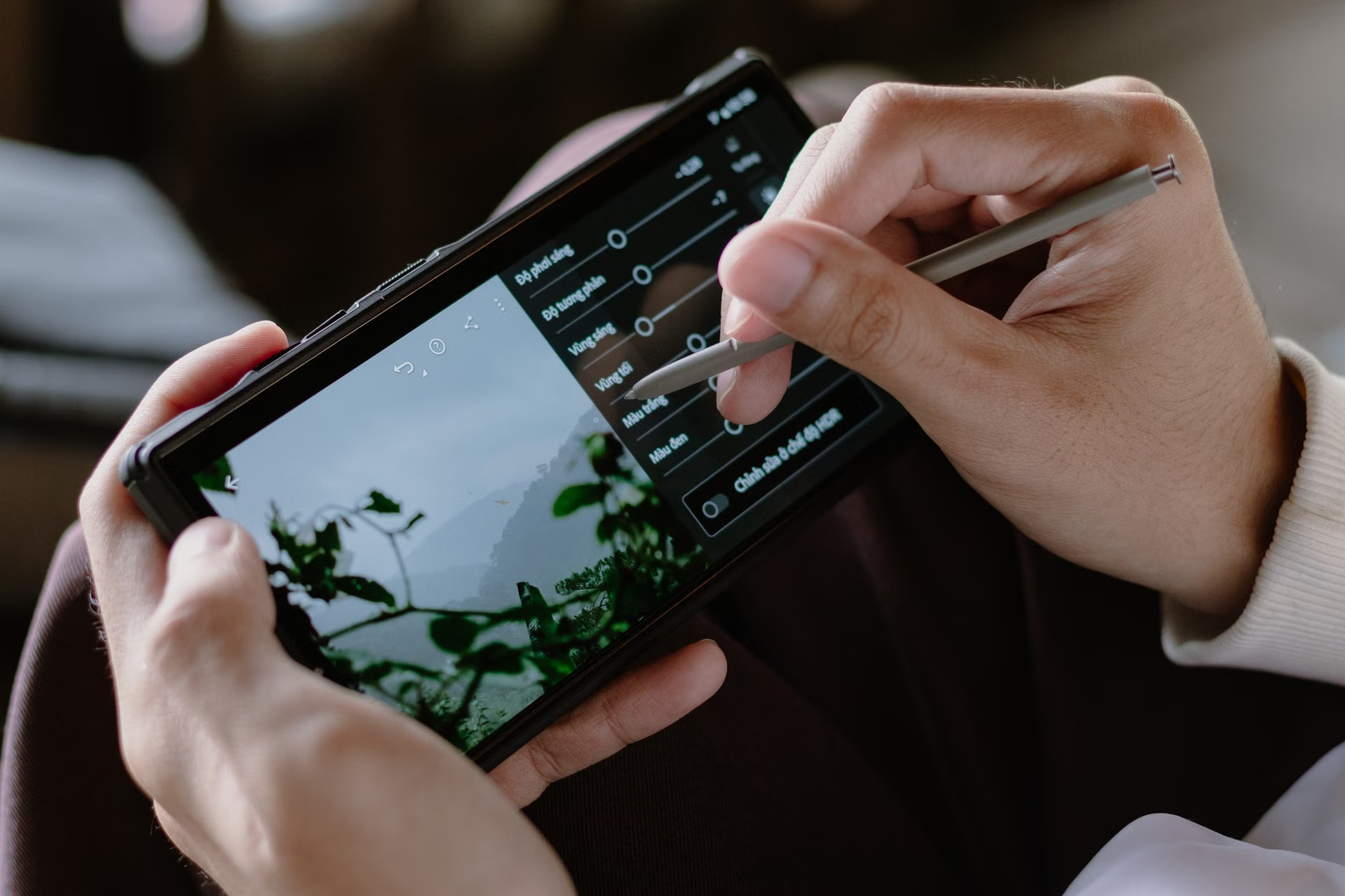
Choosing the Right Tools: Hardware and Software
One of the most significant advantages of digital art is that the barrier to entry is lower than it has ever been. However, choosing the right equipment is essential to ensure that your experience is comfortable and sustainable.
Hardware Considerations
For most beginners, a tablet with a dedicated stylus is the gold standard. Tablets like the iPad or high-quality Android alternatives provide a responsive surface that mimics the feeling of drawing or placing tiles. When selecting a device, consider the following:
- Screen Size: A larger screen (at least 10 inches) is recommended to reduce eye strain and provide more room for your tools and canvas.
- Stylus Sensitivity: A pressure-sensitive stylus allows for more natural interaction, though for mosaic design, a simple capacitive stylus is often sufficient.
- Weight and Ergonomics: Ensure the device is light enough to hold for extended periods, or invest in a tablet stand that keeps the screen at an ergonomic angle.
Software Selection
You do not need professional-grade, expensive software to start. Many apps are designed specifically for grid-based art or pixel art, which translates perfectly to digital mosaic design.
| Feature | Basic Apps (Free/Freemium) | Advanced Apps (Subscription) |
|---|---|---|
| Ease of Use | High; minimal learning curve. | Moderate; requires time to master. |
| Customization | Limited to predefined grids. | Extensive; custom brushes and layers. |
| Best For | Relaxation and simple patterns. | Detailed, professional-style mosaics. |
Recommendation: Start with a “Pixel Art” or “Grid Drawing” application. These apps come pre-loaded with grids that make it impossible to misalign your tiles, providing a satisfying sense of order from the very first session.

Step-by-Step Guide to Your First Mosaic Project
Many beginners feel overwhelmed by the “blank canvas” syndrome. The beauty of the mosaic is that you don’t have to draw a masterpiece; you simply have to fill a grid. Follow this systematic approach to complete your first project.
Step 1: Define Your Grid
Start with a simple 20×20 or 30×30 grid. Do not attempt a high-resolution design immediately. A smaller grid ensures that you can see progress quickly, which is vital for maintaining motivation during the initial learning phase.
Step 2: Choose a Limited Palette
Common mistakes in early digital art include using too many colors at once. Limit yourself to three or four colors initially. This forces you to focus on contrast and balance rather than getting lost in a sea of color options.
Step 3: Establish a Pattern or Motif
Try creating a repeating pattern. You might start by coloring every second or third square. This “tiling” method is the foundation of traditional mosaic design and is the easiest way to create a visually pleasing result without needing advanced artistic skills.
Step 4: The “Undo” Advantage
One of the greatest benefits of digital design is the “Undo” button. Unlike physical mediums where a mistake is permanent, digital art allows you to experiment freely. If you don’t like how a color looks, simply tap to undo and try another. This removes the fear of failure that often prevents people from starting new hobbies.
Maintaining Long-Term Engagement and Skill Growth
To ensure this hobby remains a source of joy rather than a chore, it is important to manage your expectations and your environment. Digital art can be addictive in a healthy way, but it is important to balance screen time with physical movement and rest.
Ergonomics and Physical Comfort
Even though you are sitting, repetitive movements can lead to fatigue. Ensure your setup supports your posture. Keep your elbows supported and your screen at eye level to prevent “tech neck.” Take a break every 30 minutes to stretch your hands, wrists, and shoulders. Simple movements, such as opening and closing your fists or gently rotating your neck, can significantly reduce the risk of strain.
Integrating with Daily Life
Think of your digital mosaic design as a “brain break” rather than a project with a deadline. Many individuals find that dedicating 20 to 30 minutes in the late afternoon or evening is the perfect way to transition from the day’s activities to a state of relaxation. By keeping your tablet charged and your app easily accessible, you remove the friction that often stops us from starting a hobby.
Sharing and Archiving Your Work
Modern tablets allow you to export your designs as high-quality images. Consider printing your creations to hang on your walls, or use a digital photo frame to display a slideshow of your work. Sharing your progress with family members can also turn a solitary hobby into a social connection point, providing a meaningful topic of conversation for grandchildren or friends.

Addressing Potential Challenges for the Digital Beginner
While digital tools are powerful, they come with their own set of unique hurdles. Understanding these ahead of time can save you from unnecessary frustration.
Managing Technical Fatigue
If you find that your eyes are becoming tired, check your screen brightness. Most modern tablets have a “Night Shift” or “Blue Light Filter” setting that warms the color temperature of the screen, making it much easier on the eyes during evening use. Additionally, ensure your environment has adequate ambient lighting to prevent glare on the screen.
Handling Software Updates
Technology changes rapidly. If your software updates and the interface looks different, don’t panic. Most developers aim to keep the core functionality the same. If you find a version of an app that works perfectly for your needs, you are not obligated to update it immediately unless security features require it. Stability is often better than having the “latest” features.
The “Perfectionism” Trap
It is easy to zoom in and obsess over a single tile. Remember that mosaic art is meant to be viewed as a whole. Periodically “zoom out” to see how your design looks from a distance. You will often find that what looked like a mistake up close is actually a beautiful detail when viewed in context of the entire piece.
Conclusion: A Path to Cognitive Longevity
Digital mosaic design is a powerful tool for cognitive health, offering a blend of structure, creativity, and technological engagement. By starting small, focusing on the joy of the process rather than the perfection of the product, and maintaining an ergonomic workspace, you can build a sustainable hobby that challenges your brain in the best possible way. The skills you learn—patience, spatial awareness, and digital literacy—are assets that enhance your daily life and provide a sense of accomplishment that is uniquely your own.
Remember that the goal is not to become a professional digital artist, but to keep your mind sharp, your hands active, and your spirit creative. Every tile you place is a step toward a more engaged and vibrant you.
Frequently Asked Questions
1. Do I need to be “good at art” to start digital mosaic design?
Absolutely not. Digital mosaic design is based on grids and patterns, which are mathematical and structural rather than freehand. If you can follow a pattern or a simple set of rules, you can create beautiful mosaic art. The software handles the precision, leaving you to focus on the color and arrangement.
2. Is this hobby expensive to maintain?
Once you have the initial hardware (a tablet and a stylus), the cost is very low. Many high-quality design applications are either free or have a very low one-time cost. Unlike traditional arts, there are no ongoing costs for paints, canvases, tiles, or adhesives, making it one of the most cost-effective hobbies available.
3. How do I know if my tablet is compatible with the necessary software?
Most tablets released within the last five years are more than capable of running standard mosaic and pixel art software. When searching for an app, check the “System Requirements” section in your device’s app store (such as the Apple App Store or Google Play Store). If your device is too old, the store will typically notify you that the app is incompatible before you attempt to download it.
For further information on maintaining cognitive health through creative activities, you may visit the National Institute on Aging (NIA), which provides comprehensive resources on healthy aging and engaging in meaningful daily activities.