- Starting in 2026, new international guidelines will mandate high-contrast, tactile, and simplified wayfinding systems in public libraries to support older adults.
- These standards focus on reducing “cognitive load”—meaning signs will be placed at eye level and use universal symbols rather than complex text.
- You can expect a shift toward “multi-sensory” navigation, combining floor-level lighting, audio cues, and digital kiosks that prioritize ease of use over technical complexity.
As we navigate our communities, the environments we visit—especially public spaces like libraries—should be intuitive. For many adults aged 60 to 80, the frustration of “lost in space” is a real concern, often caused by poor lighting, cluttered signage, or confusing layouts. By 2026, a significant shift in global standards for age-inclusive library wayfinding is set to reshape how these institutions design their interiors, making public knowledge more accessible than ever.
The Evolution of Wayfinding: Why 2026 is a Turning Point
Wayfinding is more than just signs on a wall. It encompasses the entire process of how a person identifies their location, determines their destination, and safely navigates to it. For older adults, this process can be complicated by changes in vision, such as reduced contrast sensitivity, or the simple annoyance of navigating a labyrinthine building designed by someone who doesn’t prioritize accessibility.
The upcoming 2026 standards, influenced by international bodies like the International Federation of Library Associations and Institutions (IFLA) and local accessibility mandates, aim to move away from “aesthetic-first” design to “function-first” design. The core goal is to reduce the cognitive energy required to navigate a space, allowing you to focus on the content—the books, the workshops, and the community—rather than the stress of finding the exit or the washroom.
What “Cognitive Load” Means for You
Cognitive load refers to the amount of mental effort being used in the working memory. In a poorly designed library, you might spend 20% of your energy just trying to figure out which aisle corresponds to “History” or “Large Print.” By 2026, the new standards mandate that information must be delivered in “chunks.” Instead of a wall of text, you will see:
- Iconography over text: Universal symbols that are recognizable regardless of language or visual acuity.
- Consistent placement: Signs placed consistently at a height of 1.2 to 1.5 meters, rather than tucked into corners or placed too high.
- Color-coding: Distinct, high-contrast color zones that help you identify your general area (e.g., blue for quiet study, green for community areas) before you even read a label.
Practical Changes: What You Will See in Your Local Library
The 2026 standards are not just theoretical; they are designed to be implemented in both new builds and renovations. If your local library undergoes an update, here is what you should look for as a sign of progress.
1. High-Contrast and Tactile Signage
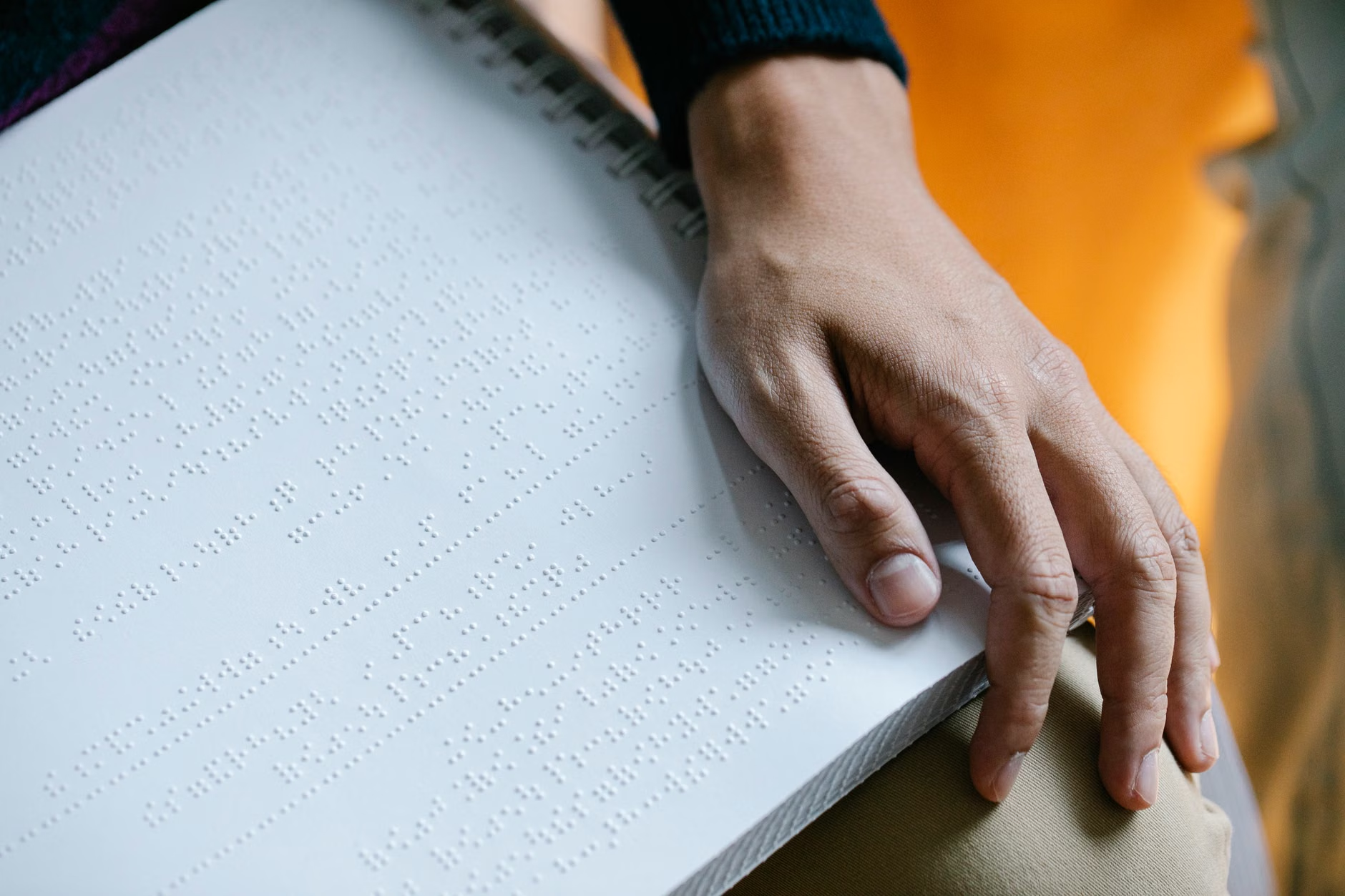
Low contrast is a major barrier for those with cataracts or other age-related vision changes. The new standards require a minimum Light Reflectance Value (LRV) difference between the sign background and the text. Furthermore, braille and raised lettering will no longer be an “add-on” but a standard requirement for all primary navigation points.
2. The End of “Design-Heavy” Floor Patterns
Many modern libraries use complex floor patterns that look artistic but can be disorienting. These patterns can create “visual noise,” which is particularly challenging for those with depth perception changes. Expect to see a trend toward solid-colored, non-slip flooring that uses subtle, high-contrast borders to define walking paths.
3. Lighting That Guides, Not Blinds
Glare is a common enemy for older eyes. The new standards emphasize “indirect lighting” and “task-specific illumination.” This means the path you walk on will be evenly lit, while the book stacks will have focused, non-glare lighting that illuminates the spine labels without causing a reflection on the shelf surface.
| Feature | Old Standard (Common) | 2026 Global Standard |
|---|---|---|
| Signage Contrast | Low (e.g., grey on white) | High (e.g., black on yellow/white) |
| Sign Height | Varies (often too high) | Consistent eye-level (1.2m-1.5m) |
| Floor Design | Patterned/Reflective | Matte/Solid with path borders |
| Navigation | Complex maps | Intuitive path-finding/Audio cues |
Which option fits you? If you currently rely on a cane or have mild vision impairment, look for the “path border” design. These are clearly marked strips on the floor that lead you from the entrance to the main desk. They are safer and more reliable than trying to read a wall-mounted map.
Addressing Digital Wayfinding: Kiosks and Mobile Apps
Digital kiosks are becoming standard, but they are often designed for younger, tech-savvy users. The 2026 standards mandate that any digital public service interface in a library must follow “Age-Inclusive Interface Design” principles. This includes:
- Large touch targets: Buttons must be at least 44×44 pixels to ensure they are easy to press, even if you have mild arthritis or tremors.
- Simplified workflows: No multi-layer menus. Every piece of information must be reachable in three taps or fewer.
- Audio-Visual Synchronization: If a kiosk gives directions, it must provide the same information in both a clear, large-text display and a high-quality audio output.
Common Mistake: Many users try to zoom into digital maps using a pinch gesture. In the 2026 standard, interfaces are required to have “Fixed-Zoom” buttons (+ and -) that do not require complex finger movements.

Why These Standards Matter for Your Wellbeing
You might wonder why a library needs to change its signage. The answer lies in “social participation.” When a space is difficult to navigate, older adults are statistically less likely to return. This creates a cycle of isolation. By removing the friction of navigation, libraries become a truly “third space”—a place outside of work and home where you can comfortably spend your time.
Consider the “Stamina Factor.” Navigating a large, poorly laid-out building is physically exhausting. If you have to walk back and forth to find the reference desk, you have less energy to enjoy the materials once you reach them. The 2026 standards aim to minimize the “search time,” effectively increasing the time you have for leisure and learning.
The “Safety First” Approach
Beyond convenience, these standards address safety. Wide, clearly marked aisles reduce the risk of trips and falls. Seating areas will now be required to be placed at regular intervals along main paths, serving as “rest points.” If you are someone who prefers to take your time moving through a building, these markers act as essential checkpoints.
What You Can Do: Preparing for the Transition
As these standards roll out over the next few years, you don’t have to wait for the changes to happen to you. You can take an active role in how your local community space evolves.
- Provide Feedback: Library boards often have public consultation periods. If you find a specific area of your local library difficult to navigate, voice it. Use terms like “wayfinding difficulty” or “low-contrast signage”—this language helps library administrators categorize your request as an accessibility issue rather than a personal preference.
- Request a “Facility Walkthrough”: Many public libraries are now offering, or are willing to offer, “guided orientation” for older adults. If you are visiting a new or renovated branch, call ahead and ask if a staff member can provide a brief tour of the layout.
- Test the Tech: If your library has a digital kiosk, try using it while a staff member is nearby. If you encounter a button that is too small or a menu that is confusing, tell them. Their metrics for “usability” are often based on user feedback.

Insights on Hidden Inconveniences
One overlooked variable in library design is “acoustic wayfinding.” As we age, our ability to filter out background noise decreases. A library that is visually accessible but loud can be just as difficult to navigate as one that is poorly signed. The 2026 standards encourage “acoustic zoning.” This means that high-traffic areas (like the front desk or children’s section) should be separated from quiet zones by soft materials like carpeting or acoustic panels. If you find yourself in a library that feels overwhelming, look for “Quiet Zone” signage—this is becoming a standard feature to help those who need a calmer environment to navigate effectively.
Another point to consider is the “Lighting Transition.” When you move from a bright outdoor area into a dim library, it can take your eyes several minutes to adjust. The 2026 standards suggest that entryways should have a “transition zone” with moderate lighting levels to help your eyes adapt, reducing the risk of stumbling when you first enter.
Conclusion: Empowering Your Independence
The 2026 standards for age-inclusive library wayfinding represent a global recognition that public spaces must evolve alongside the demographics of their users. By prioritizing high-contrast signage, intuitive floor layouts, and simplified digital interfaces, these standards help ensure that your ability to access information is not hindered by the physical environment. Whether you are conducting research, attending a community event, or simply enjoying a quiet hour with a book, these changes are designed to give you more control, more comfort, and more confidence.
Your local library is a gateway to lifelong learning. By understanding these upcoming standards, you can better advocate for your needs and enjoy these spaces to their fullest potential. Stay informed, share your feedback, and continue to engage with the resources that make our communities vibrant.
Frequently Asked Questions
Q: Will these 2026 standards be applied to all libraries globally?
A: These standards are being adopted as international guidelines by bodies like the IFLA. While they are not “laws” in every single country, they are increasingly being written into local building codes and national library accreditation requirements in many jurisdictions, including North America, the UK, and parts of the EU. Check with your local municipal government to see if they have adopted these specific accessibility guidelines.
Q: I have a visual impairment. Will these new signs be enough for me?
A: The 2026 standards are a major step forward, but they are designed to be a baseline. They integrate tactile elements and high-contrast visuals, but they also encourage libraries to provide audio-navigation apps. If you have specific needs, check if your local library offers “beacons” or smartphone-based navigation services that provide audio cues as you move through the aisles.
Q: How can I find out if my local library is planning a renovation based on these standards?
A: Most public libraries publish their “Strategic Plan” or “Capital Improvement Plan” on their websites. Look for terms like “Accessibility Upgrades,” “Universal Design,” or “Renovation Projects.” You can also directly contact the head librarian and ask if their upcoming projects are being designed to meet the 2026 Global Age-Inclusive standards.
Official Source References: