Community digital book-binding groups offer a unique blend of memory preservation, technical skill-building, and social interaction that significantly enhances the wellbeing of adults aged 60 to 80. By transforming solitary digital tasks into a shared creative experience, these groups provide a structured way to combat social isolation while producing a tangible legacy for future generations.
Key Takeaways:
- Digital book-binding is a collaborative craft that involves digitizing personal histories, designing layouts, and publishing them as e-books or high-quality print-on-demand volumes.
- Social connection is the primary driver of these groups, offering a “third place” outside the home where seniors can share stories and troubleshoot technology in a low-pressure environment.
- Cognitive benefits are substantial, as the process requires learning new software, organizing complex information, and practicing “generativity”—the act of passing down wisdom to younger generations.
What is Digital Book-Binding in a Community Context?
Digital book-binding is the modern evolution of traditional scrapbooking and memoir writing. While traditional book-binding involves physical thread, glue, and leather, the digital version focuses on digital curation, layout design, and electronic publishing. In a community group setting, this process is not done alone in front of a home computer but in a shared space like a library, community center, or “Men’s Shed.”
The craft involves taking raw materials—such as old physical photographs, handwritten letters, digital camera files, and oral histories—and organizing them into a professional-looking book format. Participants use software ranging from simple drag-and-drop web tools to professional-grade design applications. The final product can be an “e-book” (EPUB or PDF) shared via email or a physical, hardbound book ordered through a print-on-demand service.
In a group environment, the focus shifts from the technical challenge to the collaborative journey. Members often help each other scan difficult documents, suggest edits for clarity, or provide technical support when someone encounters a software “glitch.” This peer-to-peer teaching model is highly effective for the 60-80 age demographic, as it removes the hierarchy of a traditional classroom and replaces it with the comfort of a hobbyist circle.
The Transition from Physical to Digital Curation
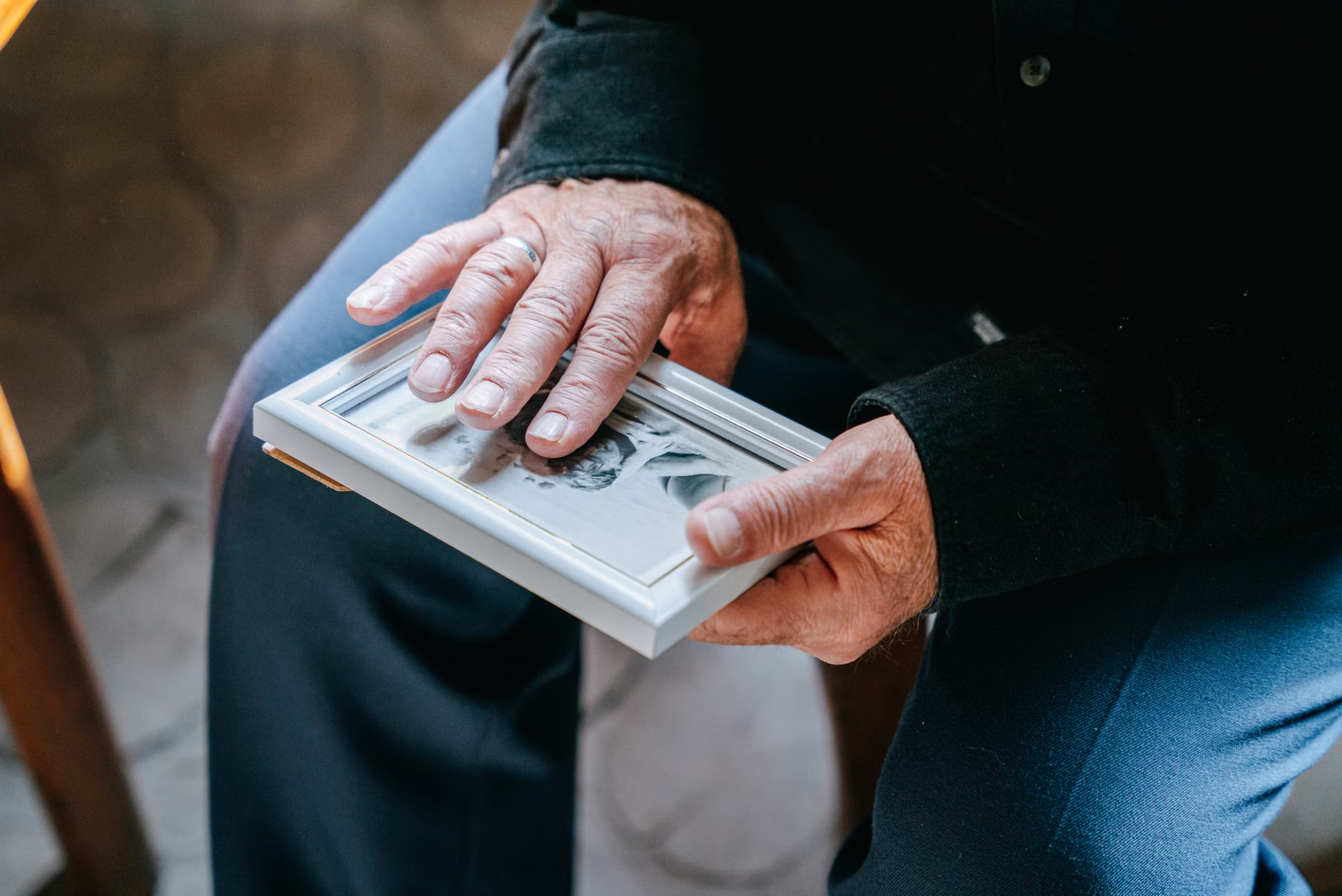
For many adults in their 70s and 80s, family history is stored in “shoe-box archives”—unorganized physical photos and documents that are at risk of degrading over time. Digital book-binding provides a practical framework for preservation through digitization. This process involves more than just taking a picture of a picture; it includes color correction, restoring torn edges digitally, and adding metadata (digital labels) so that the context of the image is never lost.
The “binding” part of the process refers to the structural organization of the content. Just as a physical binder holds pages in a specific order, digital layout software allows the creator to build a narrative arc. This might be a chronological biography, a thematic collection of family recipes, or a travelogue of a significant journey. The group setting provides the “editorial board” that helps the creator decide which stories are most impactful and how to structure the chapters effectively.
The Social Value: Building a “Third Place” for Seniors
Sociologists often refer to the “third place”—a social environment separate from the home (first place) and the workplace (second place). For retirees, the loss of the second place can lead to a shrinking social circle. Community digital book-binding groups act as a vital third place. Unlike a generic social club, these groups are task-oriented, which can be particularly helpful for individuals who find “small talk” difficult or intimidating.
The social value manifests in several specific ways:
- Reduced Social Isolation: Regular weekly or bi-weekly meetings create a routine that encourages members to leave the house and interact with peers.
- Shared Vulnerability: Learning new technology can be frustrating. Sharing that frustration—and the eventual “aha!” moment—builds deep bonds between members.
- Intergenerational Bridges: Many groups invite younger volunteers or family members to assist with technical hurdles. This creates a space where the older adult is the “subject matter expert” on the history, while the younger person is the “technical guide,” fostering mutual respect.
- Validation of Experience: As members share the stories they are “binding,” they receive immediate feedback and validation from their peers, reinforcing the value of their life experiences.
Real-Life Scenario: The “Neighborhood History” Project
Consider a hypothetical group in a small town in the UK or a suburb in Australia. Instead of working only on individual family trees, the group decides to create a digital book about their local high street as it looked in the 1960s. One member provides the photos, another writes the descriptions based on their memory of the shops, and a third member—who has become the group’s “tech lead”—handles the software layout. This collective effort creates a shared sense of purpose that transcends individual hobbies and contributes to the local community’s cultural heritage.

Cognitive Benefits and Mental Stimulation
Engaging in digital book-binding is a high-level cognitive exercise. Research into “Cognitive Reserve” suggests that learning complex new skills in later life can help maintain brain health and potentially delay the onset of cognitive decline. Digital book-binding is particularly effective because it engages multiple parts of the brain simultaneously.
| Activity | Cognitive Function Engaged | Practical Benefit |
|---|---|---|
| Software Navigation | Problem-solving & Procedural Memory | Improves digital literacy and confidence with modern devices. |
| Narrative Writing | Language & Creative Expression | Strengthens verbal recall and storytelling abilities. |
| Photo Restoration | Visual-Spatial Processing | Enhances attention to detail and fine motor coordination. |
| Group Troubleshooting | Social Cognition & Logic | Maintains social reasoning and executive function. |
The table above illustrates that digital book-binding is not a passive hobby. It requires active learning. For a 75-year-old, mastering a layout program like Canva or Blurb’s BookWright provides a significant “cognitive win.” This success builds self-efficacy—the belief in one’s ability to succeed in specific situations—which is a major factor in maintaining independence as we age.
Practical Steps: How to Join or Start a Group
If you are interested in this hobby, the first step is to determine whether you want to join an existing group or start a small circle of your own. Many local libraries now offer “Digital Maker Spaces” or “Senior Tech Days” that can serve as the foundation for a book-binding group.
Finding an Existing Group
Look for organizations that focus on lifelong learning or senior wellbeing. In the UK and Australia, the University of the Third Age (U3A) often has “Digital Photography” or “Family History” groups that are naturally shifting toward digital book-binding. In the United States, Senior Centers and local Historical Societies are the best places to start. Search for terms like “Digital Scrapbooking Club,” “Memoir Writing Workshop,” or “Legacy Project Group.”
Starting Your Own Group (A Step-by-Step Guide)
You do not need to be a technology expert to start a group. You only need to be an organizer. Follow these steps to get started:
- Secure a Venue: Find a location with reliable Wi-Fi and plenty of power outlets. Libraries are ideal because they often have scanners available for public use.
- Define the Scope: Decide if the group will focus on personal memoirs, family photo books, or community history. Having a clear goal helps attract the right members.
- Choose Your “Standard” Software: To make peer-support easier, it helps if everyone in the group uses the same tool initially. Canva is excellent for beginners due to its drag-and-drop interface. Blurb BookWright is better for those who definitely want a high-quality physical book at the end.
- Gather Basic Equipment: At minimum, members will need their own laptops or tablets. The group should ideally have access to one high-quality flatbed scanner for digitizing old photos.
- Set a Realistic Pace: Aim for one chapter or five pages per month. This prevents “tech fatigue” and keeps the project manageable.

Technical Skills: What You Will Actually Learn
One common misconception is that digital book-binding requires years of computer experience. In reality, modern software is designed to be intuitive. A community group provides the perfect “safety net” to learn these specific skills:
1. Digital Asset Management
This is a fancy term for organizing your files. You will learn how to create folders, name files so you can find them later (e.g., “1954_Wedding_Cake.jpg” instead of “IMG_001.jpg”), and how to back up your work to the “Cloud” (services like Google Drive or iCloud). This skill is universally useful for managing modern life, from banking to healthcare records.
2. Basic Image Editing
You don’t need to be a Photoshop pro. You will learn how to crop out a distracting background, adjust the brightness of a dark photo, and use “Auto-Fix” features to bring old colors back to life. These small changes make a massive difference in the professional look of your final book.
3. Layout and Typography
You will learn the basics of visual hierarchy—making sure the most important photo is the largest and that the text is easy to read. For the 60-80 age group, this often means learning how to select high-contrast colors and large, sans-serif fonts that are comfortable for aging eyes to read.
Overcoming Common Barriers
While the benefits are clear, several obstacles can prevent seniors from starting. Addressing these directly within the community group is the best way to ensure success.
Technical Anxiety
The fear of “breaking the computer” is real for many. Community groups mitigate this by fostering a “no-fail” environment. When a group member sees a peer make a mistake and easily fix it, their own anxiety decreases. It is helpful to have a “Tech Mentor” in the group—perhaps a slightly more experienced member or a volunteer—who can provide 1-on-1 help during the first few sessions.
Physical Limitations
Arthritis or reduced vision can make using a standard mouse or small screen difficult. Groups can share resources on assistive technology, such as ergonomic trackball mice, high-contrast keyboards, or screen magnification software. Working in a group also means someone else can help with the physically demanding task of scanning hundreds of photos, allowing the member with limited mobility to focus on the storytelling and layout.
The Cost Factor
Digital book-binding can be expensive if you jump straight into professional software and high-end printing. However, it can also be very low-cost. Many excellent tools are free (like the basic version of Canva or Google Slides). Printing a physical book is the main expense, typically ranging from $30 to $100 depending on the page count and paper quality. A community group can often negotiate bulk printing discounts or help members choose the most cost-effective options for their specific project.
| Software Tool | Difficulty Level | Primary Cost | Best For… |
|---|---|---|---|
| Canva | Low (Beginner) | Free (Pro version optional) | Visual photo books and simple memoirs. |
| Blurb BookWright | Medium | Free software; pay per book | High-quality hardbound “coffee table” books. |
| Microsoft Word/Google Docs | Low | Often already owned | Text-heavy memoirs with few photos. |
| Adobe InDesign | High (Professional) | Monthly Subscription | Experienced users wanting total creative control. |
For most members of a community group, Canva or Blurb offers the best balance of ease-of-use and professional results. Avoiding subscription-based software like Adobe is generally recommended for casual hobbyists to keep costs predictable.
Conclusion: Your Next Steps Toward a Digital Legacy
The social value of community digital book-binding groups lies in their ability to turn a technical challenge into a joyful, shared achievement. Whether you are preserving your own life story or helping a friend organize their family history, the process builds a stronger, more connected community.
Your immediate next action: Contact your local library or community center this week and ask if they have a digital scrapbooking or memoir group. If they don’t, ask if they would be willing to host a “Founding Meeting” for a new group. You don’t need a finished manuscript to start; you only need one photo and the desire to share the story behind it.
For more information on digital literacy and social programs for seniors, you can visit the following resources:
- Age UK – Digital Inclusion Resources: https://www.ageuk.org.uk/our-services/it-skills/
- FamilySearch – Digitizing Your Family History: https://www.familysearch.org/en/fieldguide/digitizing-photos-and-documents
- U3A (University of the Third Age) – Find a Group: https://www.u3a.org.uk/
Frequently Asked Questions
1. Do I need to own a powerful computer to do digital book-binding?
No. Most modern web-based tools like Canva work perfectly well on a standard laptop or even a tablet (like an iPad). The most important requirement is a stable internet connection if you are using web-based software. If you are using a tablet, a stylus pen can make the design work much easier than using your fingers.
2. How long does it typically take to finish one book?
In a community group setting, a standard 20-to-40 page photo book or memoir usually takes 3 to 6 months of steady, part-time work (meeting once or twice a week). The goal is to enjoy the social process and the storytelling, so there is no need to rush. Breaking the project into “chapters” makes it much more manageable.
3. What happens if I make a mistake after the book is printed?
One of the greatest advantages of digital book-binding is that the “master file” is saved on your computer or in the cloud. If you find a typo in a printed book, you can simply fix it in the software and order a corrected copy later. Many people print a “proof copy” on cheap paper first to check for errors before ordering the final hardbound version.