- Extended Crossing Times: New 2026 international standards are lowering the assumed walking speed from 1.2 meters per second to 1.0 meter per second (or lower), adding vital seconds to every green light phase.
- Leading Pedestrian Intervals (LPI): Cities are implementing a mandatory 3-to-7 second “head start” for walkers, ensuring pedestrians are visible in the crosswalk before vehicles receive a green light to turn.
- Smart Detection Technology: Updated signals now use infrared and microwave sensors to “watch” the crosswalk, automatically holding the red light for cars if a person is still moving through the intersection.
By 2026, the way we cross the street is changing significantly across the globe. For adults aged 60 and older, these updates to Accessible Pedestrian Signals (APS) represent the most substantial improvement in urban mobility in over thirty years. The core shift moves away from prioritizing “traffic flow” (cars) toward “pedestrian safety” (people). This transition is driven by updated engineering manuals, such as the 11th Edition of the Manual on Uniform Traffic Control Devices (MUTCD) in the United States, and similar “Vision Zero” initiatives in the United Kingdom, European Union, and Australia.
The primary goal is to reduce the “crossing anxiety” that often prevents older adults from walking to local shops, parks, or transit hubs. By understanding these 2026 updates, you can navigate your neighborhood with greater confidence and know exactly what to expect from the next generation of smart intersections.
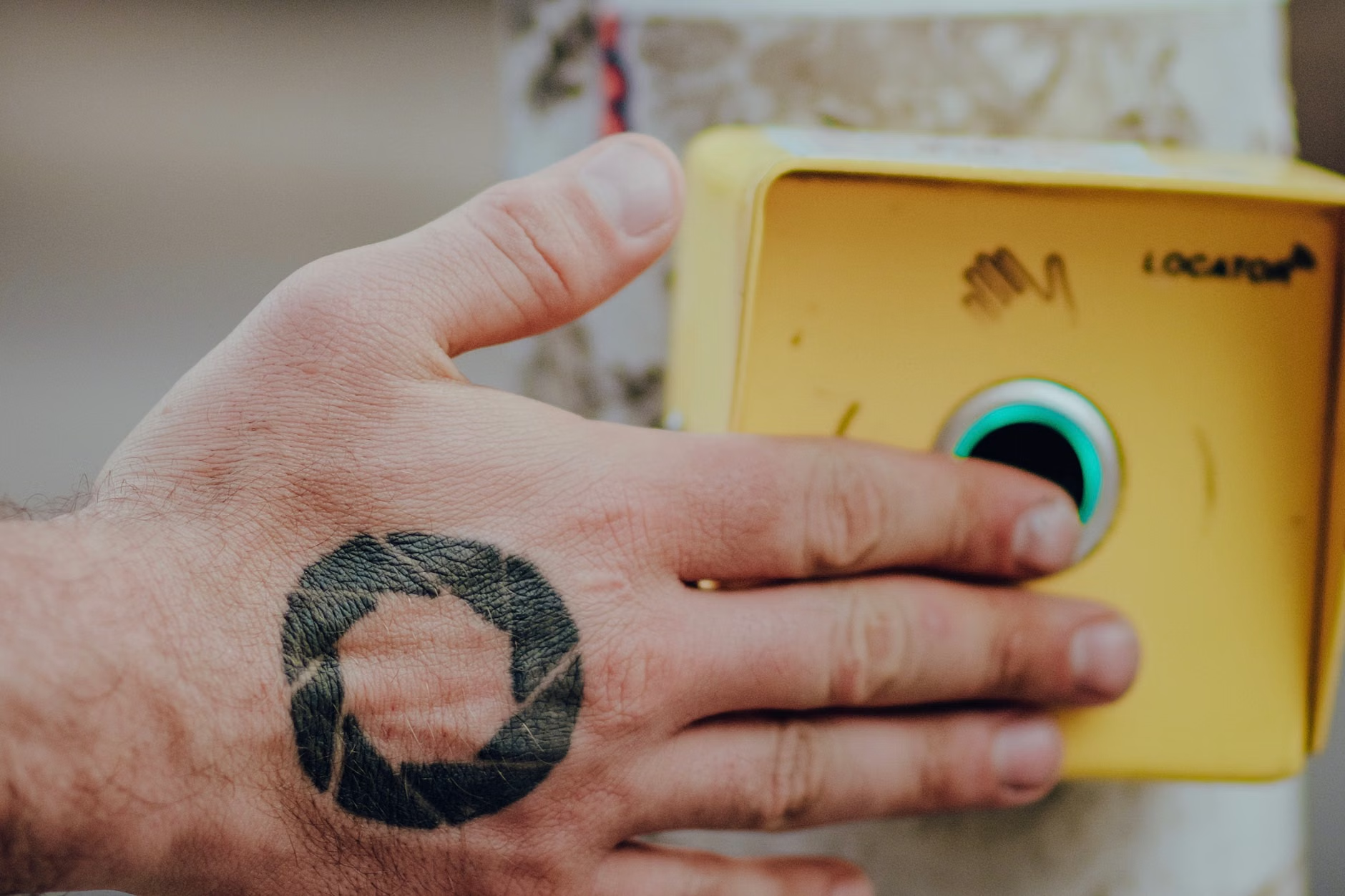
The Shift in Walking Speed Assumptions: Why 3.5 Feet Per Second Matters
For decades, traffic engineers timed lights based on the assumption that the “average” person walks at a speed of 4.0 feet per second (approximately 1.2 meters per second). For many adults over 70, or those using a cane or walker, this speed is unrealistically fast. It often leads to the “flashing don’t walk” signal appearing when a person is only halfway across the street, causing stress and increasing the risk of falls.
Starting in 2026, the new global benchmark is shifting toward 3.5 feet per second (1.0 meter per second) as the standard for all new and upgraded intersections. In areas with high concentrations of seniors or medical facilities, this may drop even further to 3.0 feet per second.
How This Change Affects Your Daily Walk
The difference of 0.5 feet per second might seem small, but in practice, it changes the entire experience of an intersection. On a standard four-lane road (approximately 48 feet wide), the old timing allowed only 12 seconds of “clearance” time. The new 2026 standards extend this to nearly 14 or 15 seconds.
| Walking Speed Assumption | Time to Cross 48 Feet (4 Lanes) | Context of Use |
|---|---|---|
| 4.0 ft/s (Old Standard) | 12 Seconds | Designed for fit, younger adults; often too fast for seniors. |
| 3.5 ft/s (2026 Standard) | 13.7 Seconds | The new international baseline for general urban areas. |
| 3.0 ft/s (Enhanced Standard) | 16 Seconds | Recommended for school zones and senior living areas. |
This extra time is specifically designed to account for the “start-up” delay—the 1 or 2 seconds it takes to notice the light has changed and begin moving. For a reader, this means you no longer have to “sprint” to beat the light. You can maintain a steady, natural pace.
Leading Pedestrian Intervals (LPI): The 5-Second Safety Buffer
One of the most dangerous moments for a pedestrian is when they start to cross at the same time a car next to them attempts to make a right-hand turn (or a left-hand turn in the UK/Australia). This “conflict point” is where the majority of urban pedestrian accidents occur.
The 2026 updates prioritize the Leading Pedestrian Interval (LPI). This is a programming change where the “Walk” sign illuminates 3 to 7 seconds *before* the parallel traffic light turns green.
Why the “Head Start” is a Life-Saver
When you are given a 5-second head start, you are able to walk roughly 15 to 20 feet into the crosswalk before any cars start moving. This puts you directly in the driver’s line of sight. Drivers are much less likely to “cut off” a pedestrian who is already clearly in the middle of the road than someone who is just stepping off the curb.
What this looks like in real life:
1. You arrive at the curb and press the APS button.
2. The traffic light for cars remains red.
3. Your “Walk” sign turns white (or green).
4. You walk halfway across the first two lanes.
5. Only then does the traffic light for cars turn green.
This sequence effectively “claims” the intersection for the pedestrian, forcing vehicles to yield. If you encounter an intersection that does *not* have this delay, it likely hasn’t been upgraded to the 2026 standard yet.
Smart Sensors and Automated Extensions
The most significant technological leap in the 2026 updates is the move from “dumb” timers to “smart” sensors. Traditional lights operate on a fixed loop; they don’t know if you are halfway across or if you have already reached the other side.
Infrared and Microwave Detection
New “Pedestrian User-Friendly Intelligent” (PUFFIN) crossings, originally popularized in the UK and now expanding globally, use sensors mounted on top of the signal poles. These sensors monitor the space within the crosswalk lines.
* The Benefit: If the sensor detects a person still moving within the crosswalk, it communicates with the traffic controller to extend the red light for vehicles.
* The Scenario: If you trip, or if your gait is slower than expected on a windy day, the light will not turn green for cars until the sensor confirms the crosswalk is empty.
Touchless and Haptic Buttons
In response to global health concerns and accessibility needs, 2026 signals are moving toward touchless activation. Instead of physically pushing a button, you can simply wave your hand in front of the sensor.
Furthermore, the buttons themselves are becoming “haptic.” For those with visual or hearing impairments, the button housing will vibrate or emit a “ticking” sound that changes tempo when it is safe to cross. This provides a secondary confirmation that the signal has registered your request.
Regional Comparisons: How Standards Differ Globally
While the trend toward slower speeds and smarter technology is global, the implementation varies by region. It is helpful to know the specific terminology used in your part of the world to better understand local changes.
United States and Canada (MUTCD 11th Edition)
The US Federal Highway Administration released the 11th Edition of the MUTCD with a focus on “Vulnerable Road Users.” By 2026, many US cities will have completed the “transition period” for these new rules. Key changes include mandatory tactile arrows on all new buttons and a preference for “Countdown Pedestrian Signals” (CPS) that show exactly how many seconds remain.
United Kingdom and Ireland (DfT Standards)
The UK is phasing out the older “Pelican” crossings (where the green man is across the street) in favor of “Puffin” and “Pedals” crossings. In these new versions, the signal is located at the near-side (right next to you at the curb). This encourages pedestrians to look toward oncoming traffic while waiting, rather than staring across the street.
Singapore (Green Man + Scheme)
Singapore is a global leader in senior-specific infrastructure. Their “Green Man +” system allows seniors (aged 60+) to tap their senior citizen concession card on a reader at the traffic pole. This instantly grants an extra 3 to 13 seconds of crossing time, depending on the width of the road. This technology is being studied by cities in Europe and North America for potential 2026/2027 pilot programs.
| Region | Key Update for 2026 | Primary Benefit for Seniors |
|---|---|---|
| USA/Canada | MUTCD 11th Edition Compliance | Mandatory countdown timers and lower speed baselines. |
| UK/Europe | Expansion of Puffin/Near-side Signals | Sensors that hold the light until you finish crossing. |
| Asia-Pacific | RFID/Card-based Extensions | Personalized extra time for cardholders. |
Smartphone Integration: The “Personalized” Signal
By 2026, a significant number of “Smart City” intersections will interact directly with smartphones via Bluetooth Low Energy (BLE). This is not intended to replace physical buttons but to provide an additional layer of accessibility.
How BLE Signals Work
For those comfortable using a smartphone, apps like “PedApp” or city-specific mobility tools can “announce” your presence to the traffic light as you approach the curb.
* Automatic Activation: You don’t have to find or reach for the button; the light knows you are there.
* Audio Navigation: Your phone can provide a localized audio cue (e.g., “Main Street, Walk sign is on”) through your hearing aids or earbuds.
* Time Extension: Similar to the Singapore card system, the app can be set to “Senior Mode,” automatically requesting the longest possible crossing interval every time you trigger a signal.

As these updates roll out through 2026, you will likely encounter a mix of “old” and “new” signals. This inconsistency can be confusing. Here is how to handle the transition safely.
1. Identify the Signal Type
Before stepping off the curb, look at the signal housing.
* If it has a countdown timer, use those numbers to judge your pace. If the timer is below 10 seconds and you haven’t started yet, wait for the next cycle.
* If it is a near-side signal (the “Walk” sign is on your side of the street), stay focused on that screen rather than looking for a light across the road.
2. Use the “Tactile Arrow”
Most 2026-compliant buttons have a raised arrow on the button or just below it. This arrow points in the exact direction of the crosswalk. Even if you have perfect vision, placing your hand on this arrow can help you stay aligned within the crosswalk lines, especially at complex, multi-angled intersections.
3. Don’t Rely Solely on Audio
While new audio cues are louder and clearer, they can sometimes be drowned out by heavy construction or emergency sirens. Always use the “eyes first, ears second” rule. Wait for the visual “Walk” sign and confirm that vehicles have actually come to a complete stop before stepping out.
4. The “Right on Red” Warning
Even with a Leading Pedestrian Interval, many jurisdictions still allow “Right Turn on Red” for vehicles. Drivers are often looking left for oncoming traffic and may not see you on their right. Make eye contact with the driver in the lane closest to you before crossing, even if you have the “Walk” signal.
How to Advocate for Your Neighborhood
Infrastructure changes often happen first in downtown cores, while residential neighborhoods—where many seniors actually live—are updated later. If you feel a local light is too fast or dangerous, you have the power to move it up the priority list for 2026.
Step-by-step Action Plan:
1. Document the Issue: Use a stopwatch (or your phone) to time the current “Walk” and “Flashing Don’t Walk” phases. Note the width of the road.
2. Identify the Authority: Determine if the road is managed by the city, the county, or the state/provincial government.
3. Request a “Pedestrian Interval Study”: Contact your local Department of Transportation (DOT) or Public Works office. Use the phrase: “I am requesting a timing review based on the new 3.5 feet-per-second walking speed standard for older pedestrians.”
4. Involve Local Groups: Reach out to senior centers or neighborhood associations. Governments are much more likely to prioritize a signal upgrade if they receive ten requests for the same intersection rather than just one.
The Future of Senior Mobility: Beyond 2026
These signal updates are part of a broader movement called Universal Design. This philosophy suggests that an environment designed for the most vulnerable (children, the elderly, and those with disabilities) is actually better for everyone.
Slower signals don’t just help seniors; they help parents with strollers, travelers with heavy luggage, and anyone who simply wants to move through their city without the threat of a 2-ton vehicle rushing them. As we move toward 2030, we can expect to see these “smart” intersections integrated with autonomous vehicle technology, where cars will be electronically “locked out” of a crosswalk as long as a pedestrian signal is active.
By staying informed about these changes, you can maintain your independence, stay active in your community, and ensure that your local government is living up to the new 2026 safety standards.
Frequently Asked Questions (FAQ)
Q: What should I do if the “Don’t Walk” signal starts flashing while I am still in the middle of the street?
A: Do not panic or stop. The “Flashing Don’t Walk” (or the countdown timer) is designed to give you enough time to finish your crossing at a normal pace. It is a warning for people *still on the curb* not to start crossing. If you are already in the street, continue at your steady pace to the other side.
Q: Are the new touchless sensors reliable in rain or snow?
A: Yes. The 2026-spec infrared and microwave sensors are designed to operate in all weather conditions. However, in heavy snow, the physical button will always remain as a backup. If a sensor doesn’t seem to see you, always use the physical button or wave closer to the sensor window.
Q: Will these longer lights cause more traffic jams in my city?
A: While cars may wait a few seconds longer, studies from “Vision Zero” cities show that traffic flow often becomes more predictable. By separating pedestrians from turning vehicles (via LPI), there are fewer sudden stops and “near-misses,” which actually keeps traffic moving more smoothly in the long run.
Sources for further reading:
- Federal Highway Administration (USA): Manual on Uniform Traffic Control Devices (MUTCD)
- UK Department for Transport: Inclusive Mobility Guidance
- World Health Organization: Global Report on Ageing and Health (Transport Section)