- Voice-activated systems in 2026 have moved beyond simple commands to context-aware assistance, significantly reducing the physical effort required to manage household tasks.
- Prioritize “Local Processing” devices to ensure your privacy and functionality even if your internet connection experiences an outage.
- Integration is more important than individual gadgets; choose an ecosystem (like Matter-enabled devices) to ensure your lights, thermostat, and security systems work together seamlessly.
Voice-Activated Home Accessibility: A Practical Guide to 2026 Advancements
As we move through 2026, voice-activated technology has evolved from a novelty into a foundational tool for independent living. For adults aged 60 to 80, these advancements offer a way to maintain autonomy by reducing the physical strain associated with daily chores, home security, and communication. This guide examines the current landscape of voice-activated accessibility, focusing on how to select, integrate, and maintain systems that genuinely improve your daily quality of life.

Understanding the Shift: From Basic Commands to Context-Aware Assistance
In the past, voice assistants required rigid, specific phrasing to function. If you didn’t say the exact command, the device would often fail to respond. By 2026, the technology has shifted toward “Large Language Model” (LLM) integration. These systems now understand natural, conversational speech. You no longer need to memorize a manual of commands; you can simply state your intent, and the system interprets your meaning.
Why this matters for your daily life: This change reduces the cognitive load of using technology. For instance, instead of saying, “Set living room lights to fifty percent,” you can simply say, “It’s getting a bit dark in here, could you brighten the lights?” The system understands the context—it is evening, and you need better visibility. This human-centric approach is the hallmark of modern accessible technology.
The Importance of Ecosystem Compatibility
One of the most significant advancements in 2026 is the widespread adoption of the Matter standard. Matter is a universal language that allows devices from different manufacturers to communicate with each other. Before this, you might have had to use three different apps to control your smart locks, your thermostat, and your lights. Now, as long as the devices are “Matter-certified,” they will work together in a single app of your choosing.
| Feature | Traditional Smart Home (Pre-2024) | Modern Integrated Home (2026) |
|---|---|---|
| Setup | Complex, often required IT knowledge. | Plug-and-play with Matter-enabled devices. |
| Compatibility | Limited to specific brands. | Universal across major platforms. |
| Voice Accuracy | High failure rate with natural speech. | High; understands intent and context. |
Decision Criteria: If you are setting up a new home system, prioritize products that explicitly display the “Matter” logo. This ensures that your system will not become obsolete in two or three years and allows you to mix and match hardware based on cost and quality rather than brand loyalty.
Practical Applications: Enhancing Safety and Mobility
Voice activation isn’t just about convenience; it is a critical safety tool. The ability to control your environment without needing to stand up, reach for a switch, or navigate a dark hallway significantly reduces the risk of falls and physical strain.
1. Fall Prevention through Lighting
Falls are a leading cause of injury for older adults. Smart lighting, controlled by voice, allows you to illuminate a path before you leave your chair. By creating “Scenes”—a single command that adjusts multiple lights at once—you can set a “Night Path” scene. When you wake up, a simple voice command can turn on low-level, glare-free lighting from your bedroom to the bathroom.
2. Environmental Control
Adjusting manual thermostats or heavy curtains can be physically demanding. Voice-activated climate control allows you to maintain a consistent, comfortable temperature without exertion. This is particularly beneficial for those with arthritis or limited range of motion, as it eliminates the need for fine motor movements on small, wall-mounted dials.
3. Security and Communication
Modern video doorbells and smart locks allow you to see and speak to visitors without walking to the door. By integrating these with a voice-activated screen, you can ask, “Who is at the front door?” and the video feed will automatically appear. You can then grant access or speak to the visitor from the comfort of your chair.
Essential Considerations for Implementation
While the benefits are clear, the transition to a voice-enabled home requires a methodical approach. Do not attempt to automate your entire house in one day. Start with one room—usually the living room or bedroom—and expand only once you feel comfortable with the interface.
Privacy and Data Security
Privacy is a frequent concern. In 2026, most major manufacturers have introduced “Local Voice Processing.” This means that your voice commands are processed on the device itself rather than being sent to a cloud server. When purchasing hardware, look for the “Local Control” or “Edge Computing” designation. This keeps your data within your four walls and ensures that your system remains functional even if your home internet connection goes down.
The Hidden Trade-off: Reliability vs. Complexity
A common mistake is over-automating. For example, setting your lights to turn on and off based on motion sensors can be more frustrating than helpful if the sensors are too sensitive, causing lights to turn off while you are reading. Use automation for safety (like the night path) and use voice control for preference (like adjusting brightness). This hybrid approach provides the best balance of convenience and control.

A Step-by-Step Guide to Getting Started
If you are looking to integrate these technologies into your home, follow this phased approach to avoid unnecessary costs and technical frustration.
- Audit your needs: Identify the most physically taxing part of your day. Is it turning off lights before bed? Adjusting the thermostat? Answering the door? Start there.
- Choose your ecosystem: Select one primary voice assistant platform (e.g., Apple Home, Google Home, or Amazon Alexa). While they are becoming more interoperable, sticking to one ecosystem for the core hub simplifies the setup process.
- Invest in quality hardware: Avoid “no-name” budget devices from unverified online retailers. These often lack security updates and are prone to connectivity issues. Stick to reputable brands that support the Matter standard.
- The “Three-Day Trial”: Set up your device and use it for three days. If you find yourself frustrated by a specific feature, simplify it. The goal is to make your life easier, not to create a new task of managing your home’s technology.
No technology is perfect. You may encounter instances where the system misunderstands a command or a device loses its connection. When this happens, do not assume it is a personal failing. Smart home technology is still evolving. Keep a simple, manual backup for all critical systems, such as a physical light switch or a traditional key for the door. Technology should be a supplement to your independence, not the sole point of failure.
Furthermore, ensure that your home Wi-Fi network is robust. Many smart home issues in 2026 are not caused by the devices themselves, but by “dead zones” in the home where the signal is weak. Consider a “Mesh Wi-Fi” system if you have a larger home; this distributes the signal evenly across all rooms, ensuring that your voice commands are received without delay.
Conclusion: Technology as an Enabler
The advancements in 2026 voice-activated accessibility represent a significant step forward in supporting aging-in-place. By focusing on intent-based voice recognition, Matter-standard compatibility, and local data processing, these tools offer a reliable way to maintain safety and comfort. Remember, the most effective smart home is one that fades into the background—it is there when you need it, but it never demands your attention. Start small, prioritize security, and focus on the specific tasks that will provide you with the most immediate relief and independence.
Frequently Asked Questions
Q: Do I need to be tech-savvy to install these systems?
A: Not necessarily. Most 2026-era smart devices are designed for “plug-and-play” installation. However, if you are uncomfortable with the initial setup, many local electronics retailers offer professional installation services. Once set up, the actual usage is as simple as speaking to a person.
Q: Will these devices listen to my private conversations?
A: Modern devices are designed to “wake” only when they hear a specific “wake word.” To further ensure privacy, look for devices with a physical “mute” button that electronically disconnects the microphone, and prioritize devices that feature local processing, which keeps your data inside your home.
Q: What happens if the internet goes out?
A: If you choose devices that support local processing (especially those using the Matter standard), your voice commands will continue to work for basic functions like lighting and climate control even without an internet connection. Always check the product specifications for “local control” capabilities before purchasing.
Official resources for further research:
Deep Dive: The Mechanics of Voice Recognition in 2026
To truly understand why 2026 technology is superior for older adults, we must look at the transition from keyword-based to semantic-based processing. In early 2020s models, the AI functioned like a library index: it looked for a specific word. If you said, “I’m feeling a bit chilly, maybe turn the heat up,” the older system would be confused because it was waiting for the word “thermostat.”
The 2026 standard uses Large Language Models (LLMs) that parse the entire sentence. The system identifies the sentiment (chilly) and the intent (increase temperature). This is a massive leap for accessibility, as it removes the cognitive barrier of learning specific syntax. For individuals with speech impediments or those who may struggle to recall specific device names, this “conversational” interface is a game-changer.
Advanced Scenario: Managing Home Energy and Costs
Voice-activated systems in 2026 are increasingly integrated with energy-monitoring utility services. You can now ask your home, “How much energy did I use today?” or “Show me my energy usage trends for this month.” This is particularly useful for older adults on fixed incomes who need to manage utility costs closely.
What this looks like in real life: You notice your electricity bill is higher than usual. You can ask your smart speaker to “Identify high-energy devices.” The system can then inform you that the air conditioner in the guest room has been running for eight hours despite no one being in there. You can then command, “Turn off the guest room air conditioner.” This proactive management is a powerful tool for consumer protection and financial autonomy.
Evaluating Costs vs. Long-term Value
When budgeting for home accessibility, it is important to distinguish between “disposable tech” and “infrastructure tech.”
- Disposable Tech: Low-cost, non-Matter compliant sensors or smart plugs that may stop receiving security updates within 18 months. Avoid these.
- Infrastructure Tech: Matter-enabled smart hubs, high-quality smart locks, and integrated lighting systems. While the upfront cost is higher, these represent a long-term investment in your home’s accessibility infrastructure.
When considering the total cost of ownership, include the cost of a stable, high-speed internet plan and a mesh Wi-Fi system. These are the “hidden” costs that ensure your accessibility tools remain reliable.
Common Mistakes: The “Over-Automation” Trap
A frequent error is automating things that are better left manual. For instance, automating a coffee maker to start at 7:00 AM every day. What if you decide to sleep in? You wake up to the smell of burnt coffee or a machine that has timed out. Instead, use a “Voice-Triggered” approach. Keep the coffee maker plugged into a smart plug, and simply say, “Start the coffee,” when you are ready to get up. This maintains your flexibility while still providing the convenience of not having to stand and operate the machine while groggy.
Building Your “Accessibility Dashboard”
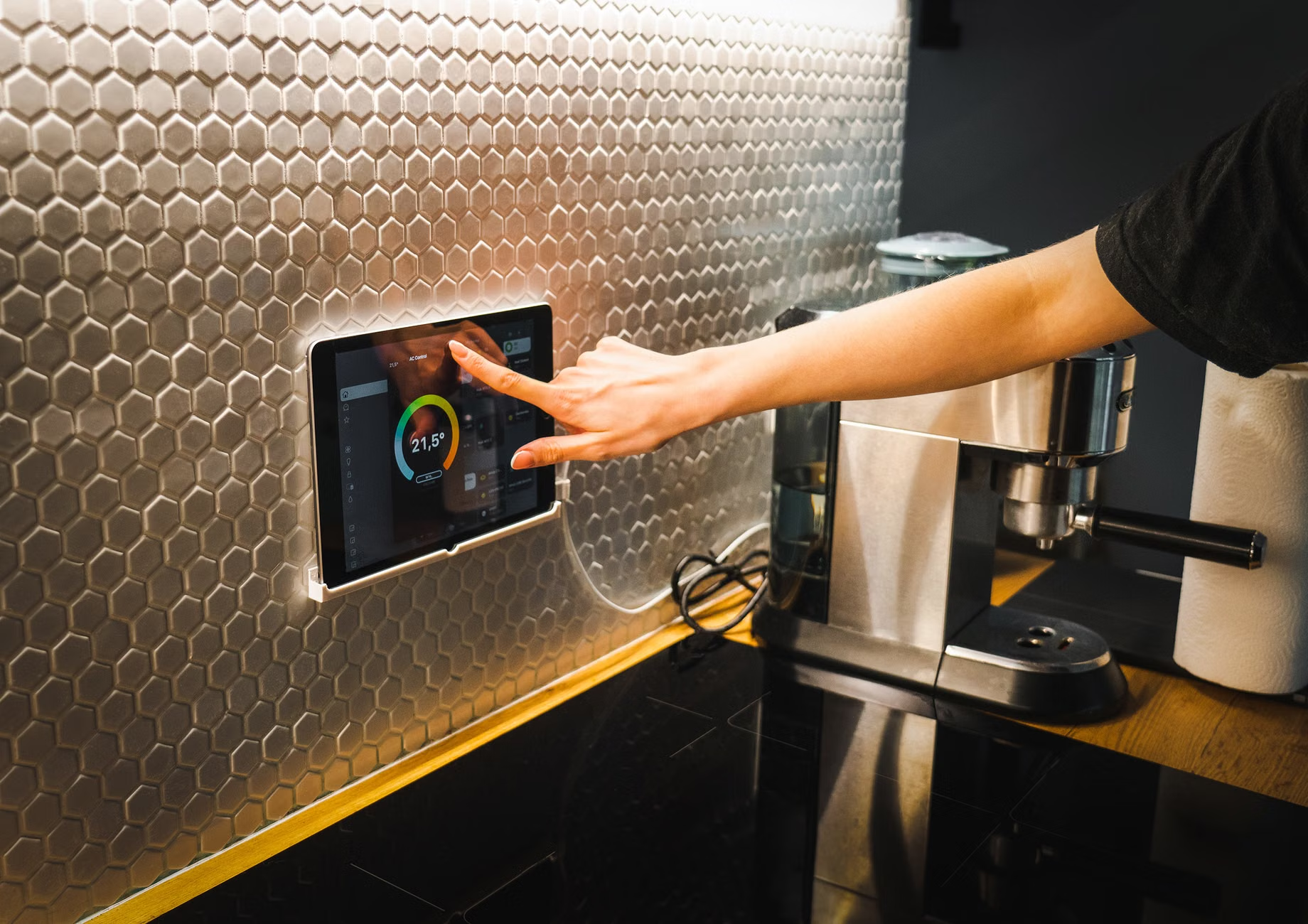
Most platforms allow you to create a “Dashboard” on a tablet or smartphone. This is a visual representation of your home. It is recommended to have a large-format tablet mounted in a central location, like the kitchen or living room, that acts as your command center. In 2026, these dashboards are highly customizable. You can make the buttons extra-large, increase the contrast for better visibility, and simplify the interface to show only the controls you use daily.
Safety and Emergency Preparedness
In the event of an emergency, voice-activated systems can be a lifeline. You can set up “Emergency Routines.” A command such as “Help” or “I need assistance” can be programmed to perform a series of actions: turn all lights on to 100% brightness, unlock the front door for emergency responders, and send a notification to a pre-defined list of family members or caregivers. Note: This should be a secondary layer of safety, not a replacement for a dedicated medical alert system or a phone.
Conclusion: The Future of Independent Living
The journey toward a fully voice-accessible home is not a race; it is a process of customizing your environment to support your lifestyle. As we look toward the remainder of 2026 and beyond, the focus will continue to be on invisibility—technology that works so well you forget it is there. By starting with the basics, choosing compatible hardware, and focusing on the tasks that matter most to your daily routine, you are not just buying gadgets; you are investing in your long-term independence and safety.
This comprehensive guide has covered the evolution of voice-activated technology, the importance of universal standards like Matter, practical applications for safety and mobility, and the strategic approach to building an accessible home. By applying these principles, you can create a living space that adapts to your needs today and in the future.